

Multimedia & graphics Windows
Acoustica for Windows
Edit, restore and master audio with Acon Digital's Acoustica for Windows, a standalone editor with spectral repair, multitrack editing and a 30-day trial.
- Operating system
- Windows 10 / 11 (version 10.0.14393 or higher)
- Architecture
- 64-bit (Win64)
- Download package
- EXE installer; multilingual; trial and full version
Publisher lists Intel Core i5 or AMD Ryzen 5 or faster, 4 GB RAM, 10 GB free disk space and 1920 × 1080 display or higher. Plug-in use requires a compatible 64-bit VST3 or AAX host.
Link checked · Download guidance
What is Acoustica?
Acoustica brings audio editing, restoration and mastering into a standalone Windows application. Use its spectral editor to target unwanted sounds, work with clips in multitrack projects, and process recordings with restoration and mastering tools. ARA2 integration also connects its clip editor to compatible digital audio workstations, reducing the need to transfer clips manually.
The editions differ in channel support and included processing tools. Standard provides stereo editing and in-app restoration, mastering and stem separation. Premium adds up to 7.1.2-channel audio, processing tools as DAW plug-ins and Extract:Dialogue 2. Ultimate extends support to 9.1.6 channels and adds tools including DeVerberate 3 and DeFilter. Acoustica is paid software with a perpetual license and a fully functional 30-day trial; it is not a permanently free editor.
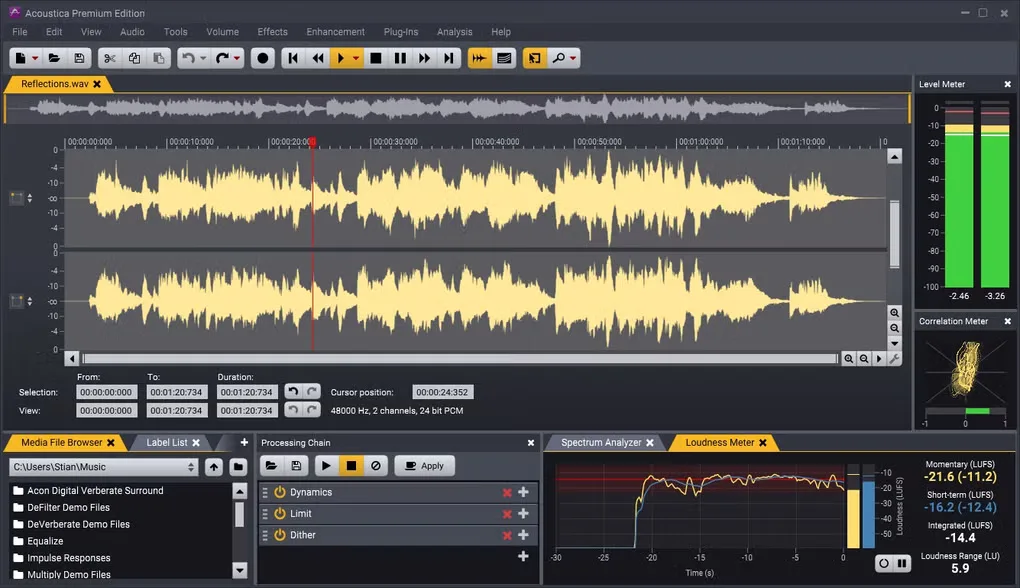
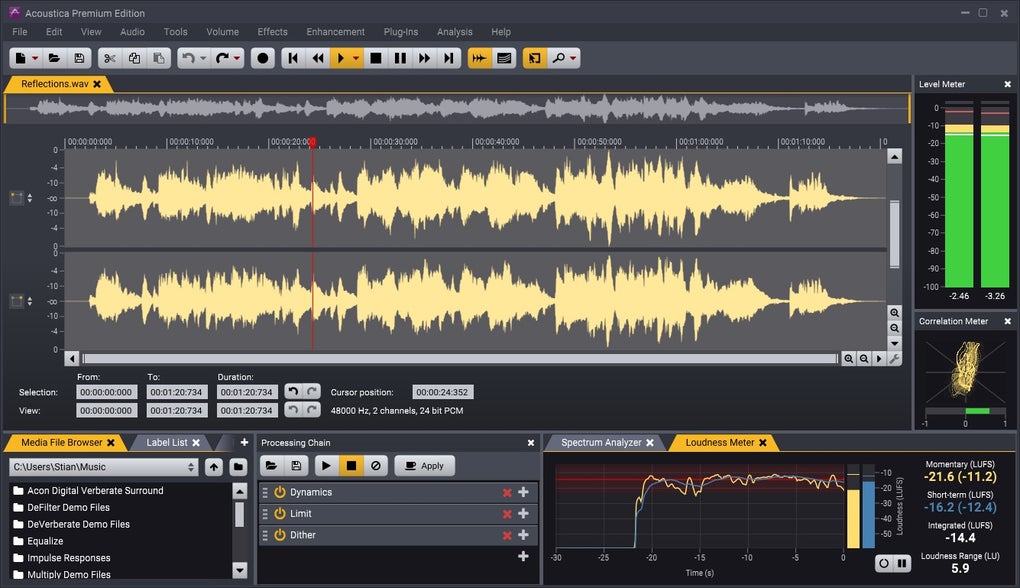
This download is the publisher's multilingual Windows 64-bit EXE for version 8.0.5, used for both trial and full versions. The screenshot comes from Softonic's Windows gallery and shows the Premium Edition interface; its appearance may differ from version 8.
What it offers
- Spectral editing for targeted repairs alongside stereo clip and multitrack editing.
- Restoration and mastering tools within the standalone application.
- Remix stem separation for vocals, piano, bass, drums and other audio, with in-app access in Standard.
- ARA2 clip-editor integration with compatible DAWs; an AAX Transfer plug-in supports transfers to and from Pro Tools.
- Edition choices from stereo Standard to 7.1.2-channel Premium and 9.1.6-channel Ultimate.
Good to know
- The trial lasts 30 days; continued use requires a paid license.
- Standard is limited to stereo and its processing tools are in-app only; advanced processing and immersive channel support depend on the edition.
- DAW integration requires a compatible host; the standalone editor does not make every DAW ARA2-compatible.
Product images
Sources
References used for this listing. Retrieval dates do not indicate hands-on testing.
More in multimedia & graphics
View category ↗
1by1 2.17
Play music directly from folders with 1by1, a free Windows audio player with resume, gapless playback and file tools. Formats beyond MP3 need additional decoders.
3DVista Virtual Tour Pro
Build interactive 360° virtual tours from panoramas, videos and 3D models with 3DVista Virtual Tour Pro for Windows. Commercial software with a 30-day trial.

4DDiG Video Repair
Repair corrupted or unplayable videos in batches with the Video Repair tool in 4DDiG File Repair for Windows. A free trial is available; advanced features require a paid license.