
Multimedia & graphics Windows
Adobe After Effects for Windows
Animate titles and graphics, composite footage and build visual effects with Adobe After Effects for Windows. A paid Creative Cloud membership is required after the trial.
- Operating system
- Windows 11 v24H2
- Architecture
- Intel/AMD with AVX2; Snapdragon X-series Windows on Arm also supported
- Download package
- EXE online setup launcher
26.x requirements: 16 GB RAM minimum, 32 GB or more recommended for 4K. Adobe ID and internet activation required. The publisher setup workflow also provides Creative Cloud desktop and Media Encoder; not an offline installer.
Link checked · Download guidance
What is Adobe After Effects?
Adobe After Effects is a motion-design and visual-effects application for building animated titles, moving graphics and composited shots. Use it to animate text or illustrations, track elements through footage, replace a background or remove unwanted objects with Content-Aware Fill. Its 3D workspace combines 3D objects with 2D graphics, materials and lighting.
It also fits an Adobe production workflow: import layered Photoshop files, send compositions to Premiere through Dynamic Link and create customizable Motion Graphics templates for Premiere. It is not a substitute for a dedicated clip editor; Adobe recommends Premiere for editing video clips.
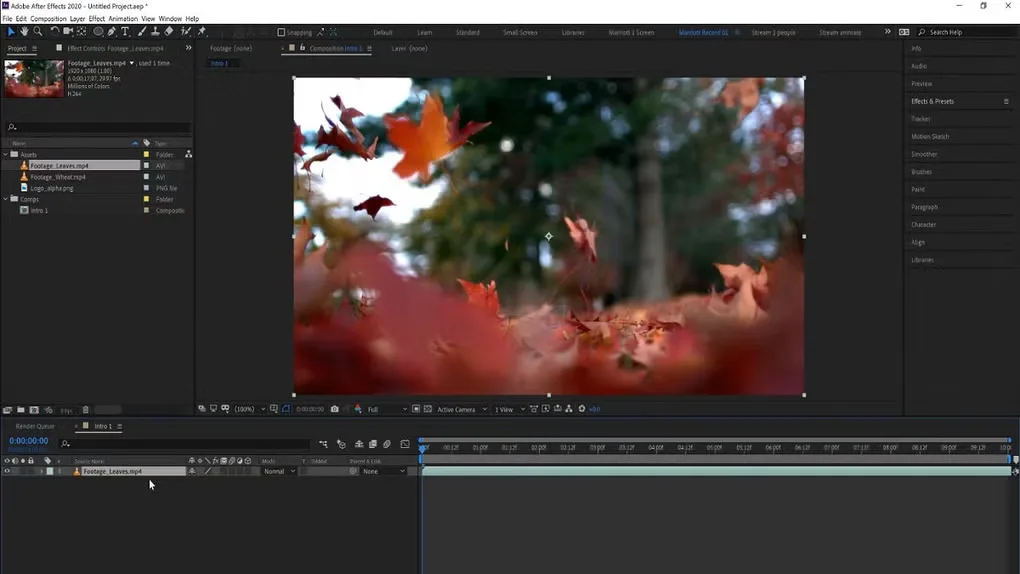
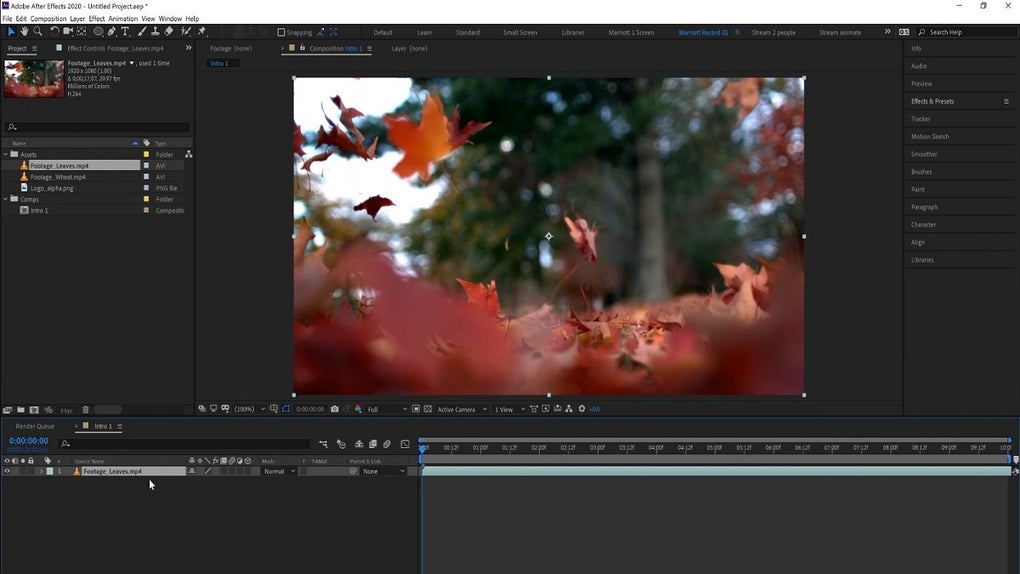
The download is Adobe’s Windows EXE setup launcher for After Effects 26.5, not a standalone offline installation package. Adobe’s installation page says the workflow also provides the Creative Cloud desktop app and Media Encoder. An Adobe ID, internet access and activation are required. The seven-day trial converts to a paid membership unless canceled before it ends. Check Adobe’s hardware requirements before choosing it for a workstation. The gallery image illustrates the older After Effects 2020 Windows interface, not the current release.
What it offers
- Animate text, illustrations and still images for titles, credit rolls and motion graphics.
- Track moving elements, replace backgrounds with keying tools and remove unwanted objects with Content-Aware Fill.
- Combine 2D graphics and 3D objects in a workspace with materials, lighting and shadows.
- Import layered Photoshop files and exchange compositions with Premiere through Dynamic Link.
- Create customizable Motion Graphics templates for use in Premiere.
Good to know
- Requires a Creative Cloud membership; the seven-day trial becomes paid unless canceled before it ends.
- Internet access, an Adobe ID and activation are required; the linked EXE is a setup launcher, not a standalone offline installer.
- Adobe recommends a dedicated video editor such as Premiere for editing video clips.
- Adobe lists Windows 11 v24H2 and 16 GB RAM as minimum requirements for the 26.x releases covered by its current requirements page; 32 GB or more is recommended for 4K work.
Product images
More in multimedia & graphics
View category ↗
1by1 2.17
Play music directly from folders with 1by1, a free Windows audio player with resume, gapless playback and file tools. Formats beyond MP3 need additional decoders.
3DVista Virtual Tour Pro
Build interactive 360° virtual tours from panoramas, videos and 3D models with 3DVista Virtual Tour Pro for Windows. Commercial software with a 30-day trial.

4DDiG Video Repair
Repair corrupted or unplayable videos in batches with the Video Repair tool in 4DDiG File Repair for Windows. A free trial is available; advanced features require a paid license.