

Multimedia & graphics Windows
Adobe Photoshop for Windows
Retouch photos and combine images in layered compositions with Adobe Photoshop for Windows. A seven-day trial is available; continued use requires a paid subscription.
- Operating system
- Photoshop 27.x+: Windows 11 24H2/23H2; Windows 10 22H2/21H2 LTSC (Intel/AMD)
- Architecture
- Selected Creative Cloud manager: Windows 64-bit (win64); ARM package is separate
- Download package
- ZIP containing the Creative Cloud desktop installer; not standalone Photoshop
Photoshop: 8 GB RAM minimum, 16 GB recommended; compatible DirectX 12 GPU. Select Photoshop inside Creative Cloud after sign-in. The manager supports more Windows versions than Photoshop.
Link checked · Download guidance
What is Adobe Photoshop?
Adobe Photoshop for Windows is an image editor for retouching photographs, building composites and arranging visual elements on separate layers. Layers let you move or resize one image without changing the rest of a composition, then adjust opacity and blending to combine the parts. It suits work that needs control over individual image elements rather than a single preset effect.
The desktop app also includes Generative Fill and Generative Expand for AI-assisted edits. This entry covers Windows Photoshop, not Photoshop Elements or the web and mobile editions. Adobe requires an account, and the seven-day trial converts to a paid Creative Cloud subscription unless canceled before it ends. Trial signup requires billing information.
The download below is Adobe’s 64-bit Creative Cloud desktop installation-manager ZIP, not a standalone Photoshop installer. Extract it and follow Adobe’s setup instructions, then sign in and choose Photoshop in Creative Cloud to install the app available to your account. A trial or eligible subscription is still required. The manager’s package version is not the Photoshop version.
Check Adobe’s system requirements before installing. For Photoshop 27.x and later on Intel/AMD Windows PCs, Adobe lists 8 GB RAM minimum, recommends 16 GB or more and requires a compatible DirectX 12 GPU. Internet access and registration are required for activation and subscription validation.
What it offers
- Retouch photographs and manipulate individual image elements.
- Combine multiple images as separate layers with independent placement, size, opacity and blend modes.
- Use Generative Fill and Generative Expand for AI-assisted image edits.
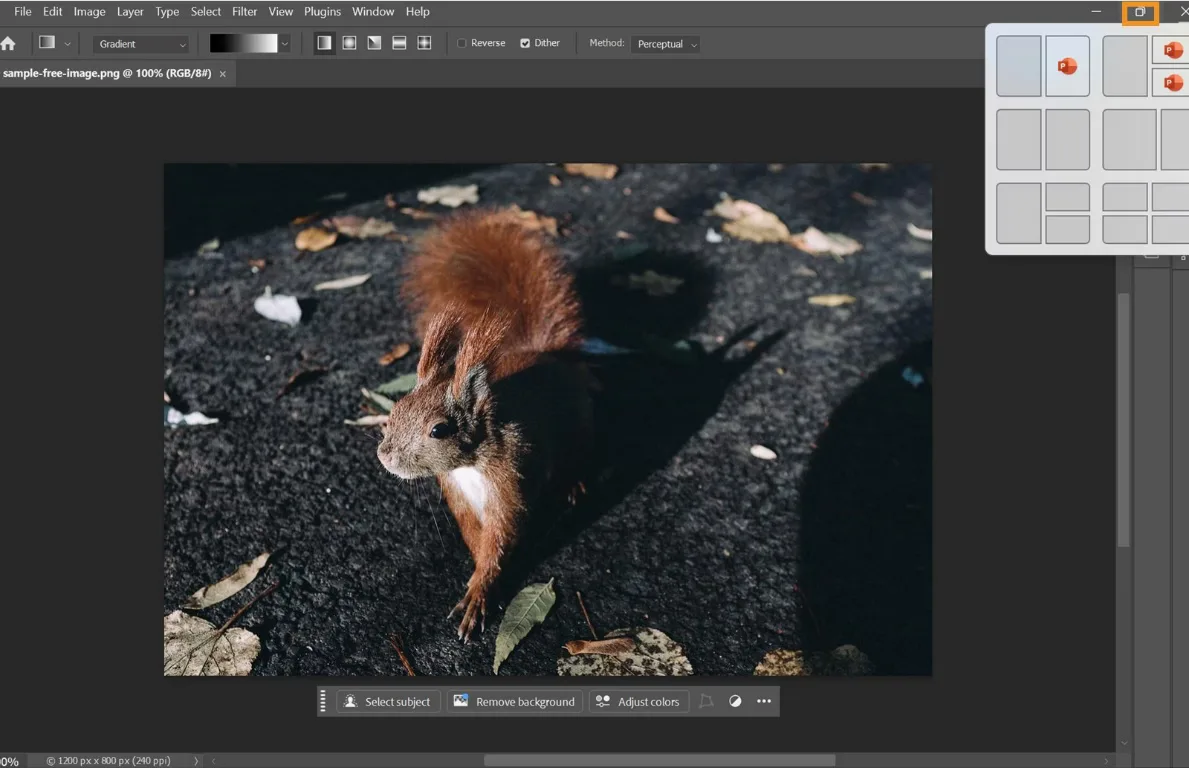
- Arrange tools and panels in a customizable desktop workspace.
Good to know
- The seven-day trial automatically becomes a paid subscription unless canceled; signup requires an Adobe account and billing information.
- The linked ZIP installs Creative Cloud desktop, not Photoshop itself. Installing Photoshop requires the additional account-based installation step.
- Activation and subscription validation require internet access and registration; supported Windows builds and GPU requirements apply.
Product images
Sources
References used for this listing. Retrieval dates do not indicate hands-on testing.
- Download Adobe Photoshop CC - Trial version - latest version ↗Retrieved
- Photoshop Free Trial & Free Download | Official Adobe Photoshop ↗Retrieved
- Adobe Photoshop free-trial FAQ ↗Retrieved
- Adobe Photoshop on desktop FAQ ↗Retrieved
- Create collages and montages using layers ↗Retrieved
- Adobe Photoshop on desktop technical requirements ↗Retrieved
- Download Creative Cloud desktop app using direct links ↗Retrieved
- Download Creative Cloud apps ↗Retrieved
- Workspace overview ↗Retrieved
More in multimedia & graphics
View category ↗
1by1 2.17
Play music directly from folders with 1by1, a free Windows audio player with resume, gapless playback and file tools. Formats beyond MP3 need additional decoders.
3DVista Virtual Tour Pro
Build interactive 360° virtual tours from panoramas, videos and 3D models with 3DVista Virtual Tour Pro for Windows. Commercial software with a 30-day trial.

4DDiG Video Repair
Repair corrupted or unplayable videos in batches with the Video Repair tool in 4DDiG File Repair for Windows. A free trial is available; advanced features require a paid license.