
Multimedia & graphics Windows
Adobe Premiere for Windows
Edit video, build rough cuts from transcripts, add titles, and collect review feedback with Adobe Premiere for Windows. A seven-day trial converts to a paid Creative Cloud membership unless canceled.
- Operating system
- Windows 11 version 24H2 for the documented Premiere 26.x releases
- Architecture
- Intel/AMD with AVX2; separate Windows on Arm requirements
- Download package
- EXE setup bootstrap; online installation
Adobe lists 8 GB RAM minimum for Intel/AMD and 16 GB for Windows on Arm. Bootstrap architecture and installed version were not independently verified.
Link checked · Download guidance
What is Adobe Premiere?
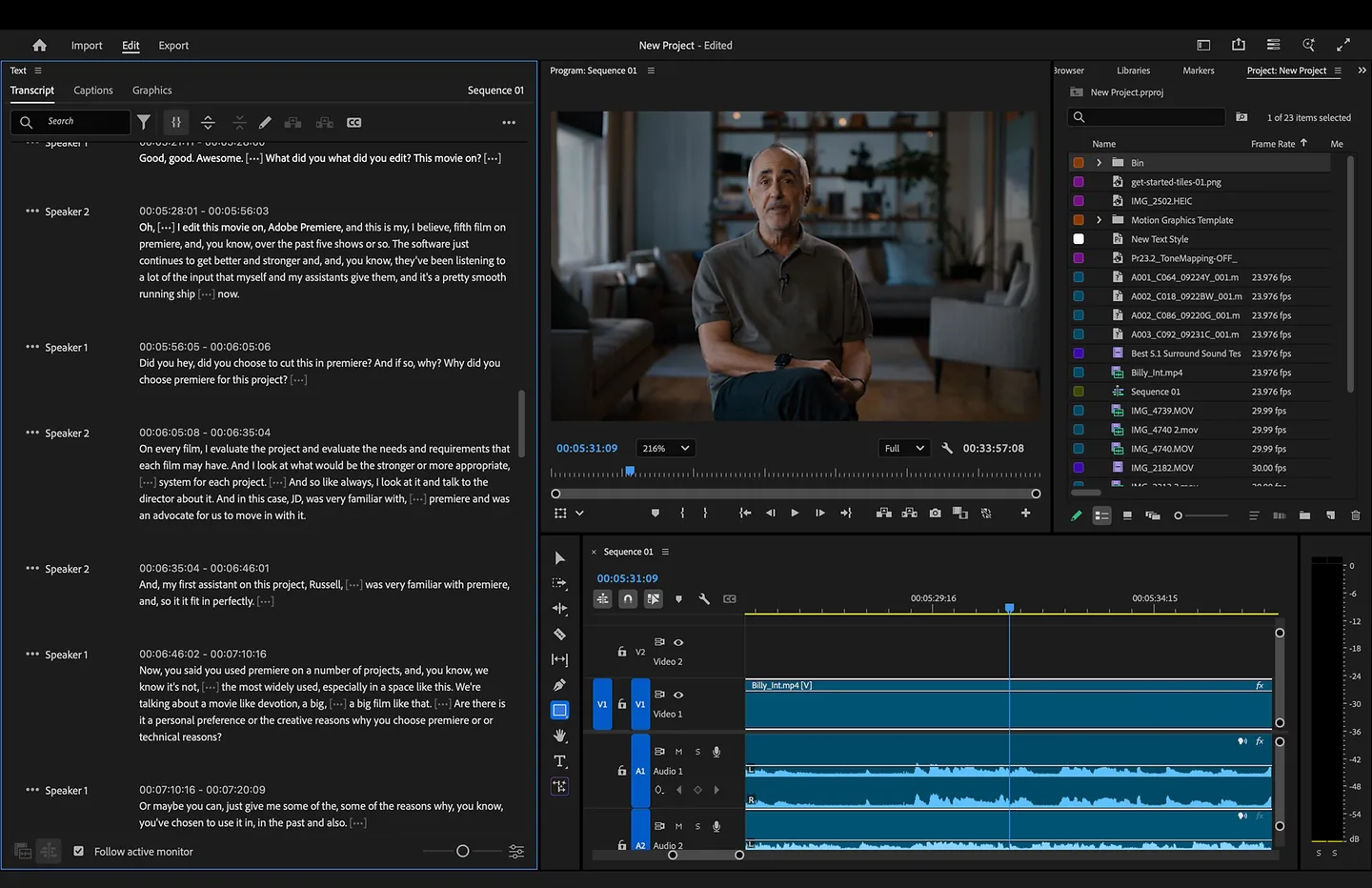
Adobe Premiere is a desktop video editor for assembling clips into sequences, refining timing, and finishing videos with titles, effects, color adjustments, and sound. It is also known as Premiere Pro. Text-Based Editing turns spoken dialogue into a transcript: select and rearrange words to build a rough cut, then refine the corresponding clips on the timeline. Motion graphics templates provide animated titles, while Frame.io integration brings review comments into the editing workflow.
The Windows download linked here is Adobe's Premiere setup bootstrap, not an offline copy of the complete editor. Adobe's installation page says the workflow also provides the Creative Cloud desktop app and Media Encoder. You need an Adobe ID and an internet connection to activate and use Premiere; downloading the setup file does not grant a license.
Adobe offers a seven-day desktop trial that automatically becomes a paid Creative Cloud membership unless you cancel before it ends. Check the current system requirements before starting: Adobe's requirements page for the 26.x releases lists Windows 11 version 24H2, with separate specifications for Windows on Arm. Text-Based Editing requires spoken dialogue and does not handle the captions workflow; generate captions from the final edited sequence instead.
What it offers
- Create and refine video sequences with timeline editing, effects, color adjustments, and sound mixing.
- Build rough cuts by selecting, cutting, and rearranging transcript text linked to video clips.
- Add animated titles and graphics with motion graphics templates.
- Share work through Frame.io and import review comments as timeline markers.
Good to know
- The seven-day trial automatically converts to a paid Creative Cloud membership unless canceled before the trial ends.
- An Adobe ID, internet connection, and acceptance of the license agreement are required to activate and use the application.
- Text-Based Editing transcribes spoken dialogue and does not support the captions workflow; generate captions from the final edited sequence.
- The linked EXE is an online setup bootstrap, not a verified offline installer or an independently tested installation.
Product images
More in multimedia & graphics
View category ↗
1by1 2.17
Play music directly from folders with 1by1, a free Windows audio player with resume, gapless playback and file tools. Formats beyond MP3 need additional decoders.
3DVista Virtual Tour Pro
Build interactive 360° virtual tours from panoramas, videos and 3D models with 3DVista Virtual Tour Pro for Windows. Commercial software with a 30-day trial.

4DDiG Video Repair
Repair corrupted or unplayable videos in batches with the Video Repair tool in 4DDiG File Repair for Windows. A free trial is available; advanced features require a paid license.