

Multimedia & graphics Windows
AI Photo Culling for Windows
Review photo shoots on your Windows PC with SoftOrbits AI Photo Culling. Score frames, group similar shots and export keepers; free output is limited to 15 photos per session.
- Operating system
- Windows 10 and Windows 11
- Architecture
- Architecture of the linked installer is not established
- Download package
- EXE installer
Publisher headline targets Windows 10/11. Its broader requirements table lists older Windows and 32/64-bit systems, while Softonic describes 64-bit Windows 10/11. Older-system and package-architecture support are not confirmed here.
Link checked · Download guidance
What is AI Photo Culling?
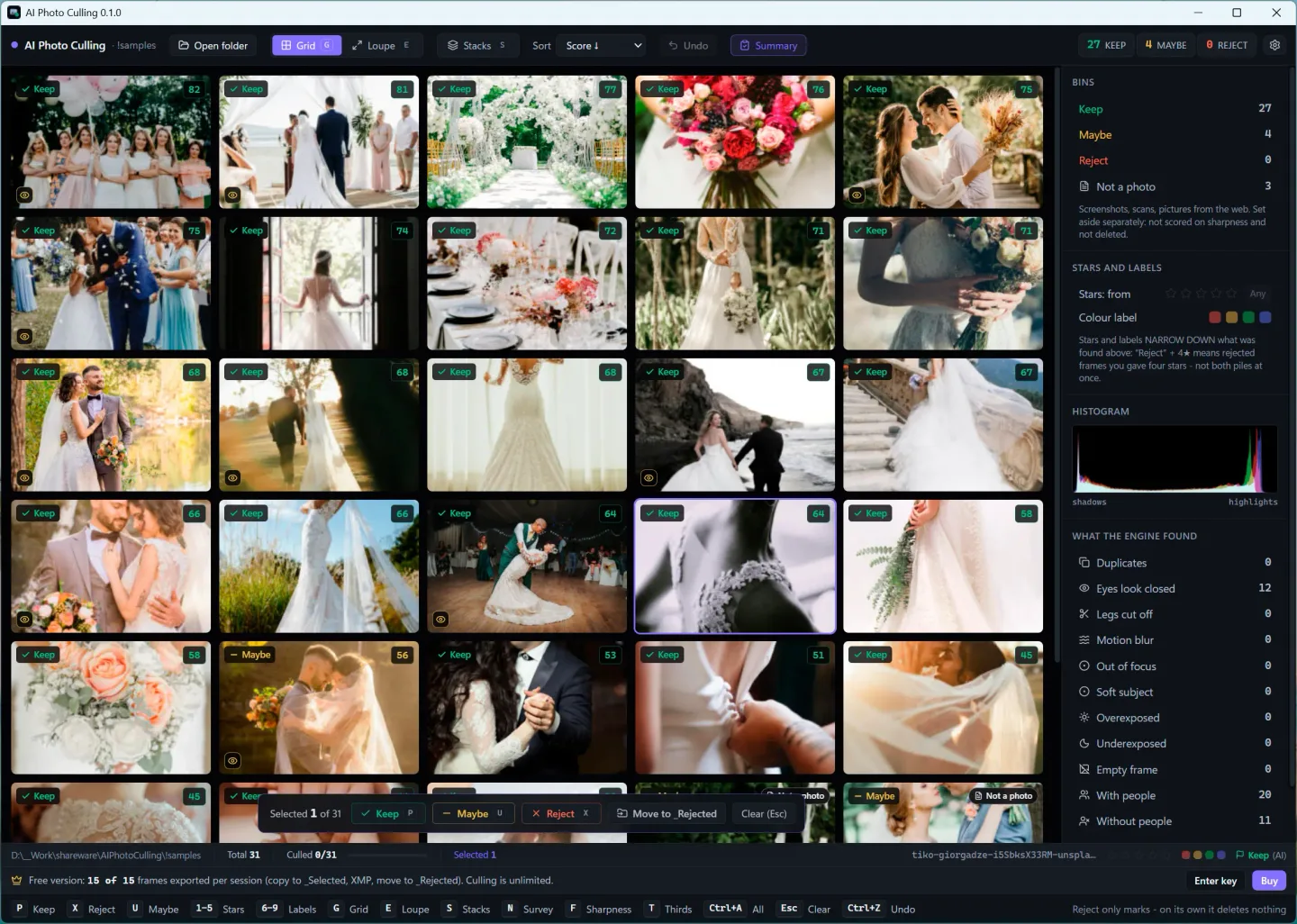
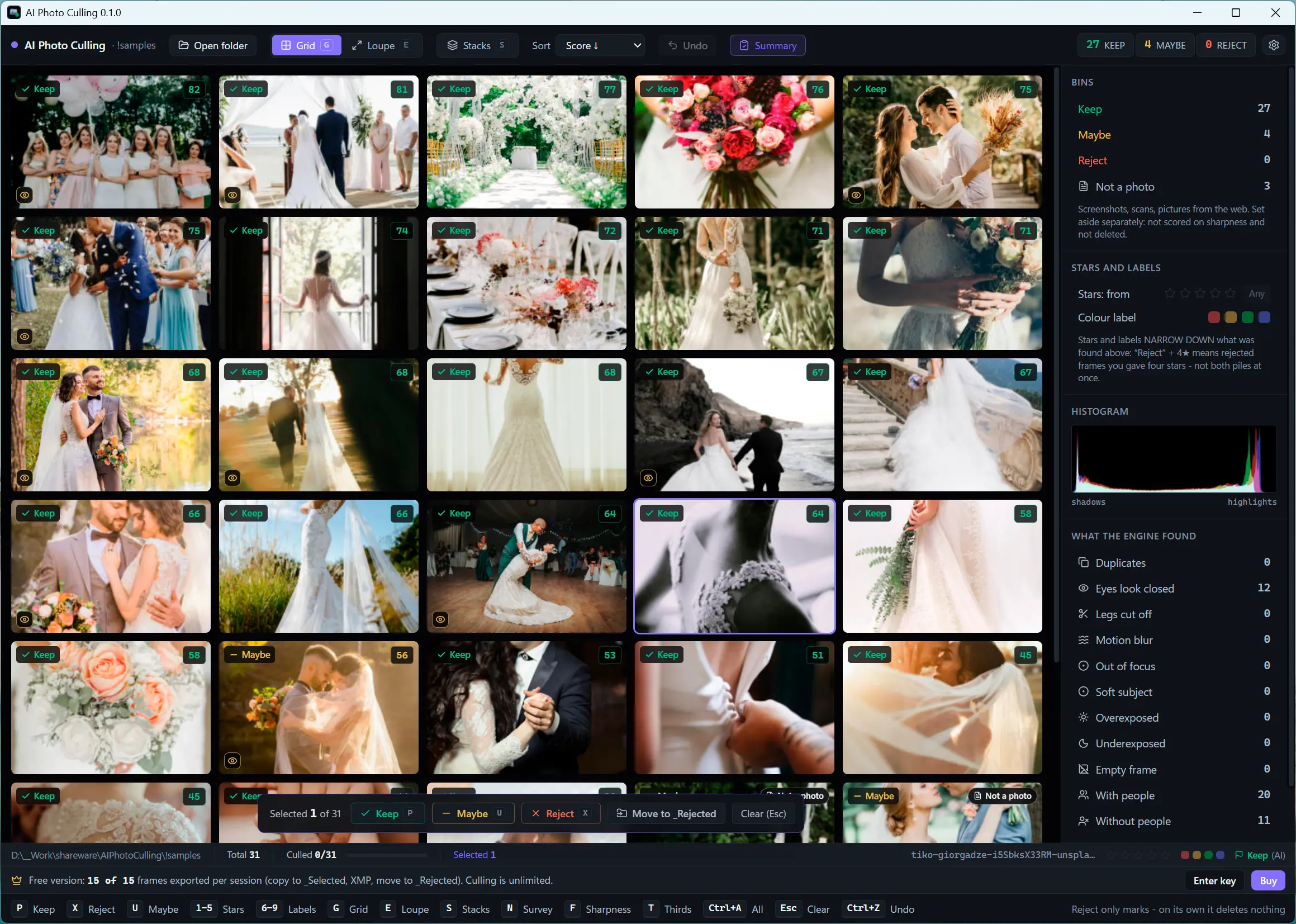
AI Photo Culling helps reduce a folder of photos to a selection before editing. It analyzes images locally, gives frames a 0–100 rating and shows reasons such as soft focus, motion blur or a backlit subject. Similar shots can be grouped into stacks so you can compare a burst rather than judge each frame in isolation. The photographer still decides which moment to keep.
Grid, Loupe and side-by-side Survey views support review. Keyboard controls mark Keep, Reject or Maybe and assign stars. The program reads RAW files alongside HEIC and JPEG images, then can copy keepers to a _Selected subfolder or write ratings and labels to XMP sidecars for an editing workflow. Marking Reject is not itself a deletion; moving rejected files or sending them to the Recycle Bin is a separate action.
The free version analyzes the folder but limits output to 15 photos per session, shared across copying keepers, writing XMP, moving rejects and Recycle Bin actions. Registration removes that cap. This is a culling tool, not a photo editor, and its flags need human review: the publisher explicitly notes that closed-eye detection can be wrong. Lightroom reads these XMP sidecars for RAW files, not JPEGs, so copying selected JPEGs is the relevant alternative.
What it offers
- Analyze photos locally on the PC without uploading them, according to the publisher.
- Review a combined 0–100 rating with technical-quality, beauty and composition scores and issue indicators.
- Group similar frames by shooting time and visual likeness; compare images in Grid, Loupe or Survey views.
- Read RAW, HEIC/HEIF, JPEG, PNG and WebP images; mark selections with keyboard shortcuts and star ratings.
- Copy keepers to _Selected or write XMP sidecars; handle rejected photos through separate file actions.
Good to know
- Free output is limited to 15 photos per session across copying keepers, XMP export, moving rejects and Recycle Bin actions; registration is required to lift the cap.
- Culling does not replace editing or the photographer's judgment. Closed-eye flags can be wrong and require review.
- Lightroom ignores XMP sidecars for JPEG files, according to the publisher; copy selected JPEGs instead.
Product images
Sources
References used for this listing. Retrieval dates do not indicate hands-on testing.
More in multimedia & graphics
View category ↗
1by1 2.17
Play music directly from folders with 1by1, a free Windows audio player with resume, gapless playback and file tools. Formats beyond MP3 need additional decoders.
3DVista Virtual Tour Pro
Build interactive 360° virtual tours from panoramas, videos and 3D models with 3DVista Virtual Tour Pro for Windows. Commercial software with a 30-day trial.

4DDiG Video Repair
Repair corrupted or unplayable videos in batches with the Video Repair tool in 4DDiG File Repair for Windows. A free trial is available; advanced features require a paid license.