

Multimedia & graphics Windows
AI Voice Silence Remover from Audio & Video for Windows
Trim pauses from spoken audio and video on Windows with SoftOrbits' Voice Silence Remover. Preview detected cuts, adjust speech padding and process folders; saving trimmed files requires a license.
- Operating system
- Windows 10 and 11
- Architecture
- Publisher lists 32-bit and 64-bit Windows support; installer architecture not independently verified
- Download package
- EXE installer
Publisher headline lists Windows 10/11; its detailed requirements also list older Windows versions. Package contents and installation were not tested.
Link checked · Download guidance
What is AI Voice Silence Remover from Audio & Video?
AI Voice Silence Remover from Audio & Video shortens speech recordings by removing pauses between spoken passages. SoftOrbits presents the publisher version as Voice Silence Remover. It is aimed at recorded interviews, podcast episodes, lectures and talking-head videos rather than full timeline editing. The publisher says processing takes place locally on your Windows PC without uploading recordings.
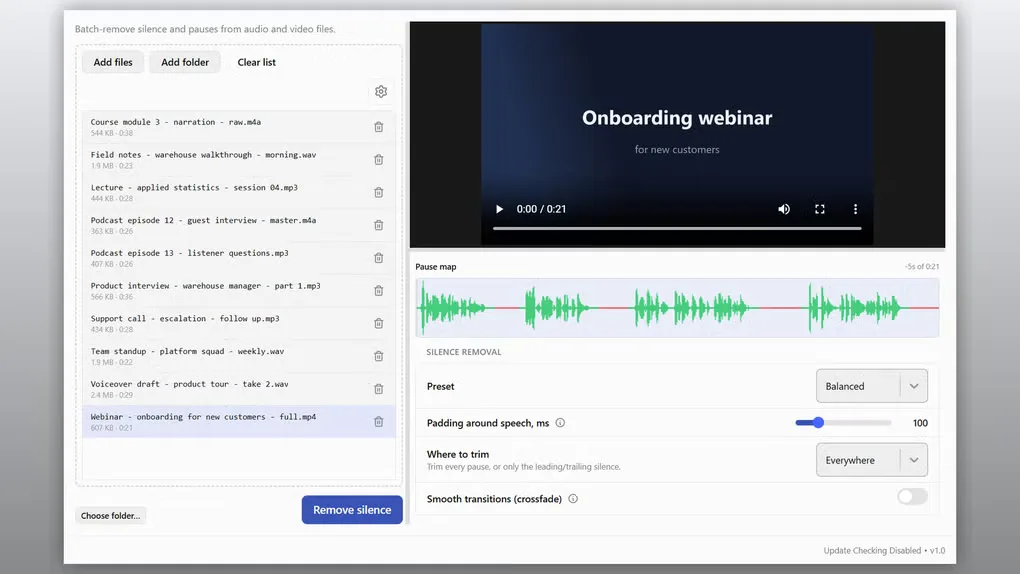
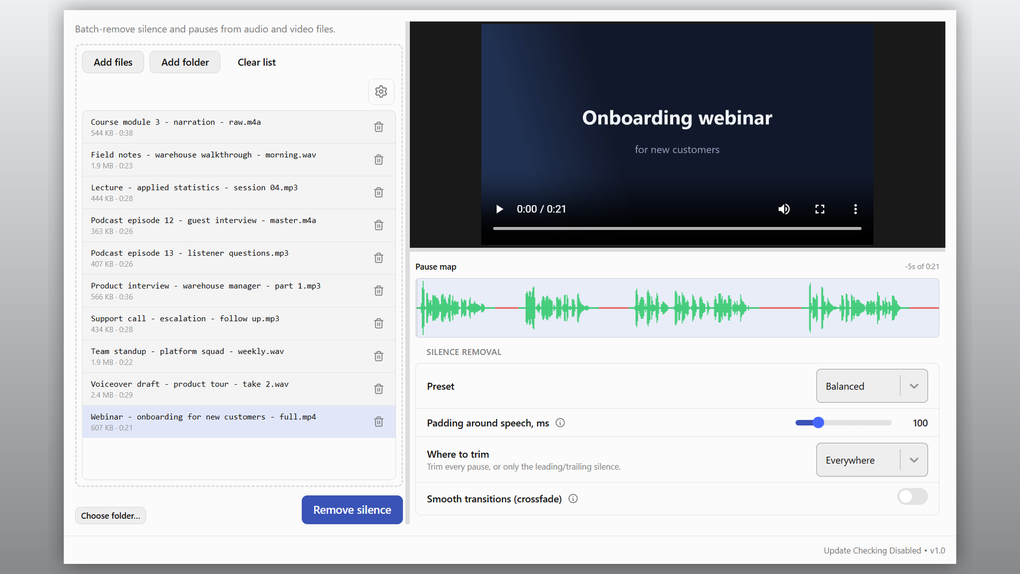
Add individual audio or video files, or queue a folder and its subfolders. The player and pause map let you inspect detected speech and gaps before processing. Choose a Gentle, Balanced or Aggressive preset, or adjust sensitivity, the minimum pause to remove and the padding around speech. You can trim pauses throughout a recording or restrict trimming to its beginning or end. Results are saved separately from the originals, with before-and-after duration information.
The trial is useful for inspecting the proposed cuts, but Softonic's author-supplied description says registration is required to save trimmed files. This is also not a background-noise remover: noise beneath spoken words remains, and the voice-focused detector can trim music or applause unevenly. Review the pause map before committing a batch, especially for recordings that mix speech with other sounds.
What it offers
- Queue audio and video files, including whole folders and subfolders, for batch silence removal.
- Preview recordings with a pause map showing speech and sections selected for removal.
- Use Gentle, Balanced and Aggressive presets, or customize detection sensitivity, minimum pause length and speech padding.
- Remove pauses throughout a file or trim only leading and trailing silence; save results separately with before-and-after duration reports.
- Publisher-listed formats include MP3, WAV, M4A and FLAC audio, plus MP4, MKV, MOV, AVI and WMV video. Processing is described as local and offline.
Good to know
- The unregistered trial can preview files and proposed cuts but cannot save trimmed output; a license key enables saving, according to Softonic's author-supplied description.
- It does not remove background noise under speech. Music and applause may be trimmed unevenly because detection is designed for human voices.
Product images
More in multimedia & graphics
View category ↗
1by1 2.17
Play music directly from folders with 1by1, a free Windows audio player with resume, gapless playback and file tools. Formats beyond MP3 need additional decoders.
3DVista Virtual Tour Pro
Build interactive 360° virtual tours from panoramas, videos and 3D models with 3DVista Virtual Tour Pro for Windows. Commercial software with a 30-day trial.

4DDiG Video Repair
Repair corrupted or unplayable videos in batches with the Video Repair tool in 4DDiG File Repair for Windows. A free trial is available; advanced features require a paid license.