
Multimedia & graphics Windows
AnalogX AutoTune
Tune WAV instrument samples to a chosen note, normalize levels and correct DC offset with AnalogX AutoTune, a free Windows audio utility.
- Operating system
- Windows 95 through Windows 7, according to the publisher
- Architecture
- Not specified by the publisher
- Download package
- EXE installer
Publisher PAD metadata lists install/uninstall support. Windows 10 and 11 compatibility has not been verified; no software was installed or run.
Link checked · Download guidance
What is AnalogX AutoTune?
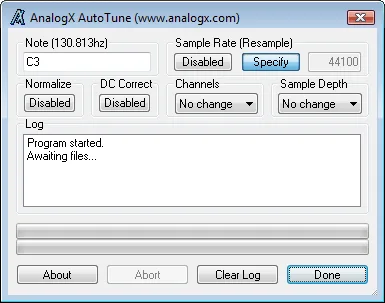
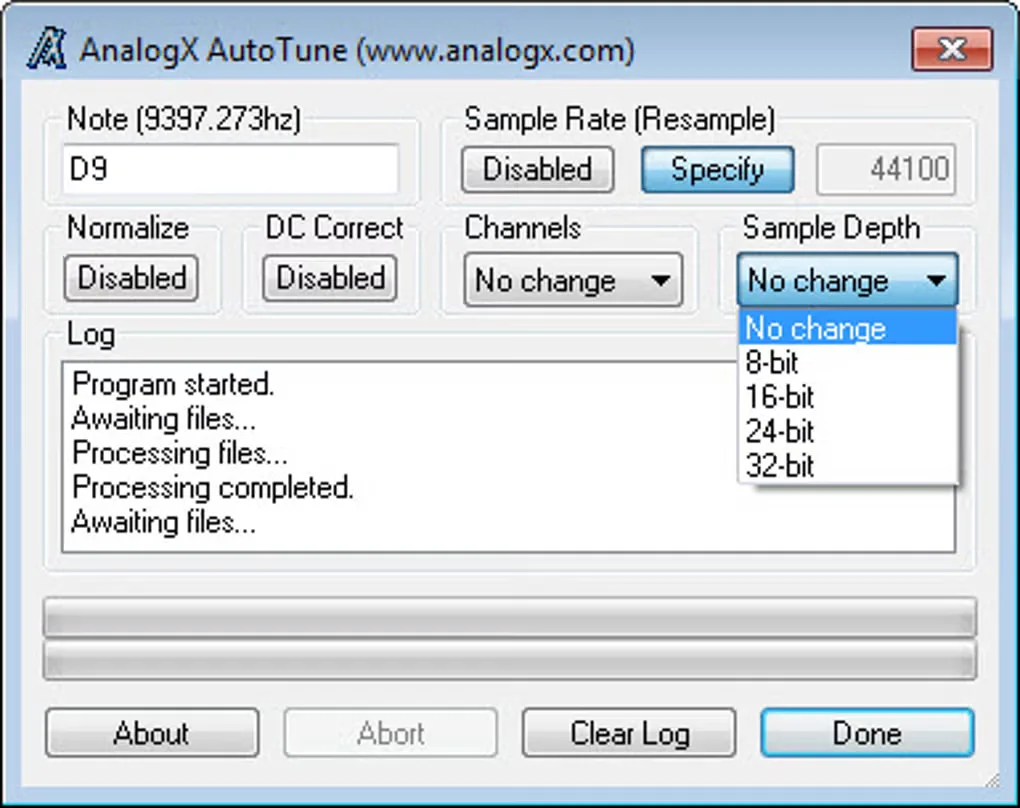
AnalogX AutoTune prepares sampled sounds for a common musical pitch. Enter a target note such as C3, then drag individual WAV files or a folder onto the application. Folder processing includes subdirectories, so the same settings can be applied across a sample collection. This is AnalogX’s sample-processing utility, not Antares Auto-Tune.
Alongside tuning, AutoTune can normalize amplitude, correct DC offset and convert sample depth. Resampling can restore the original sample rate or use a specified rate. Leave the note field blank to use the other processing options without tuning.
The publisher documents uncompressed mono and stereo WAV input, including 8-, 16-, 24- and 32-bit formats. It explicitly warns that drums, breakbeats, voice samples and noise cannot be tuned. Its sample-rate conversion does not apply filtering before conversion, and the publisher recommends a full audio editor when conversion quality matters.
The published Windows compatibility statement covers Windows 95 through Windows 7. Compatibility with Windows 10 or 11 has not been established here. The linked EXE is hosted by AnalogX; its availability was checked using HEAD only, without downloading or running the installer.
What it offers
- Tune sampled sounds to a specified note, with an optional octave.
- Process individual WAV files or folders, including subdirectories, by drag and drop.
- Normalize sample amplitude and correct DC offset.
- Resample to the original or a specified sample rate and change sample depth to 8, 16, 24 or 32 bits.
- Leave the target note blank to apply other processing without tuning.
Good to know
- Only uncompressed mono or stereo WAV files are documented as supported.
- The publisher says drums, breakbeats, voice samples and noise cannot be tuned.
- Sample-rate conversion does not apply filtering before conversion; the publisher notes that a full audio editor can give better conversion results.
- Publisher compatibility information stops at Windows 7; Windows 10 and 11 operation is unverified.
Product images
Sources
References used for this listing. Retrieval dates do not indicate hands-on testing.
More in multimedia & graphics
View category ↗
1by1 2.17
Play music directly from folders with 1by1, a free Windows audio player with resume, gapless playback and file tools. Formats beyond MP3 need additional decoders.
3DVista Virtual Tour Pro
Build interactive 360° virtual tours from panoramas, videos and 3D models with 3DVista Virtual Tour Pro for Windows. Commercial software with a 30-day trial.


4DDiG Video Repair
Repair corrupted or unplayable videos in batches with the Video Repair tool in 4DDiG File Repair for Windows. A free trial is available; advanced features require a paid license.