

Multimedia & graphics Windows
Ashampoo Easy Paint for Windows
Crop, resize and annotate images for office documents with Ashampoo Easy Paint for Windows. Add arrows, highlights and notes, then export to PDF or PSD.
- Operating system
- Windows 11 and Windows 10
- Architecture
- x64; publisher also lists ARM support
- Download package
- EXE from the publisher downloader service
The requirements page names Windows 10 (x64) and Windows 11; structured metadata also lists Windows 10/11 ARM. Ashampoo App is required. Exact binary architecture was not inspected.
Link checked · Download guidance
What is Ashampoo Easy Paint?
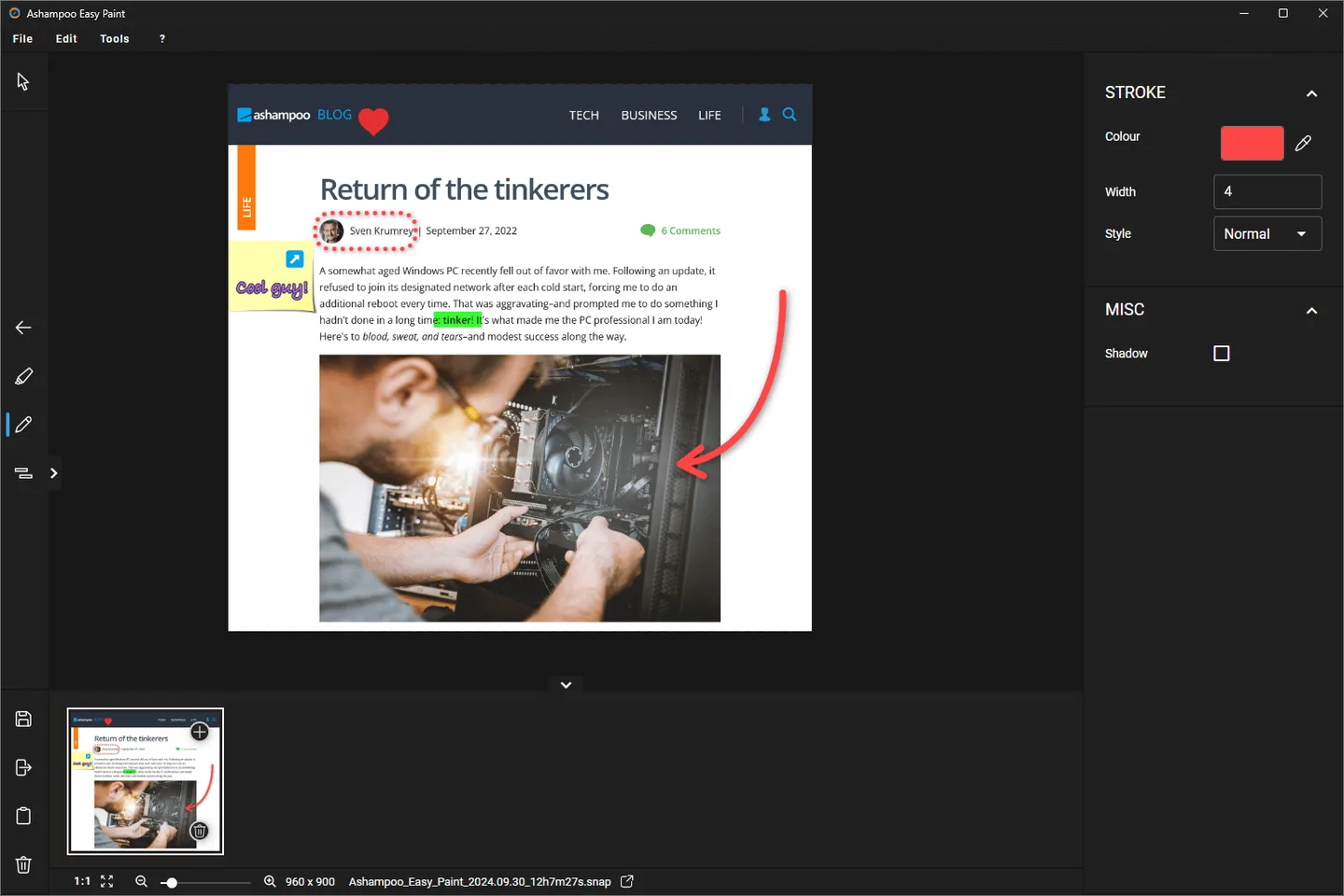
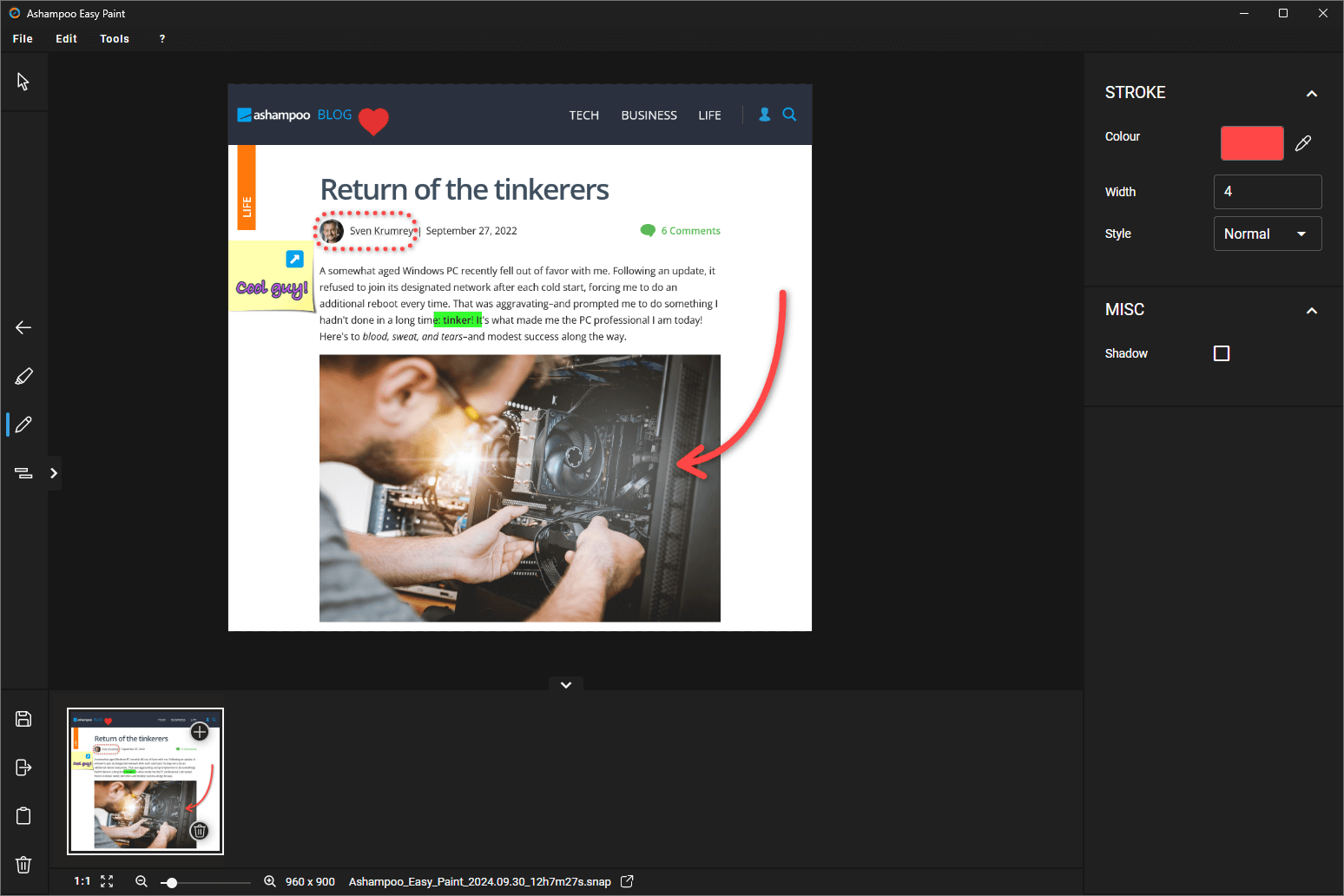
Ashampoo Easy Paint is an image editor for everyday office work: adjusting a picture, marking a detail in documentation or adding an explanatory note. It combines cropping, rotation and resizing with text, arrows, numbering and highlights, so basic edits and annotations stay in one application. A tool for obscuring selected areas can hide information within an image.
The publisher also lists PDF and PSD export for sharing edited content. Its emphasis is basic editing and annotation rather than the complexity of a high-end graphics program. Easy Paint is commercial software with a 14-day free trial, not an indefinitely free editor. The publisher requires the Ashampoo App for installation; the linked EXE is delivered from its downloader service, not a verified offline installer.
What it offers
- Crop, rotate and resize images for documents and presentations.
- Add text, notes, arrows, numbering and highlights to explain image details.
- Obscure selected image areas containing sensitive information.
- Export edited content in PDF and PSD formats.
Good to know
- The free trial lasts 14 days; continued use requires a commercial license.
- Installation requires the Ashampoo App; this download is not established as a standalone offline installer.
Product images
Sources
References used for this listing. Retrieval dates do not indicate hands-on testing.
More in multimedia & graphics
View category ↗
1by1 2.17
Play music directly from folders with 1by1, a free Windows audio player with resume, gapless playback and file tools. Formats beyond MP3 need additional decoders.
3DVista Virtual Tour Pro
Build interactive 360° virtual tours from panoramas, videos and 3D models with 3DVista Virtual Tour Pro for Windows. Commercial software with a 30-day trial.

4DDiG Video Repair
Repair corrupted or unplayable videos in batches with the Video Repair tool in 4DDiG File Repair for Windows. A free trial is available; advanced features require a paid license.