

Multimedia & graphics Windows
Audacity for Windows
Record and edit podcasts, music and other audio in Audacity. Arrange multiple tracks, inspect frequencies and export finished recordings.
- Operating system
- Windows 10 and 11 (publisher-tested)
- Architecture
- x86_64 (x64)
- Download package
- MSI installer
Without MuseHub; not portable. ARM64 is a separate download.
Link checked · Download guidance
What is Audacity?
Audacity is a multitrack audio editor and recorder for spoken-word recordings, podcast edits, music sketches and audio for video. Import or record sound, arrange clips across tracks and export a finished recording. Audacity 4 workspaces adapt the tools and ruler to speech editing or music work, with seconds or bars and beats. Light, dark and high-contrast themes offer further layout choices.
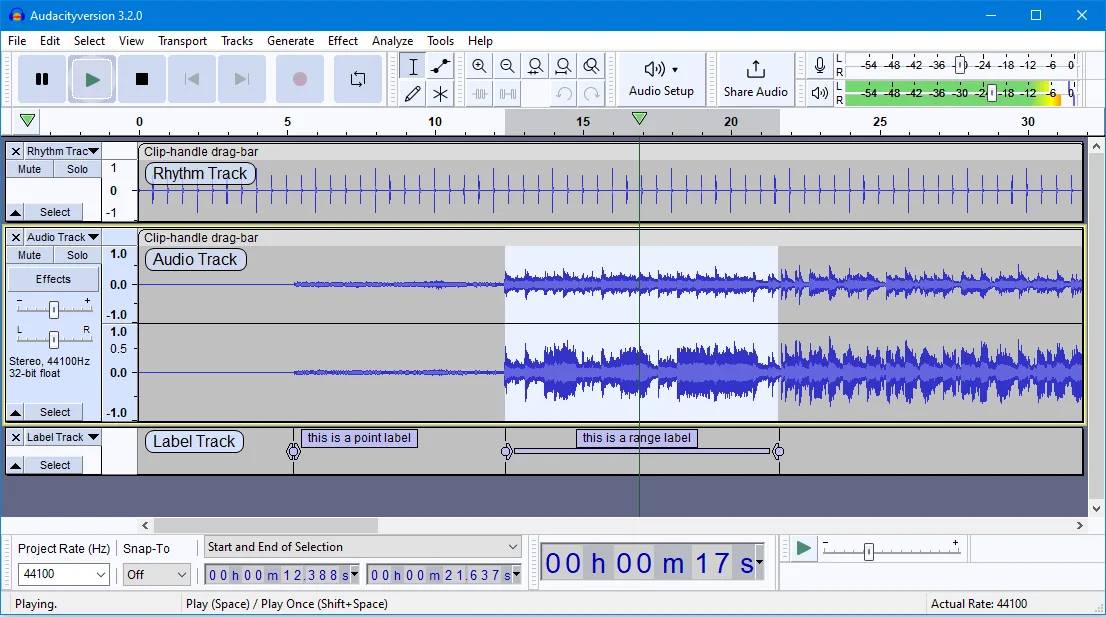
For projects containing several takes or segments, version 4.0.1 can export each track or labelled region to a separate file. Spectrogram view helps inspect frequencies, and plugins extend audio processing. Format support and storage matter: some import/export formats need optional FFmpeg, and active projects require fast, uninterrupted disk access. The gallery illustrates the older 3.2 interface, not Audacity 4's redesign.
What it offers
- Record and edit audio in multitrack projects for podcasts, music and other sound work.
- Choose Audacity 4 workspaces that adapt toolbar tools and switch the ruler between seconds and bars and beats.
- Import, export and convert audio in formats including WAV, MP3, FLAC and Ogg.
- Export individual tracks or labelled regions to separate files in Audacity 4.0.1.
- Inspect audio frequencies with Spectrogram view.
- Extend audio processing with third-party plugins, including VST3.
Good to know
- Additional formats such as WMA, M4A and AC3 require the optional FFmpeg import/export library.
- Projects require fast, uninterrupted disk access; the publisher warns that network storage, consumer external drives and USB thumb drives may be unreliable.
Product images
Sources
References used for this listing. Retrieval dates do not indicate hands-on testing.
- Audacity — Windows packages and system requirements ↗Retrieved
- Audacity — audio editor, formats and direct download choices ↗Retrieved
- Audacity 4 — workspaces and redesigned interface ↗Retrieved
- Audacity 4.0.1 release notes ↗Retrieved
- Audacity project README — multitrack editor and license ↗Retrieved
- Audacity 3.2 screenshot — Peter H Sampson, CC BY-SA 4.0 ↗Retrieved
More in multimedia & graphics
View category ↗
1by1 2.17
Play music directly from folders with 1by1, a free Windows audio player with resume, gapless playback and file tools. Formats beyond MP3 need additional decoders.
3DVista Virtual Tour Pro
Build interactive 360° virtual tours from panoramas, videos and 3D models with 3DVista Virtual Tour Pro for Windows. Commercial software with a 30-day trial.


4DDiG Video Repair
Repair corrupted or unplayable videos in batches with the Video Repair tool in 4DDiG File Repair for Windows. A free trial is available; advanced features require a paid license.