
Multimedia & graphics Windows
Audio Share
Stream Windows PC audio to an Android phone over Wi-Fi or USB tethering with Audio Share, a free, open-source server and companion app.
- Operating system
- Windows 10 or later
- Architecture
- x86_64 (64-bit)
- Download package
- EXE graphical server
Requires x64 Microsoft Visual C++ 2015–2022 Redistributable, an available audio endpoint and a network-reachable Android 6.0+ device with the companion app.
Link checked · Download guidance
What is Audio Share?
Audio Share sends sound from a Windows computer to an Android phone over a network, letting the phone act as the PC’s speaker. The Windows server captures an available audio endpoint and transfers uncompressed PCM audio to the companion Android app. This download is the graphical AudioShareServer.exe, not the separate command-line archive.
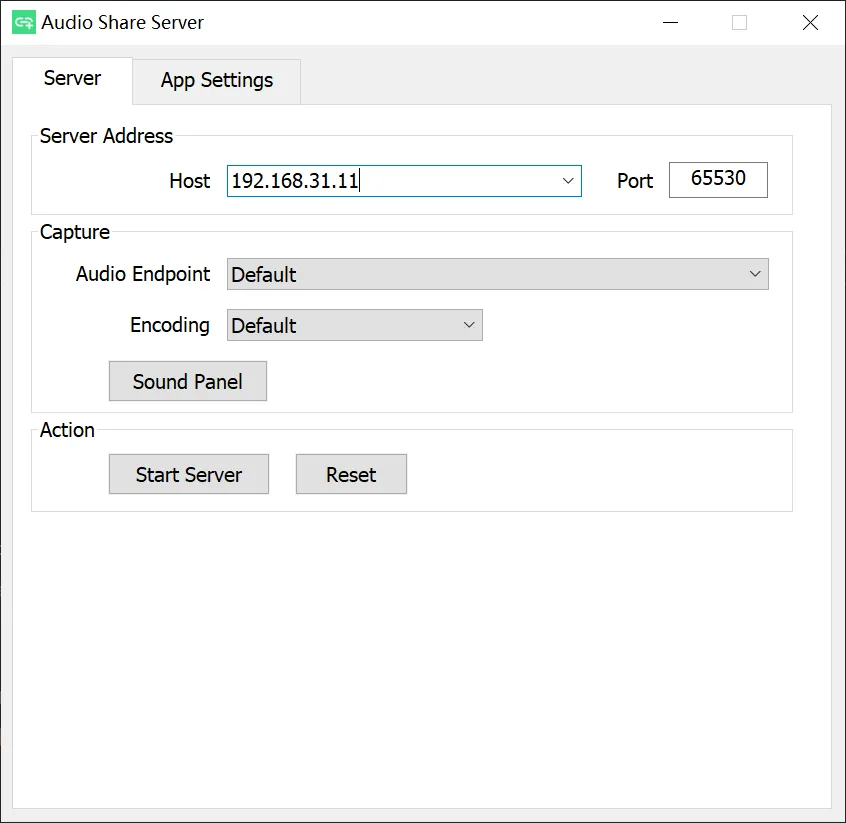
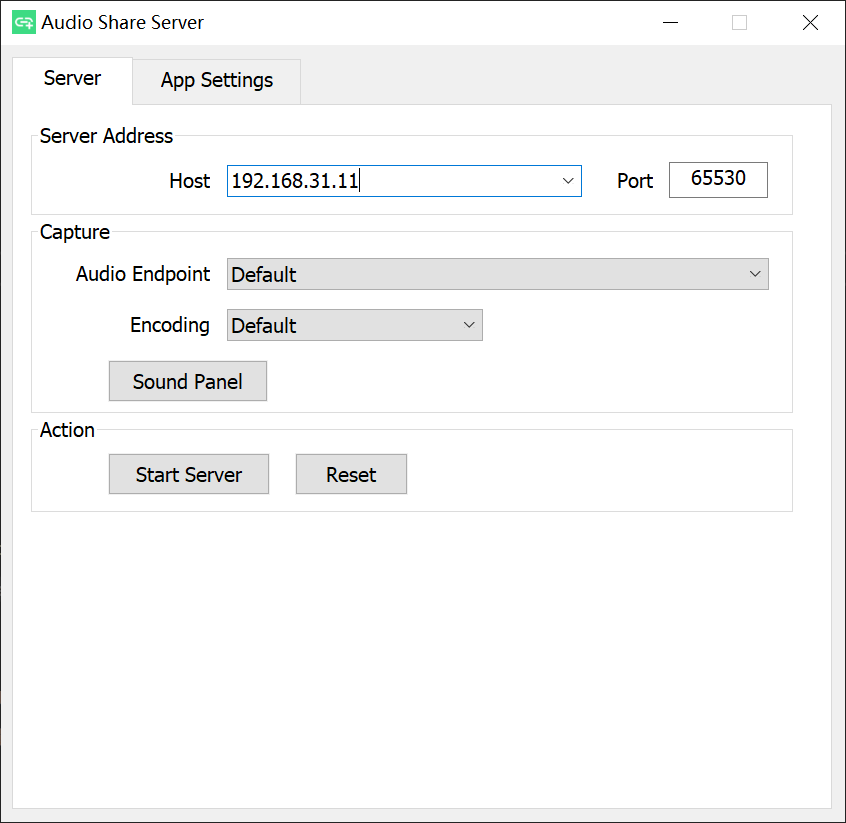
To connect, start the Windows server with a host address the phone can reach, then enter the same host in the Android app and start playback there. The publisher documents both Wi-Fi and USB tethering as connection options. The server window exposes host, port, audio endpoint and encoding controls.
The Windows executable alone is not enough: you need the Android receiver, a working network connection and an available PC audio endpoint. Windows systems without an available endpoint need additional sound-device setup or a third-party virtual audio device. The publisher requires Windows 10 or later on x64 and the x64 Microsoft Visual C++ 2015–2022 Redistributable.
What it offers
- Send PC audio to an Android phone over a reachable network, including Wi-Fi or USB tethering.
- Configure the server host address and port in the Windows graphical interface.
- Select an audio endpoint and encoding in the server window.
- Transfer uncompressed PCM audio using the capture format.
Good to know
- Requires the companion app on Android 6.0 or later; this Windows download does not include the phone app.
- The PC needs an available audio endpoint. Machines without one need additional sound-device setup or a third-party virtual audio device.
- The phone must be able to reach the PC’s configured host address over the network.
Product images
Sources
References used for this listing. Retrieval dates do not indicate hands-on testing.
More in multimedia & graphics
View category ↗
1by1 2.17
Play music directly from folders with 1by1, a free Windows audio player with resume, gapless playback and file tools. Formats beyond MP3 need additional decoders.
3DVista Virtual Tour Pro
Build interactive 360° virtual tours from panoramas, videos and 3D models with 3DVista Virtual Tour Pro for Windows. Commercial software with a 30-day trial.

4DDiG Video Repair
Repair corrupted or unplayable videos in batches with the Video Repair tool in 4DDiG File Repair for Windows. A free trial is available; advanced features require a paid license.