

Multimedia & graphics Windows
AudioRanger for Windows
Edit music tags, add album artwork and organize audio files with AudioRanger for Windows. Manual editing is free; automatic identification is free to try.
- Operating system
- Windows 11, 10, 8 and 7
- Architecture
- Not specified on the publisher’s download page
- Download package
- EXE installer
The publisher supplies a separate macOS package. The Windows installer was verified by HEAD only; it was not downloaded or run.
Link checked · Download guidance
What is AudioRanger?
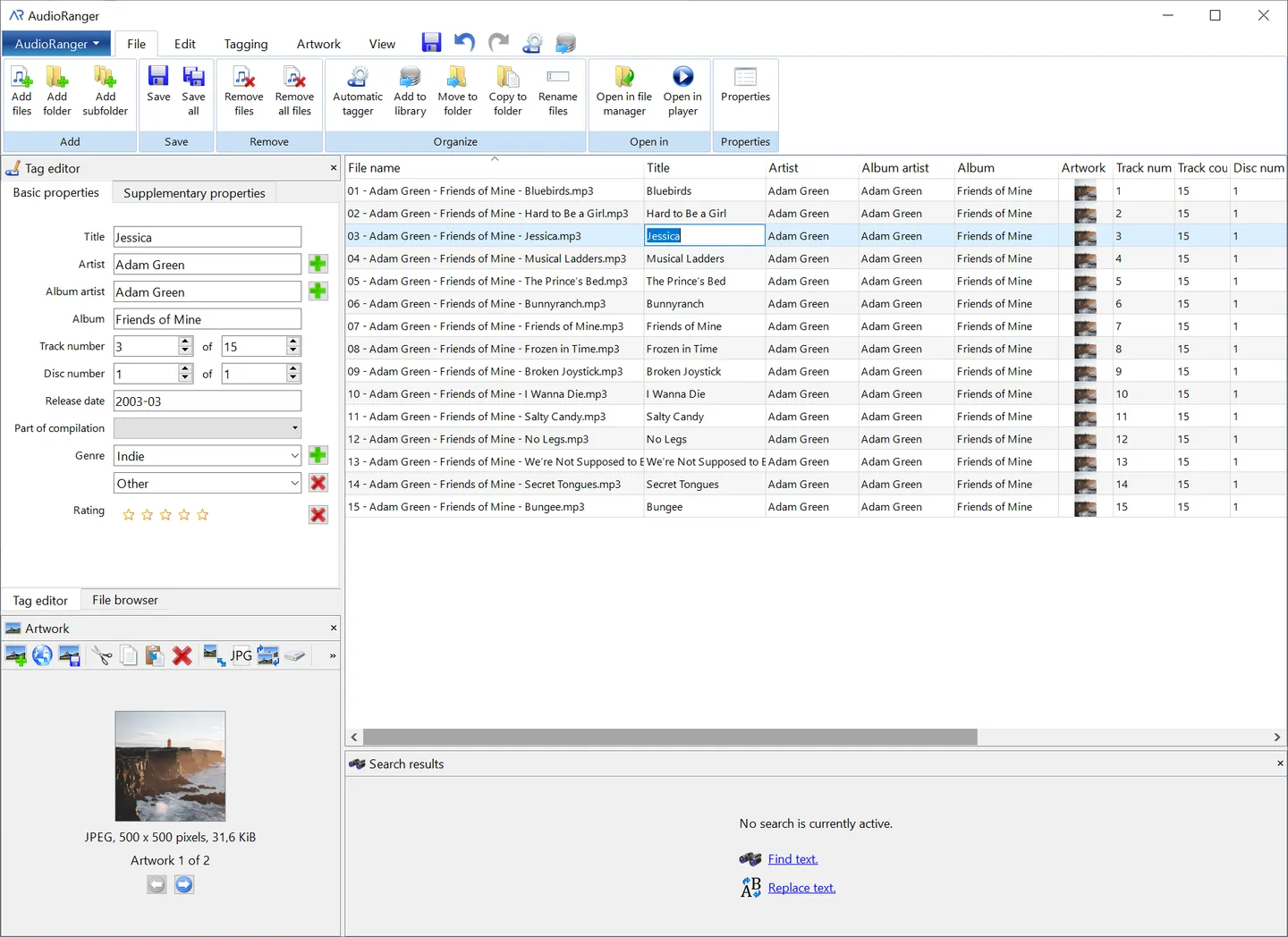
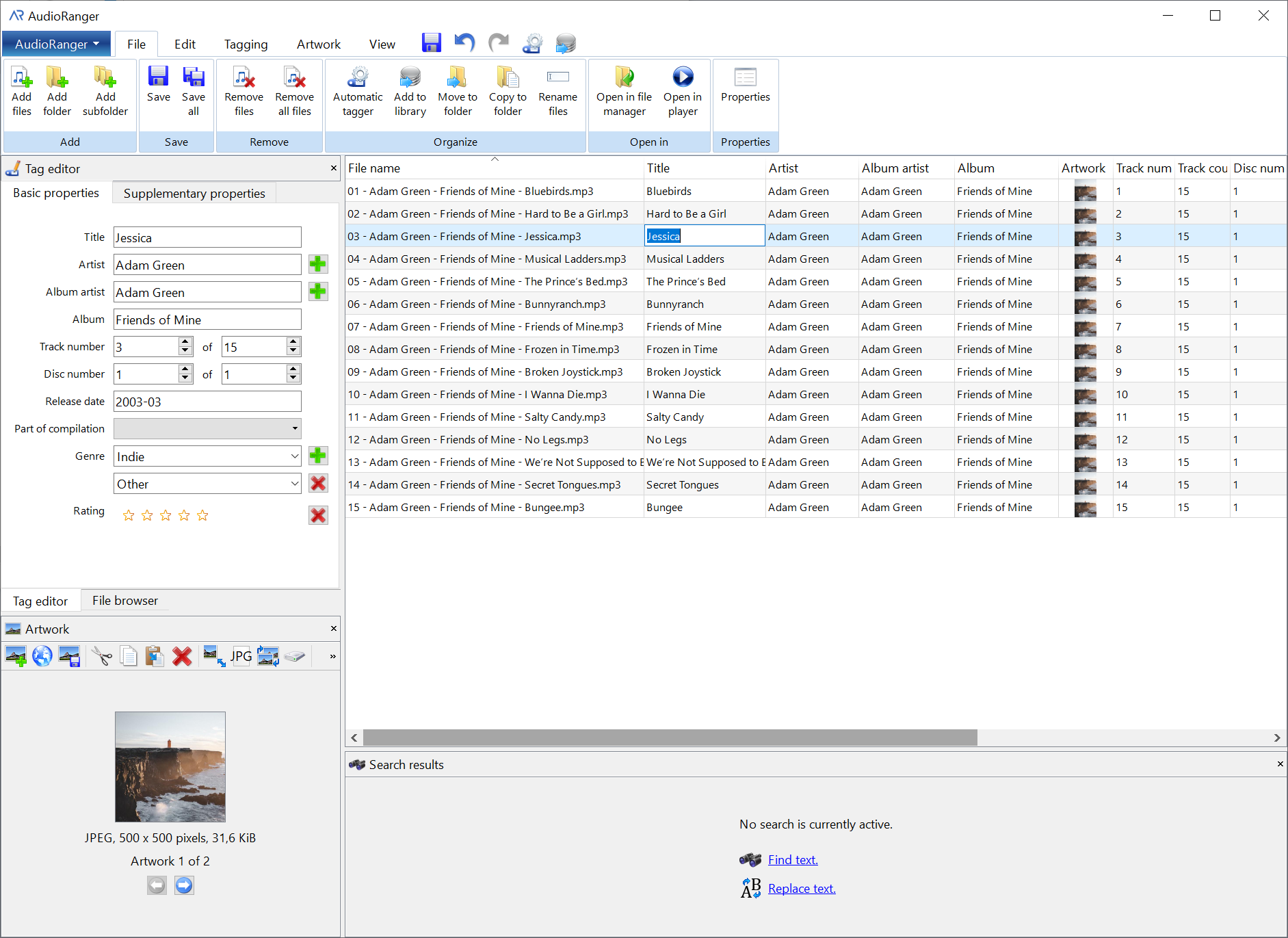
AudioRanger helps tidy a music collection by editing track metadata and organizing file names and folders. Its spreadsheet-style editor lets you change tags across multiple audio files, find and replace text, extract tags from file names and undo edits. Supported formats include MP3, M4A, FLAC, WMA, Ogg Vorbis, Opus, WAV and AIFF.
The application can identify tracks using audio analysis and existing metadata, with information from MusicBrainz and AcoustID. It also offers album-cover lookup and tools for reviewing duplicate songs before deleting them or moving them to a separate folder.
The free edition includes manual tag editing, file organization and duplicate removal. Automatic song identification and automatic album-cover retrieval are only free to try; continued use of those features requires the paid Pro edition. The download here is the publisher’s Windows EXE installer, not the separate macOS package.
What it offers
- Batch-edit music metadata in a spreadsheet view with undo, redo, copy, paste and find-and-replace tools.
- Extract tags from file names, or rename and organize files using tag-based file and folder patterns.
- Edit supported audio formats including MP3, M4A, FLAC, WMA, Opus, Ogg Vorbis, WAV and AIFF.
- Add or edit album artwork manually; automatic cover lookup and track identification are available to try, with full access in Pro.
- Review duplicate-resolution choices and delete duplicate songs or move them to a separate folder.
Good to know
- Automatic song identification and automatic album-cover retrieval are only free to try in the free edition; full access requires Pro.
- Individual help and support is not included with the free edition.
Product images
Sources
References used for this listing. Retrieval dates do not indicate hands-on testing.
- AudioRanger - Fix, tag and organize your music collection ↗Retrieved
- AudioRanger - Download ↗Retrieved
- AudioRanger - Pro Version ↗Retrieved
- AudioRanger - Terms and conditions ↗Retrieved
- AudioRanger - Company details ↗Retrieved
- AudioRanger - Download (normal managed browser) ↗Retrieved
More in multimedia & graphics
View category ↗
1by1 2.17
Play music directly from folders with 1by1, a free Windows audio player with resume, gapless playback and file tools. Formats beyond MP3 need additional decoders.
3DVista Virtual Tour Pro
Build interactive 360° virtual tours from panoramas, videos and 3D models with 3DVista Virtual Tour Pro for Windows. Commercial software with a 30-day trial.

4DDiG Video Repair
Repair corrupted or unplayable videos in batches with the Video Repair tool in 4DDiG File Repair for Windows. A free trial is available; advanced features require a paid license.