
Multimedia & graphics Windows
Auto Video Redaction Software for Windows
Blur faces, heads and license plates in video with SoftOrbits' Windows redaction tool. Process footage locally, choose a mask style and export an MP4.
- Operating system
- Windows 10 and 11; publisher also lists Windows 7, 8 and 8.1 in system requirements
- Architecture
- Publisher lists 32-bit and 64-bit Windows; selected installer architecture is unspecified
- Download package
- EXE installer
The publisher's visible requirements list at least 4 GB RAM, 1 GB free disk space and a 1280 × 768 display. The installer was not downloaded or run.
Link checked · Download guidance
What is Auto Video Redaction Software?
Auto Video Redaction Software masks identifying details in video, including faces, heads and vehicle license plates. It is aimed at people preparing CCTV, dashcam, body-camera or interview footage for sharing. SoftOrbits describes local, offline processing rather than uploading recordings to a cloud service.
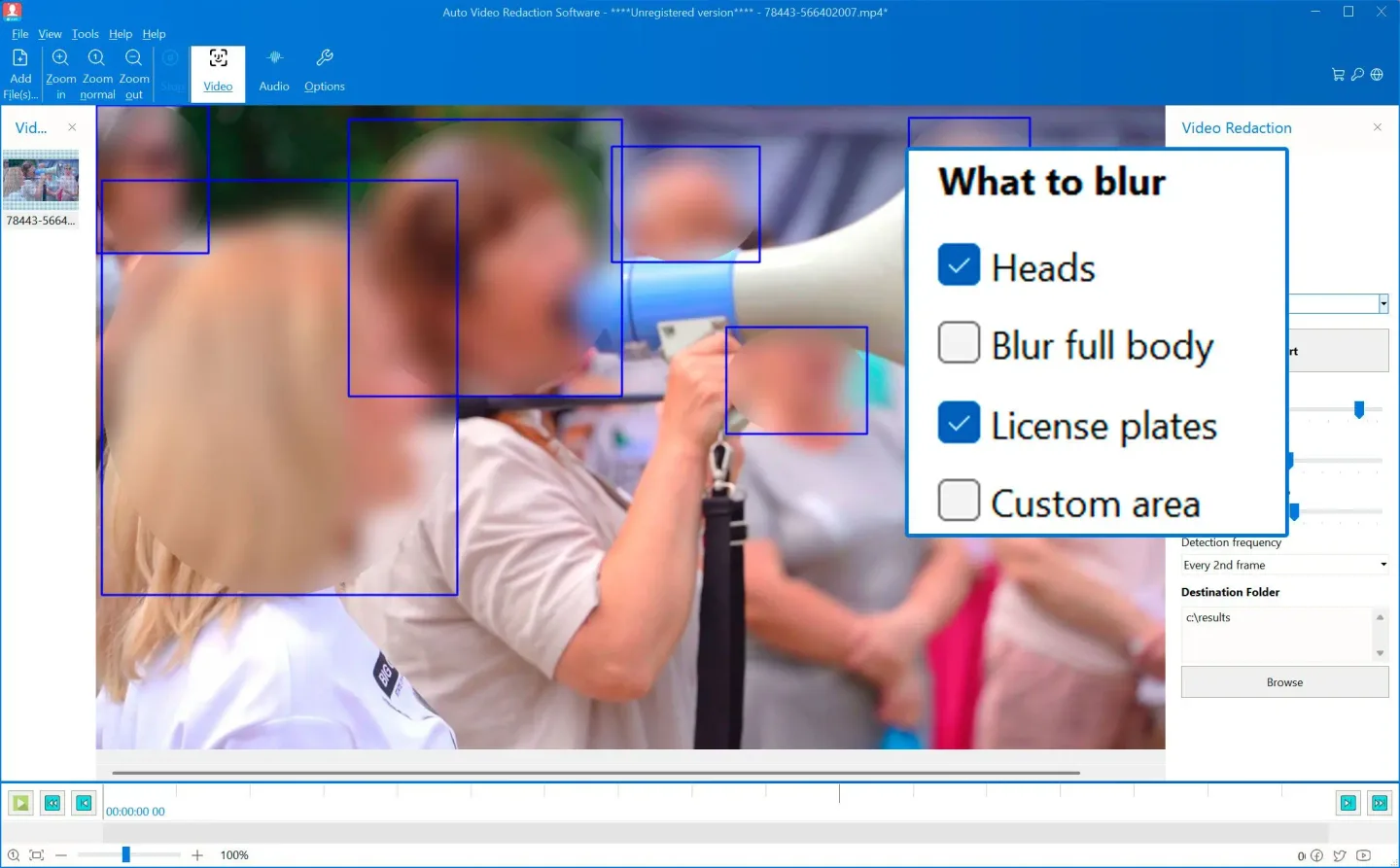
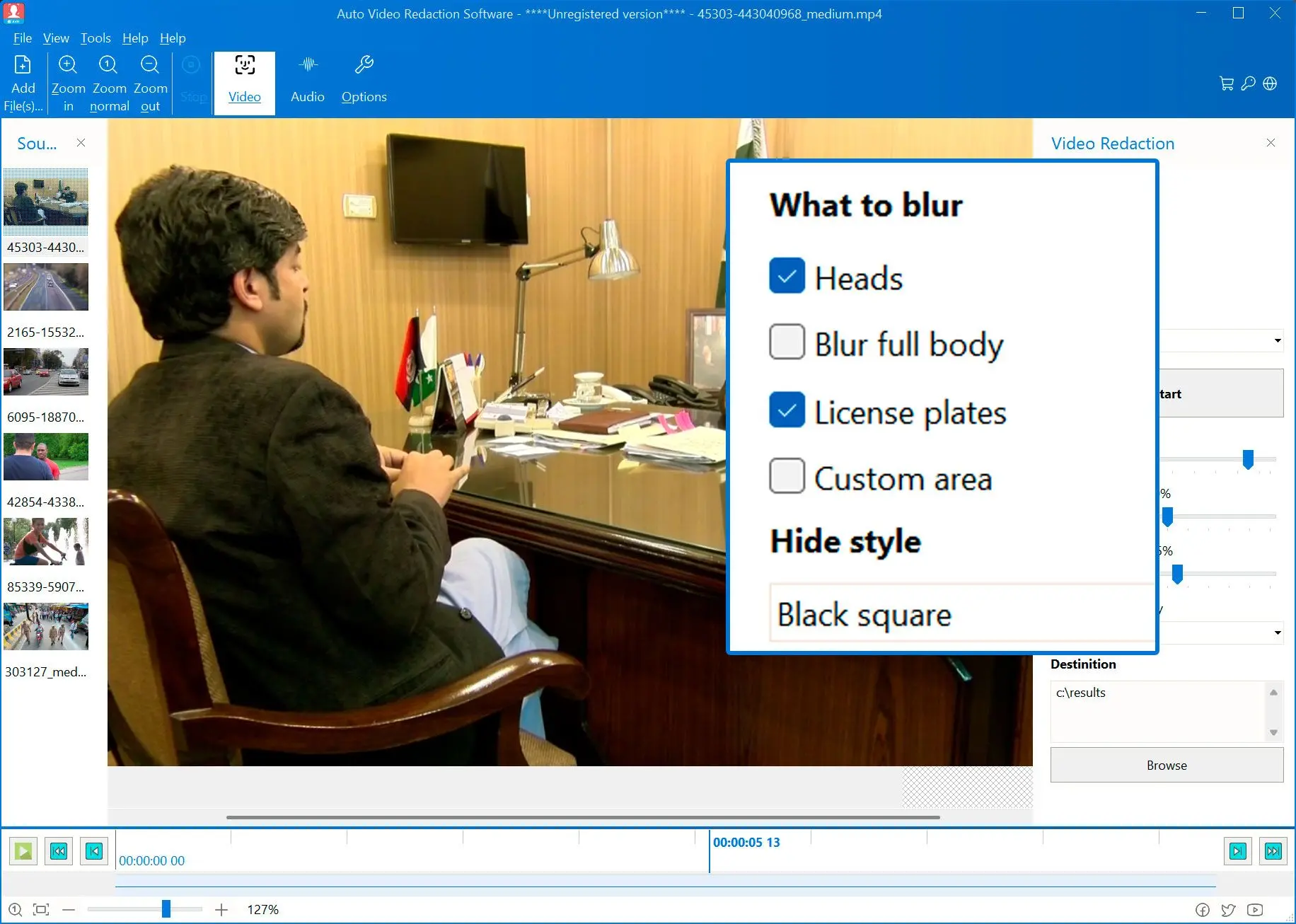
Add a video, select the objects to redact and choose Gaussian blur, pixelation or a solid black box. Automatic detection and tracking handle moving subjects, while custom regions let you cover details such as badges or screens. The publisher lists MP4, MOV, AVI, MKV and other input formats; the documented export is MP4 with H.264 video and AAC audio.
Visual masking does not remove identifying speech. Select audio intervals separately to beep or silence them, and review the resulting footage before sharing it. This is commercial software offered with a free trial, not a free unrestricted editor. The publisher's legal-compliance and detection-accuracy claims have not been independently verified here.
What it offers
- Automatically detect and track faces, heads and license plates in video.
- Apply Gaussian blur, pixelation or solid black masks, with custom redaction regions.
- Process footage locally on a Windows PC, according to the publisher.
- Load formats including MP4, MOV, AVI and MKV; export MP4 with H.264 video and AAC audio.
- Beep or silence selected audio intervals separately from visual redaction.
Good to know
- Commercial software with a free trial; ongoing use is subject to the publisher's paid licensing terms.
- Blurring the picture does not redact speech: audio intervals must be selected separately, and the publisher instructs users to review the results.
- The documented output format is MP4 with H.264 video and AAC audio, despite support for multiple input formats.
Product images
Sources
References used for this listing. Retrieval dates do not indicate hands-on testing.
More in multimedia & graphics
View category ↗
1by1 2.17
Play music directly from folders with 1by1, a free Windows audio player with resume, gapless playback and file tools. Formats beyond MP3 need additional decoders.
3DVista Virtual Tour Pro
Build interactive 360° virtual tours from panoramas, videos and 3D models with 3DVista Virtual Tour Pro for Windows. Commercial software with a 30-day trial.

4DDiG Video Repair
Repair corrupted or unplayable videos in batches with the Video Repair tool in 4DDiG File Repair for Windows. A free trial is available; advanced features require a paid license.