

Multimedia & graphics macOS
Avidemux for macOS
Cut, filter and encode videos on Mac with Avidemux, a free, open-source editor with A/B selection markers and tools for automating repeat tasks.
Version 2.8.1v2 Monterey Qt6 · Direct publisher file
Link checked · Download guidance
What is Avidemux?
Avidemux handles focused video jobs: removing a section from a recording, saving a selected clip, applying filters or encoding to another supported format. Its A/B markers define the section to save or delete. Supported input types include AVI, DVD-compatible MPEG, MP4 and ASF, while projects, a job queue and scripting help automate repeated work.
Copy-mode editing has a boundary: cuts in compressed video depend on keyframes. Arbitrary cut points can require re-encoding rather than simply copying the stream. Choose cut positions and output settings for the source video instead of assuming every trim is lossless.
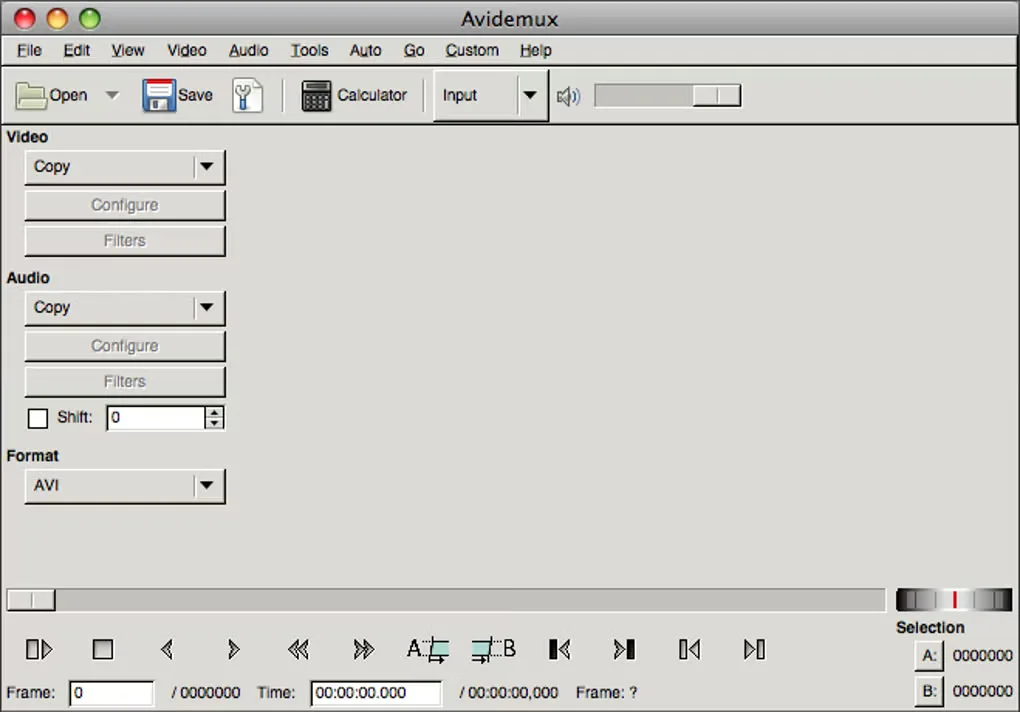
This download is the publisher-listed 2.8.1v2 Monterey Qt6 DMG, hosted on the publisher-linked SourceForge mirror. The sources reviewed do not establish native Apple Silicon support or a complete macOS compatibility range. The gallery image shows a historical Mac interface, not a verified screenshot of this DMG running.
What it offers
- Set A/B markers to save a selected clip or delete a section of video.
- Apply video filters and encode supported video formats.
- Open file types including AVI, DVD-compatible MPEG, MP4 and ASF.
- Automate repeated tasks with projects, a job queue and scripting.
Good to know
- Copy-mode cuts depend on keyframes; some edits require re-encoding.
- Native Apple Silicon support and the full macOS compatibility range were not established by the reviewed publisher sources.
Product images
Sources
References used for this listing. Retrieval dates do not indicate hands-on testing.
- Avidemux for Mac - Download (normal browser) ↗Retrieved
- Avidemux - Main Page ↗Retrieved
- Avidemux - Downloads ↗Retrieved
- avidemux - Browse /avidemux/2.8.1 at SourceForge.net ↗Retrieved
- Cutting — Avidemux documentation ↗Retrieved
More in multimedia & graphics
View category ↗
1by1 2.17
Play music directly from folders with 1by1, a free Windows audio player with resume, gapless playback and file tools. Formats beyond MP3 need additional decoders.
3DVista Virtual Tour Pro
Build interactive 360° virtual tours from panoramas, videos and 3D models with 3DVista Virtual Tour Pro for Windows. Commercial software with a 30-day trial.

4DDiG Video Repair
Repair corrupted or unplayable videos in batches with the Video Repair tool in 4DDiG File Repair for Windows. A free trial is available; advanced features require a paid license.