
Multimedia & graphics Windows
AVS Image Converter
Batch-convert and resize photos, add watermarks, or combine JPEG images into a PDF with AVS Image Converter for Windows.
- Operating system
- Windows 11, 10, 8.1, 8, 7, Vista and XP, as listed by the publisher
- Architecture
- Not specified on the inspected product page
- Download package
- EXE installer
Publisher lists no macOS or Linux support. Its technical-specification footnote states administrative permissions for installation and an Internet connection for activation; activation requirements for the free base converter are not clarified.
Link checked · Download guidance
What is AVS Image Converter?
AVS Image Converter combines image-format conversion with batch resizing and watermarking. It is useful when a collection of photos needs a common output format or size, or when several JPEG files need to become one PDF. The publisher lists HEIC, WebP and camera RAW input alongside familiar image formats.
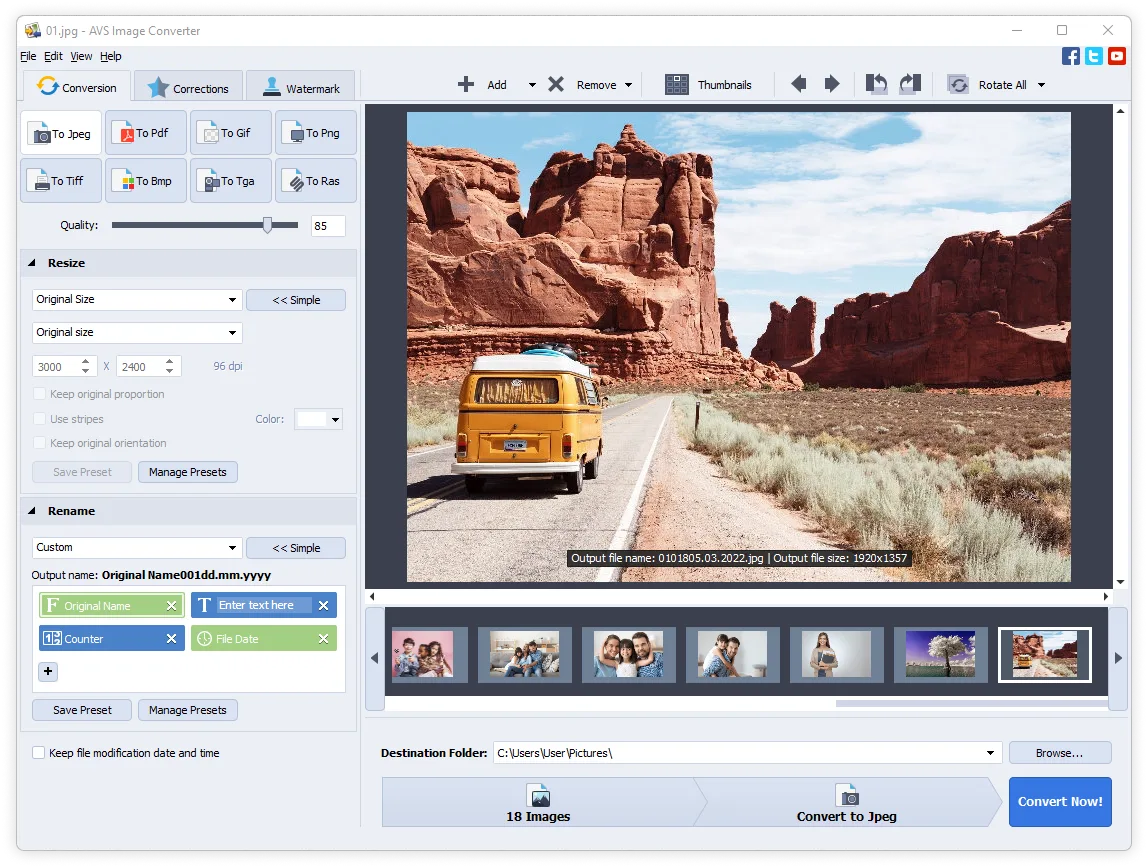
The conversion window groups output-format buttons, resize settings, filename controls and a destination folder around a large preview and thumbnail strip. Presets and command-line mode support recurring conversion, resizing and watermark tasks. These are publisher-documented capabilities, not results from running the software.
The publisher advertises the base converter as free, but points to a separate marketplace for its full AI-effects package. Do not assume that every promoted AI effect comes with the base download. This is a Windows application; the publisher explicitly excludes macOS and Linux support.
What it offers
- Convert image formats including JPEG, PNG, BMP, TIFF, TGA and GIF.
- Open HEIF/HEIC, WebP and supported camera RAW formats for conversion.
- Merge multiple JPEG images into one PDF.
- Resize images using presets and apply a text or logo watermark across converted pictures.
- Use command-line mode for repeated conversion, resizing and watermark tasks.
Good to know
- The publisher lists Windows only, with no macOS or Linux support.
- The full advertised AI-effects package is offered through a separate plugins marketplace; it is not established as part of the free base download.
Product images
Sources
References used for this listing. Retrieval dates do not indicate hands-on testing.
More in multimedia & graphics
View category ↗
1by1 2.17
Play music directly from folders with 1by1, a free Windows audio player with resume, gapless playback and file tools. Formats beyond MP3 need additional decoders.
3DVista Virtual Tour Pro
Build interactive 360° virtual tours from panoramas, videos and 3D models with 3DVista Virtual Tour Pro for Windows. Commercial software with a 30-day trial.


4DDiG Video Repair
Repair corrupted or unplayable videos in batches with the Video Repair tool in 4DDiG File Repair for Windows. A free trial is available; advanced features require a paid license.