
Multimedia & graphics Windows
Beauty Pilot
Retouch portrait skin with Beauty Pilot for Windows, a commercial photo editor with a Photoshop plug-in. The free demo saves only in TPI format.
- Operating system
- Windows XP, Vista, 7, 8, 10 and 11 (publisher-listed)
- Architecture
- 32-bit and 64-bit compatibility listed by publisher
- Download package
- EXE installer; free demo with plug-in
One publisher download covers the advertised standalone editor and plug-in. Compatibility is publisher-stated; the installer and application were not run.
Link checked · Download guidance
What is Beauty Pilot?
Beauty Pilot is a Windows photo editor for retouching portraits, including smoothing skin and removing small blemishes. Its spot-removal workflow uses a circular cursor: set the cursor slightly larger than the area to correct, then press and move it over that area. It can run as a standalone application or as a plug-in in Adobe Photoshop and other compatible editors.
The publisher offers version 2.15.0, released on August 25, 2025, for Windows XP through Windows 11, with 32-bit and 64-bit compatibility listed. This release adds automatic plug-in setup for Photoshop 2025 and Photoshop Elements 2025.
The linked download is the free demo, not an unrestricted free edition. It saves edited images only in the program's TPI format. The registered version can reopen those TPI files and save them as JPG, TIFF, PNG or BMP. The publisher lists a one-time price of EUR 29.95 with no subscription, but explicitly provides the program as is, with no upgrades planned and no technical support.
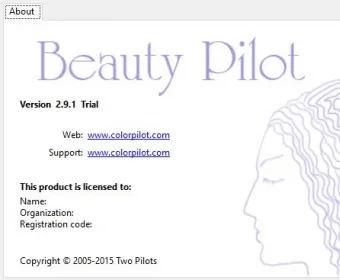
The screenshot shows the About window of the older 2.9.1 Trial release, not the editing workspace or the current 2.15.0 interface.
What it offers
- Smooth portrait skin and remove small imperfections with a size-adjustable circular cursor.
- Use the standalone editor or its plug-in in Adobe Photoshop and other compatible photo editors.
- Version 2.15.0 adds automatic plug-in setup for Photoshop 2025 and Photoshop Elements 2025.
- Reopen demo TPI files in the registered version and save as JPG, TIFF, PNG or BMP.
Good to know
- The free demo saves only in TPI format; exporting to JPG, TIFF, PNG or BMP requires the registered version.
- The publisher states that no upgrades are planned and no technical support is provided; the program is offered as is.
Product images
Sources
References used for this listing. Retrieval dates do not indicate hands-on testing.
- Beauty Pilot - change portrait and bring out beauty in portraits ↗Retrieved
- How to install the program as a plugin for Adobe Photoshop ↗Retrieved
- Beauty Pilot - all versions at a glance: new features, fixed bugs. ↗Retrieved
- Beauty Pilot Download - Enhance, crop, and resize your photos and portraits ↗Retrieved
More in multimedia & graphics
View category ↗
1by1 2.17
Play music directly from folders with 1by1, a free Windows audio player with resume, gapless playback and file tools. Formats beyond MP3 need additional decoders.
3DVista Virtual Tour Pro
Build interactive 360° virtual tours from panoramas, videos and 3D models with 3DVista Virtual Tour Pro for Windows. Commercial software with a 30-day trial.

4DDiG Video Repair
Repair corrupted or unplayable videos in batches with the Video Repair tool in 4DDiG File Repair for Windows. A free trial is available; advanced features require a paid license.