

Multimedia & graphics Windows
BeeCut Video Editor for Windows
Trim and combine clips, arrange layered timelines, and add text, music and effects with BeeCut Video Editor for Windows. A free trial is offered; VIP access requires payment.
- Operating system
- Windows; Softonic lists Windows 10
- Architecture
- Not specified by the consulted sources
- Download package
- EXE installer
Publisher-linked delivery selector redirects to beecut-setup.exe. Current installer version and full Windows requirements are not established; no installation was performed.
Link checked · Download guidance
What is BeeCut Video Editor?
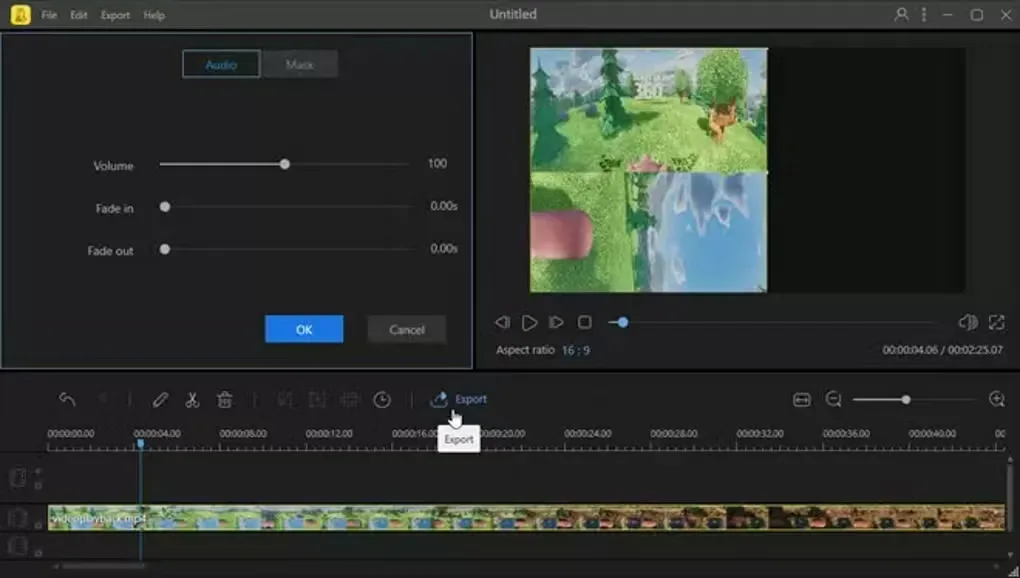
BeeCut Video Editor is a timeline-based editor for assembling clips into a finished video. Trim unwanted footage, split a recording into sections or combine separate clips, then arrange video, images, audio, text and filters on timeline layers. It fits straightforward edits that need titles, background music and transitions without starting from a blank effects workflow.
The publisher also describes color adjustments, speed changes, picture-in-picture, stabilization and masks for blurring or highlighting parts of a frame. Projects can use landscape, square or portrait aspect ratios, including 16:9, 1:1 and 9:16.
BeeCut is offered as a trial with paid access, not unrestricted freeware. Softonic lists version 1.7.9.13 and Windows 10, but the publisher landing page does not confirm the current installer version, processor architecture or full Windows requirements. The linked Windows EXE comes through the publisher’s delivery selector; its availability was checked with HEAD only, without downloading or running the installer.
What it offers
- Trim, split and combine clips on a layered timeline.
- Add text overlays, subtitles, transitions, filters, voiceover and music.
- Adjust color and playback speed; create picture-in-picture compositions.
- Use stabilization and masks to blur, highlight or hide elements.
- Edit in 16:9, 4:3, 1:1, 9:16 or 3:4 aspect ratios.
Good to know
- Trial software: VIP access requires payment; this is not an unrestricted freeware download.
- The publisher landing page does not establish the current installer version, CPU architecture or complete Windows requirements.
Product images
Sources
References used for this listing. Retrieval dates do not indicate hands-on testing.
More in multimedia & graphics
View category ↗
1by1 2.17
Play music directly from folders with 1by1, a free Windows audio player with resume, gapless playback and file tools. Formats beyond MP3 need additional decoders.
3DVista Virtual Tour Pro
Build interactive 360° virtual tours from panoramas, videos and 3D models with 3DVista Virtual Tour Pro for Windows. Commercial software with a 30-day trial.

4DDiG Video Repair
Repair corrupted or unplayable videos in batches with the Video Repair tool in 4DDiG File Repair for Windows. A free trial is available; advanced features require a paid license.