

Multimedia & graphics Windows
BenVista PhotoZoom Pro for Windows
Enlarge or downsize photos with S-Spline Max AI, compare resize methods and process image batches. PhotoZoom Pro for Windows offers a demo that saves watermarked images until purchased.
- Operating system
- Windows 10 or Windows 11 (64-bit)
- Architecture
- 64-bit; Intel or AMD compatible processor
- Download package
- EXE installer
Publisher requires 8 GB RAM and 1 GB free disk space. S-Spline Max AI needs Vulkan graphics support. Plug-in host versions are listed separately by the publisher.
Link checked · Download guidance
What is BenVista PhotoZoom Pro?
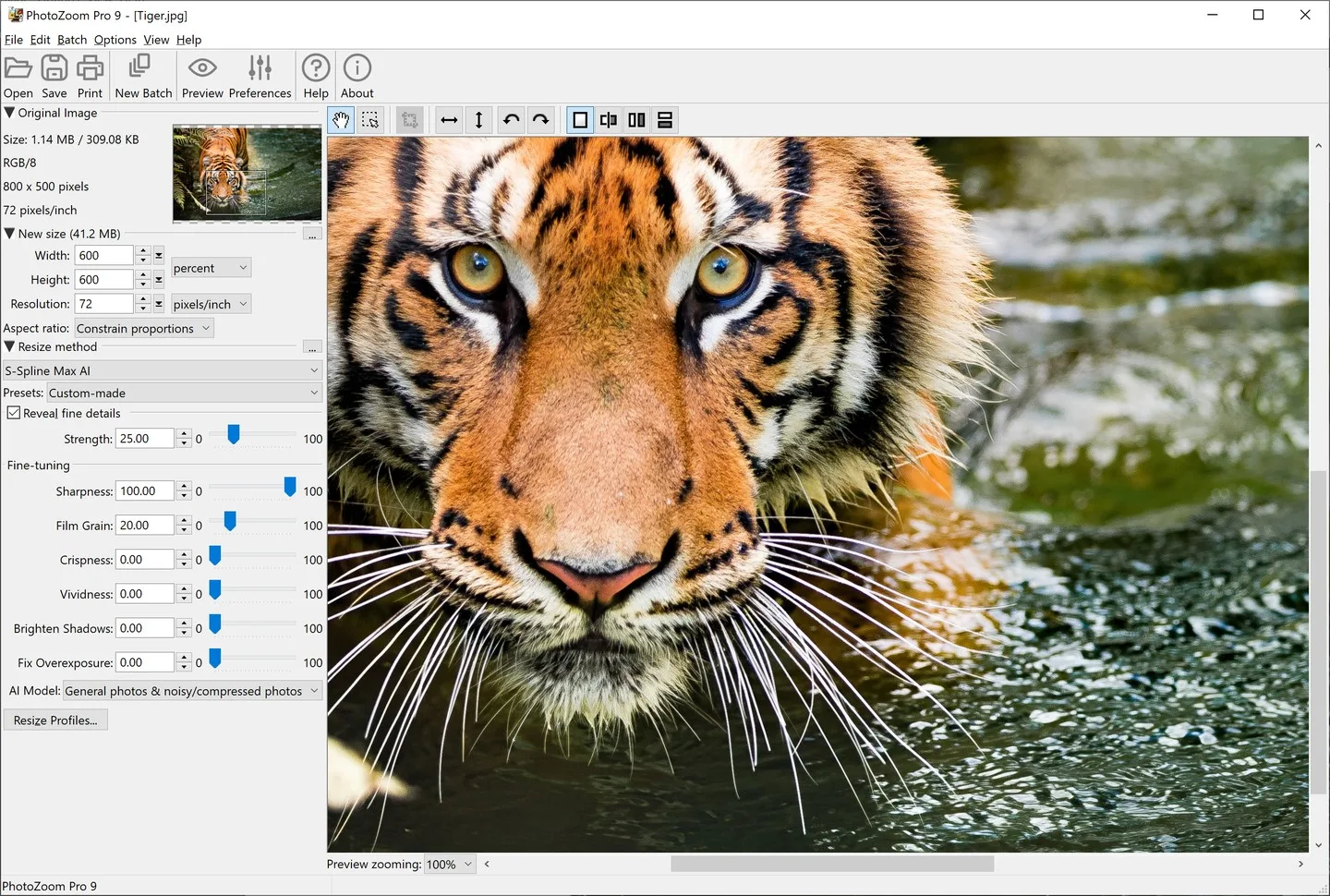
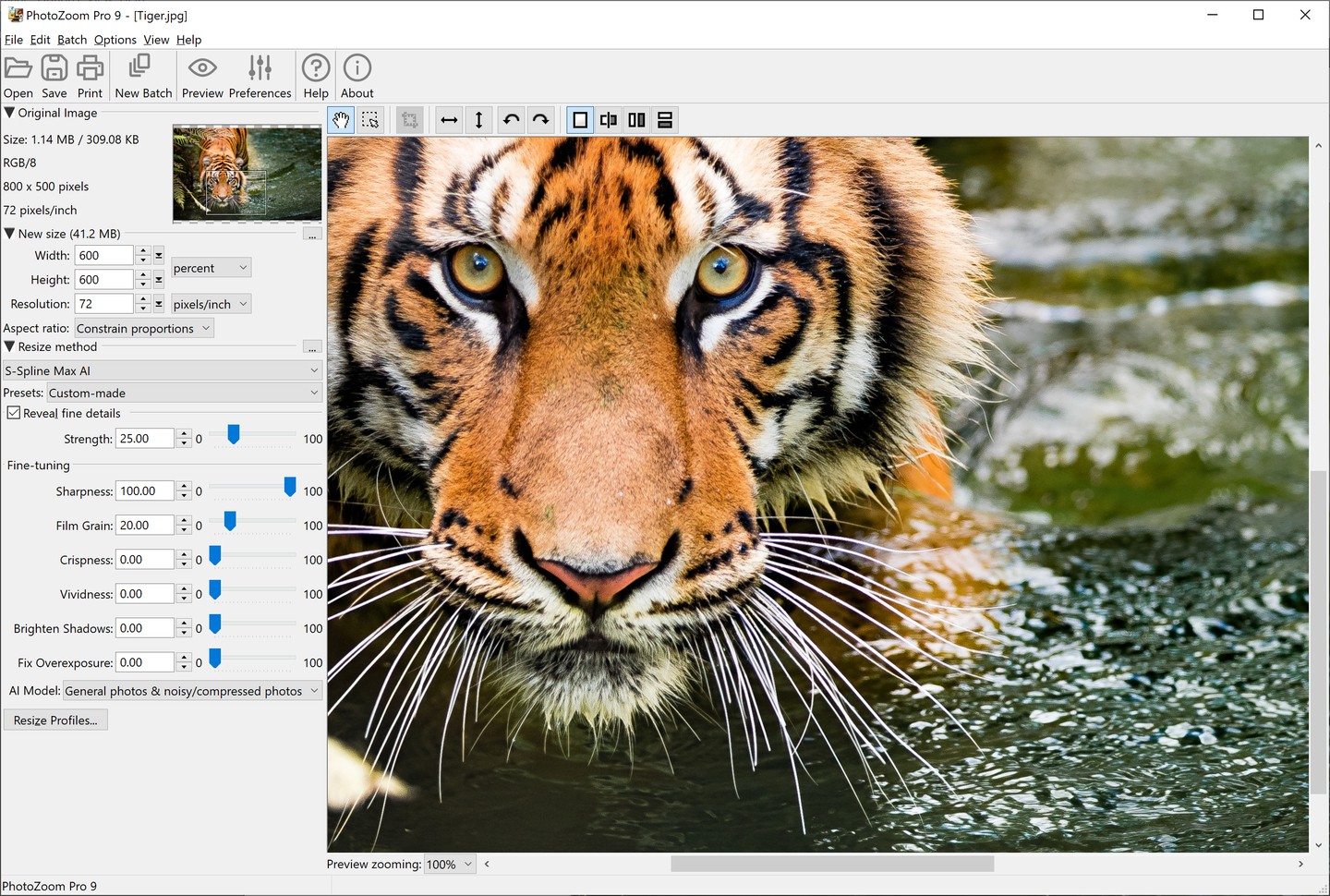
BenVista PhotoZoom Pro resizes digital photos and graphics for print or on-screen use. Set the output dimensions, choose a preset or fine-tune the resize settings, then inspect the preview before saving. Its split-screen preview lets you compare resize methods, while batch processing handles folders of images that need resizing.
The publisher's S-Spline Max AI method targets image enlargement and reduces noise and compression artifacts. Crop tools and reusable resize profiles support repeated jobs. The program works as a standalone application, with additional plug-ins for supported image editors and integration with Adobe Lightroom Classic.
The Windows download is PhotoZoom Pro 9.0.2. It is a commercial product with a free demo, not unrestricted freeware: saved images carry a watermark until an unlock code is entered after purchase. Windows 10 or 11 in 64-bit form is required, and S-Spline Max AI needs a Vulkan-capable graphics card. Check the publisher's host-application compatibility list before relying on plug-in use.
What it offers
- Enlarge and downsize photos and graphics using S-Spline Max AI and other resize methods.
- Compare resize methods in a split-screen preview.
- Adjust presets and fine-tuning controls, and save custom resize profiles.
- Resize image batches and crop images for close-ups.
- Work in the standalone application or use plug-ins with supported image editors and Adobe Lightroom Classic integration.
Good to know
- The free demo saves watermarked images until you enter a purchased unlock code.
- S-Spline Max AI requires a graphics card with Vulkan support; the Windows application requires 64-bit Windows 10 or 11.
- PhotoZoom Pro 9 is not a free upgrade from PhotoZoom Pro 8; plug-in compatibility depends on the host program and version.
Product images
Sources
References used for this listing. Retrieval dates do not indicate hands-on testing.
More in multimedia & graphics
View category ↗
1by1 2.17
Play music directly from folders with 1by1, a free Windows audio player with resume, gapless playback and file tools. Formats beyond MP3 need additional decoders.
3DVista Virtual Tour Pro
Build interactive 360° virtual tours from panoramas, videos and 3D models with 3DVista Virtual Tour Pro for Windows. Commercial software with a 30-day trial.

4DDiG Video Repair
Repair corrupted or unplayable videos in batches with the Video Repair tool in 4DDiG File Repair for Windows. A free trial is available; advanced features require a paid license.