
Multimedia & graphics Windows
Billfish
Organize design assets with Billfish for Windows, a free creative-asset manager with folder and tag browsing, visual previews and filtering.
- Operating system
- Windows; exact supported releases and builds not specified
- Architecture
- Not specified by the publisher product page
- Download package
- EXE endpoint through the publisher's Windows channel
Publisher recommends 1 GB RAM and 2 GB storage and lists Simplified Chinese. Page version 3.0 differs from the checked endpoint path 2.1.5.0; installer type and delivered build are unconfirmed.
Link checked · Download guidance
What is Billfish?
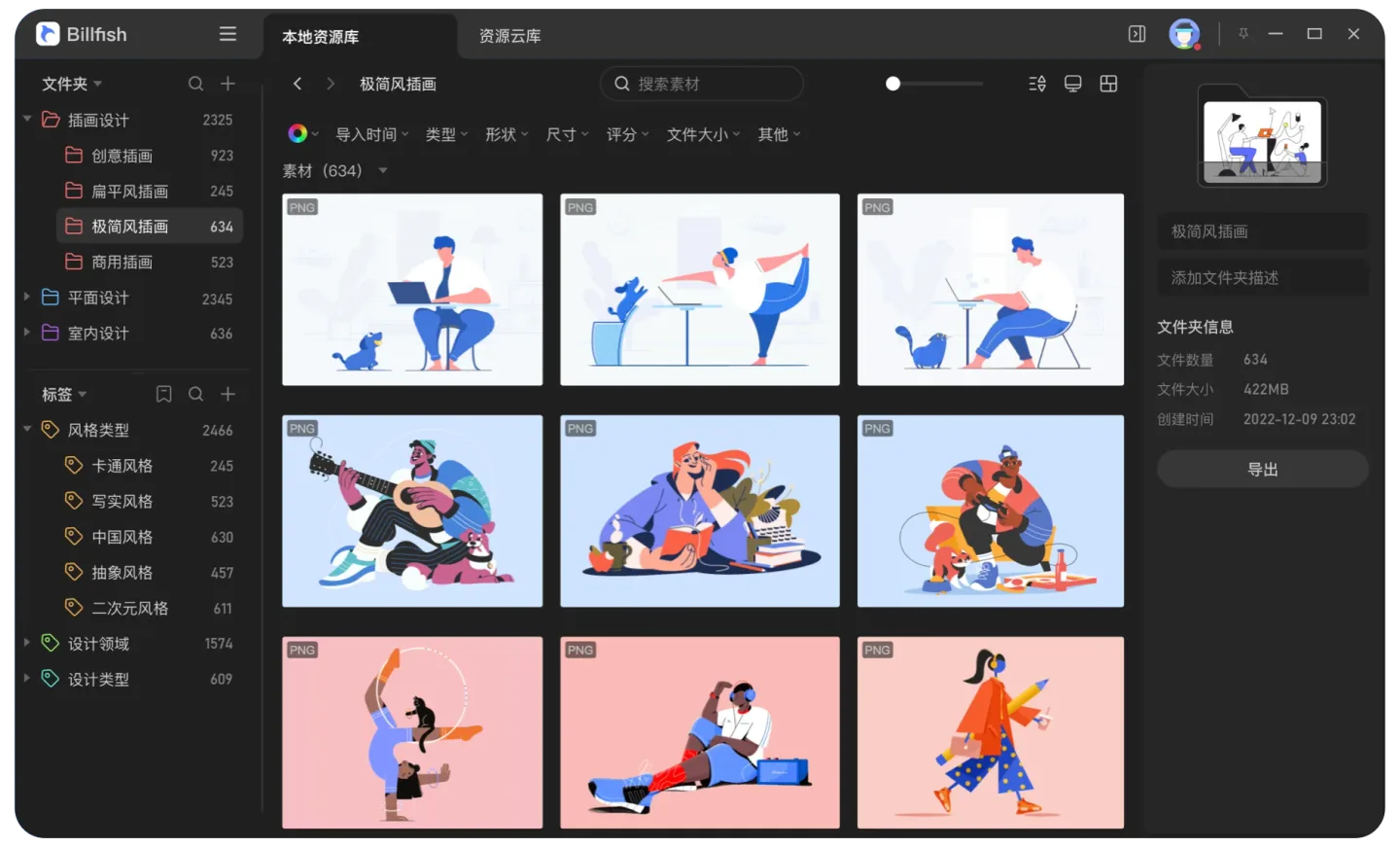
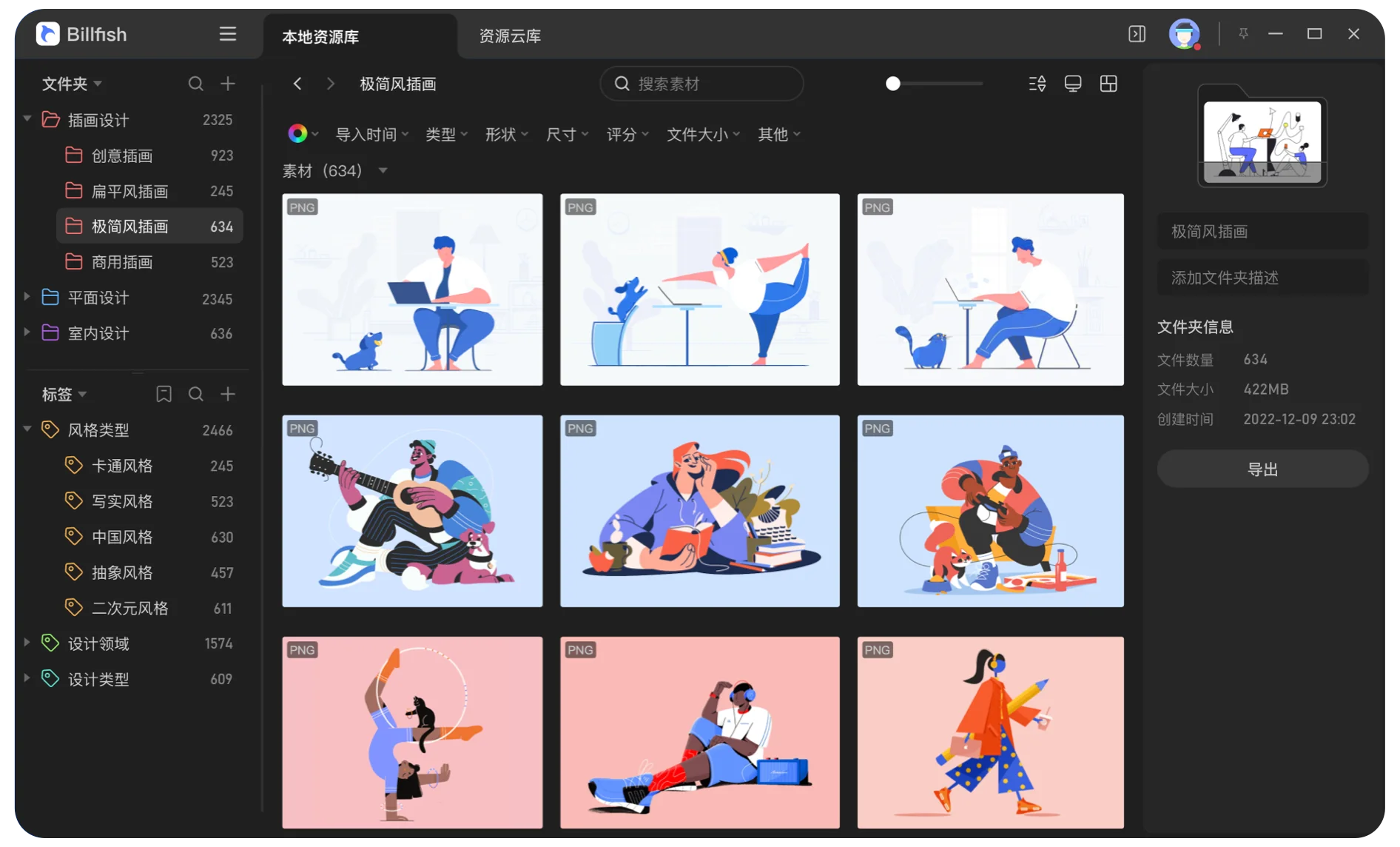
Billfish brings a visual library to collections of illustrations, reference images and design files. Its publisher lists PNG, JPG, PSD, AI, GIF, SVG, EPS and CDR among the supported formats. The illustrated Windows interface combines a folder tree and tags with a thumbnail grid, search and a details panel, so you can browse an asset collection without relying only on filenames.
The publisher describes organizing an existing resource library, locating and previewing assets, and filtering by color or multiple conditions. These are asset-management features, not a claim that Billfish can edit every supported design format. The same product page also promotes cloud backup and password-protected sharing; it does not establish that every cloud service is included in the free desktop edition.
The download here is the publisher's Windows channel. Its retained HEAD check reached an EXE endpoint without downloading the installer body. The product page advertises version 3.0, while that endpoint's path contains 2.1.5.0; the delivered application build and whether this is a bootstrap installer remain unconfirmed. The page lists Simplified Chinese and recommends 1 GB RAM and 2 GB storage, but does not give an exact Windows-build or CPU-architecture matrix.
What it offers
- Browse a visual asset library using folders, tags, search and thumbnail previews.
- Manage design assets in formats the publisher lists, including PNG, JPG, PSD, AI, GIF, SVG, EPS and CDR.
- Locate and preview assets, with color search and multi-condition filtering advertised by the publisher.
Good to know
- The publisher lists Simplified Chinese; an English interface is not established by the source.
- Exact supported Windows builds and CPU architectures are not specified on the product page.
- The page advertises version 3.0, but the checked EXE endpoint has 2.1.5.0 in its path; the delivered build and bootstrap/full-installer status are unconfirmed.
- Cloud backup and sharing are promoted separately on the page; their inclusion in the free desktop edition is not established.
Product images
Sources
References used for this listing. Retrieval dates do not indicate hands-on testing.
More in multimedia & graphics
View category ↗
1by1 2.17
Play music directly from folders with 1by1, a free Windows audio player with resume, gapless playback and file tools. Formats beyond MP3 need additional decoders.
3DVista Virtual Tour Pro
Build interactive 360° virtual tours from panoramas, videos and 3D models with 3DVista Virtual Tour Pro for Windows. Commercial software with a 30-day trial.

4DDiG Video Repair
Repair corrupted or unplayable videos in batches with the Video Repair tool in 4DDiG File Repair for Windows. A free trial is available; advanced features require a paid license.