

Multimedia & graphics macOS
BlackHole for macOS
Route audio between Mac applications with BlackHole, a virtual loopback driver. This download is the two-channel package for stereo workflows.
- Operating system
- macOS 10.10 Yosemite and newer, according to the publisher
- Architecture
- Intel and Apple Silicon
- Download package
- PKG installer — two-channel edition
Version 0.7.1 package identified by Homebrew and hosted by the publisher; not claimed to be the newest release. Restart required. Software not installed or tested here.
Link checked · Download guidance
What is BlackHole?
BlackHole gives Mac applications a virtual audio device for passing sound from one program to another. Select BlackHole as the sending app’s output and the receiving app’s input to route audio into a recorder, streaming tool or another audio application. The linked 0.7.1 installer is the two-channel edition; the publisher also offers 16- and 64-channel options.
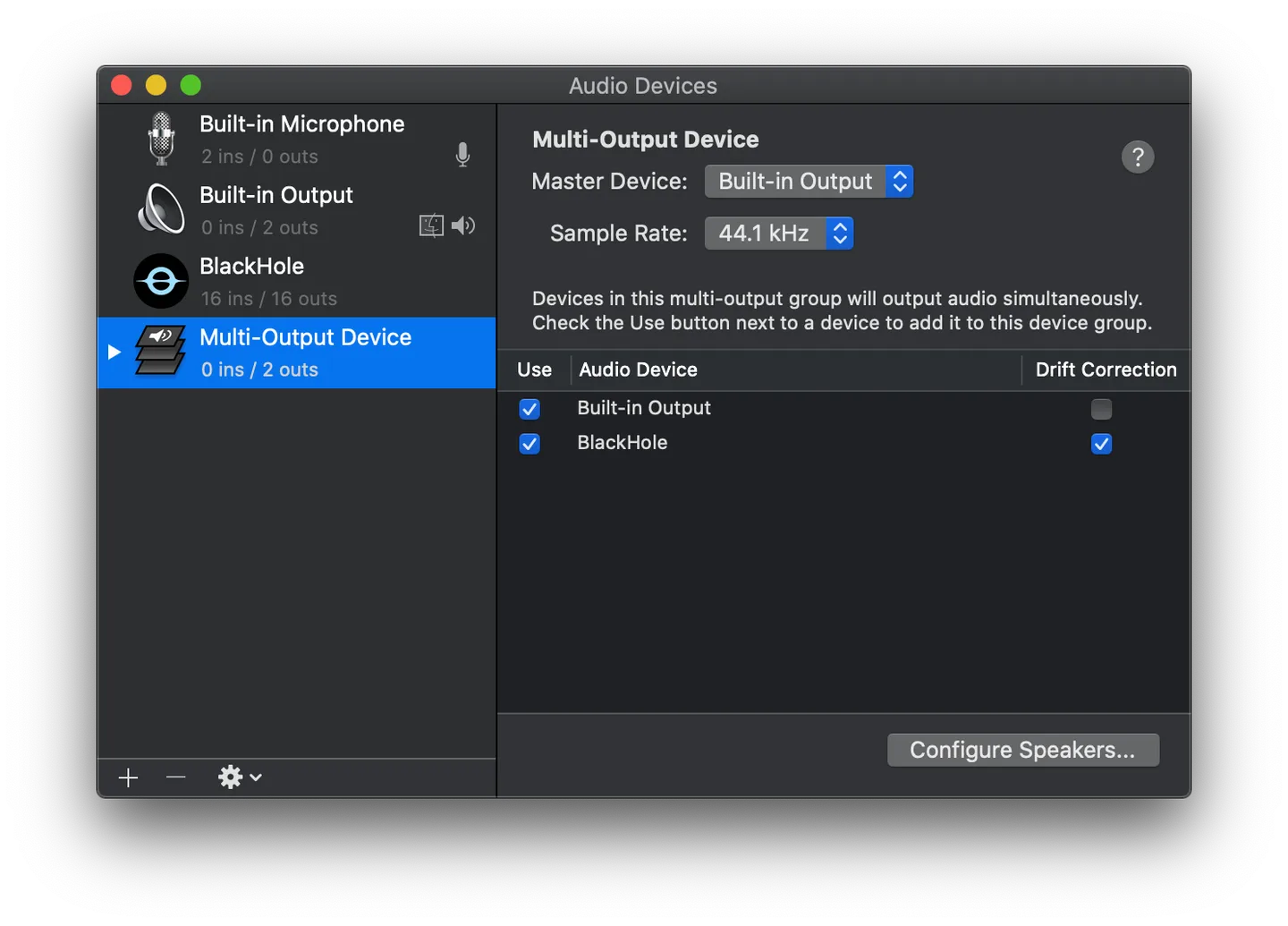
BlackHole is a driver, not a standalone application in the Applications folder. Configure it through Audio MIDI Setup, macOS sound settings or the audio-device controls in your apps. To hear system sound while routing it to another app, follow the publisher’s Multi-Output Device setup. More involved microphone-and-system-audio workflows can require an Aggregate Device.
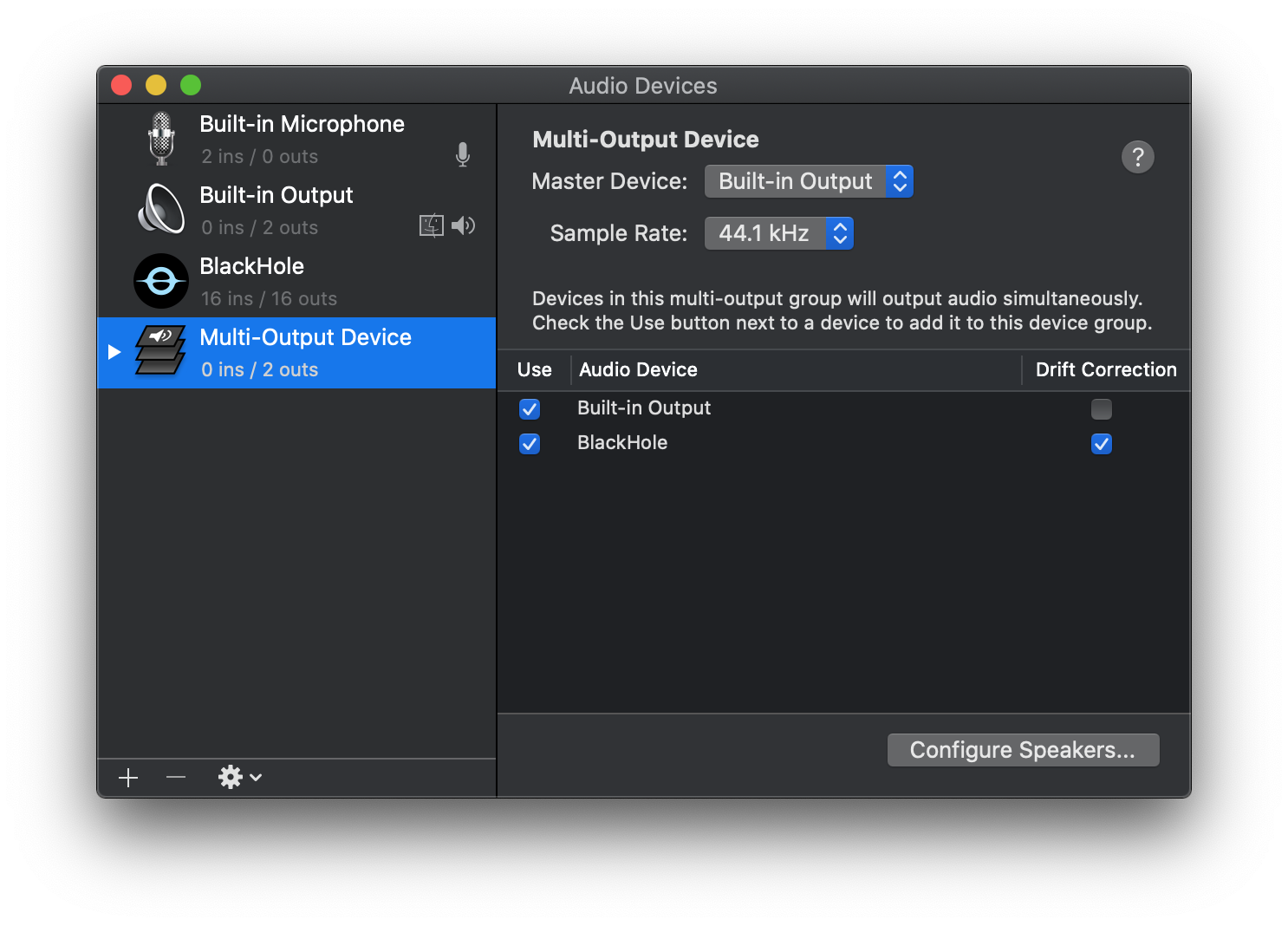
The screenshot shows the publisher’s older 16-channel BlackHole setup inside macOS Audio MIDI Setup, not a dedicated BlackHole control panel or the selected two-channel installer. Installation requires a restart. macOS does not provide a single volume control for a Multi-Output Device; adjust individual device levels in Audio MIDI Setup.
What it offers
- Pass audio from a sending application to a receiving application through a virtual audio device.
- Use the two-channel package for stereo input and output; separate 16- and 64-channel options are available.
- Combine BlackHole with physical output in a macOS Multi-Output Device for simultaneous routing and listening.
- Use Aggregate Devices for workflows that combine microphone and application audio.
Good to know
- BlackHole has no standalone control-panel app; routing must be configured in macOS audio settings and participating applications.
- The linked package provides two channels; choose a separate channel-count edition for larger routing setups.
- macOS does not support a single volume control for a Multi-Output Device; individual device volumes must be adjusted instead.
- A restart is required for the installation to take effect.
Product images
Sources
References used for this listing. Retrieval dates do not indicate hands-on testing.
- BlackHole: Route Audio Between Apps ↗Retrieved
- Existential Audio - BlackHole - Support ↗Retrieved
- ExistentialAudio/BlackHole README ↗Retrieved
- BlackHole LICENSE ↗Retrieved
- Homebrew blackhole-2ch cask JSON ↗Retrieved
More in multimedia & graphics
View category ↗
1by1 2.17
Play music directly from folders with 1by1, a free Windows audio player with resume, gapless playback and file tools. Formats beyond MP3 need additional decoders.
3DVista Virtual Tour Pro
Build interactive 360° virtual tours from panoramas, videos and 3D models with 3DVista Virtual Tour Pro for Windows. Commercial software with a 30-day trial.

4DDiG Video Repair
Repair corrupted or unplayable videos in batches with the Video Repair tool in 4DDiG File Repair for Windows. A free trial is available; advanced features require a paid license.