

Multimedia & graphics Windows
Blockbench for Windows
Build low-poly 3D models, paint pixel-art textures and animate your creations with Blockbench, a free, open-source editor for Windows.
Version 5.2.2 · Direct publisher file
Link checked · Download guidance
What is Blockbench?
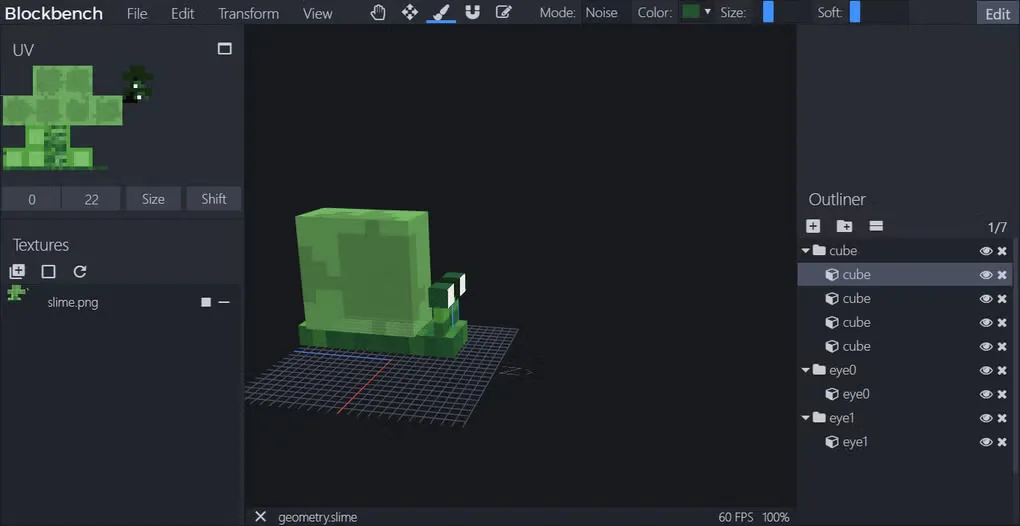
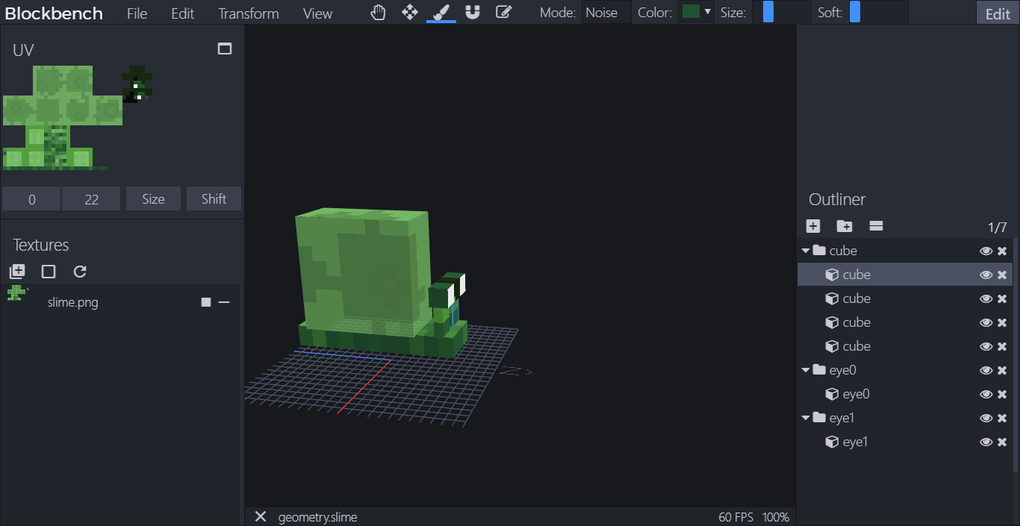
Blockbench brings low-poly modeling, texturing and animation into one workspace. Use cuboids for block-shaped designs or mesh tools for more complex low-poly shapes, then paint directly on the model or in the 2D texture editor. Automatic UV maps and texture templates help connect the model to its artwork. Dedicated formats support Minecraft Java and Bedrock projects, while standardized exports let you use models in other tools and game engines.
The animation editor supports rigging, position, rotation and scale keyframes, with a graph editor for adjusting motion. A built-in plugin store adds tools, export formats and model generators. This entry links to the publisher's Windows EXE installer for version 5.2.2; a portable executable is offered separately.
One documented graphics caveat: Nvidia FXAA settings can cause the interface to flicker or appear blurry. The publisher's FAQ recommends disabling Antialiasing - FXAA in Nvidia Control Panel and restarting Blockbench if that issue occurs.
What it offers
- Create low-poly models with cuboids and mesh modeling tools.
- Paint textures in the 3D view or 2D editor, with automatic UV maps and texture templates.
- Rig and animate models with position, rotation and scale keyframes and a graph editor.
- Work with dedicated Minecraft Java and Bedrock formats or standardized export formats.
- Extend the editor with plugins for extra tools, export formats and model generators.
Good to know
- Nvidia Antialiasing - FXAA can cause interface flickering or blur; the publisher advises disabling that setting and restarting Blockbench if affected.
Product images
Sources
References used for this listing. Retrieval dates do not indicate hands-on testing.
More in multimedia & graphics
View category ↗
1by1 2.17
Play music directly from folders with 1by1, a free Windows audio player with resume, gapless playback and file tools. Formats beyond MP3 need additional decoders.
3DVista Virtual Tour Pro
Build interactive 360° virtual tours from panoramas, videos and 3D models with 3DVista Virtual Tour Pro for Windows. Commercial software with a 30-day trial.

4DDiG Video Repair
Repair corrupted or unplayable videos in batches with the Video Repair tool in 4DDiG File Repair for Windows. A free trial is available; advanced features require a paid license.