
Multimedia & graphics Windows
bomi
Play video and audio with bomi, an mpv-based player formerly called CMPlayer, with playback history, restored playlists and subtitle controls. A legacy Windows archive is available; the project repository is archived.
- Operating system
- Windows; minimum version not specified by the publisher catalog
- Architecture
- 64-bit; separate 32-bit archive also listed
- Download package
- 7z archive
Legacy package from an archived project. Current Windows compatibility and the exact version inside the floating archive were not verified.
Link checked · Download guidance
What is bomi?
bomi is a graphical media player formerly known as CMPlayer. The project describes an interface built around a right-click context menu and a preferences dialog rather than a traditional menu bar. Its advertised features include remembering playback position and selected audio or subtitles, generating playlists from file names, and restoring the last playlist. Subtitle handling includes simultaneous subtitle files and styled SAMI and ASS subtitles.
The publisher still lists separate 32-bit and 64-bit Windows packages alongside its Linux downloads. This entry links to the 64-bit Windows 7z archive, not the online installer. You need an archive extractor to unpack it. The publisher catalog does not specify a minimum Windows version or confirm compatibility with current Windows builds.
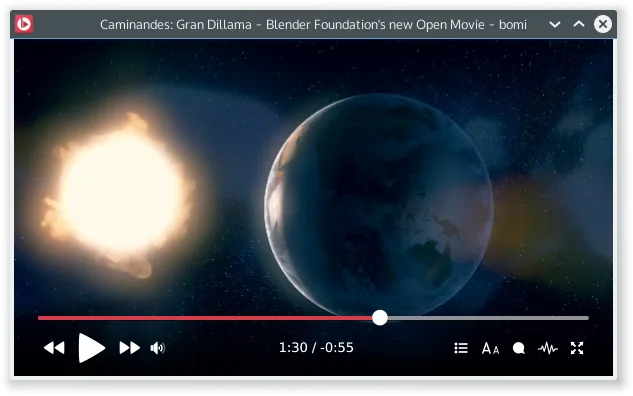
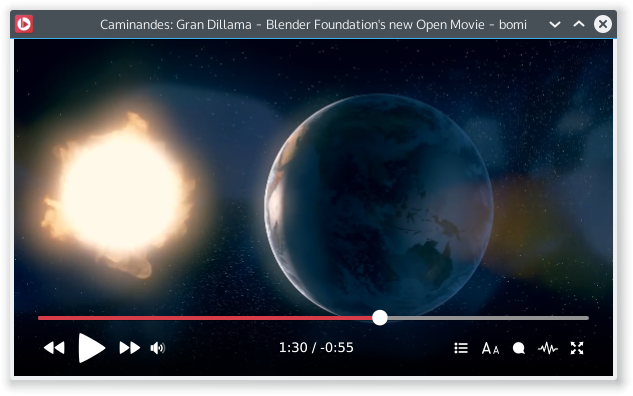
Treat this as a legacy player: the linked project repository was archived on January 21, 2021. Download availability is not evidence of ongoing maintenance. Features here are publisher descriptions, not results of running the Windows package. The publisher screenshot illustrates bomi's interface with Linux-style window decorations; it is not a Windows installation capture.
What it offers
- Resume playback using saved history, including selected audio and loaded subtitle state.
- Generate playlists from file names and restore the last played playlist.
- Display multiple subtitle files together, including styled SAMI and ASS subtitles.
- Access player commands through a context menu and configuration through a preferences dialog.
Good to know
- The project repository has been archived and read-only since January 21, 2021; this is a legacy download, not a claim of ongoing maintenance.
- The publisher does not state a minimum Windows version in the download catalog. Compatibility with current Windows builds has not been established here.
- The selected package is a 64-bit 7z archive, not a setup executable; extraction is required. Its floating download URL does not identify an exact release version.
Product images
Sources
References used for this listing. Retrieval dates do not indicate hands-on testing.
More in multimedia & graphics
View category ↗
1by1 2.17
Play music directly from folders with 1by1, a free Windows audio player with resume, gapless playback and file tools. Formats beyond MP3 need additional decoders.
3DVista Virtual Tour Pro
Build interactive 360° virtual tours from panoramas, videos and 3D models with 3DVista Virtual Tour Pro for Windows. Commercial software with a 30-day trial.

4DDiG Video Repair
Repair corrupted or unplayable videos in batches with the Video Repair tool in 4DDiG File Repair for Windows. A free trial is available; advanced features require a paid license.