

Multimedia & graphics macOS
Caesium for macOS
Compress and resize JPG, PNG and WebP images in batches with Caesium, a free, open-source image compressor for Mac with preview and metadata options.
- Operating system
- macOS 12 or later (current publisher requirement)
- Architecture
- 64-bit; specific Intel/Apple silicon coverage not confirmed
- Download package
- DMG disk image
Current site and README specify macOS 12+; the v2.8.5 tagged README says 10.15+. This entry follows the current stricter requirement. No installation or processor compatibility test was performed.
Link checked · Download guidance
What is Caesium?
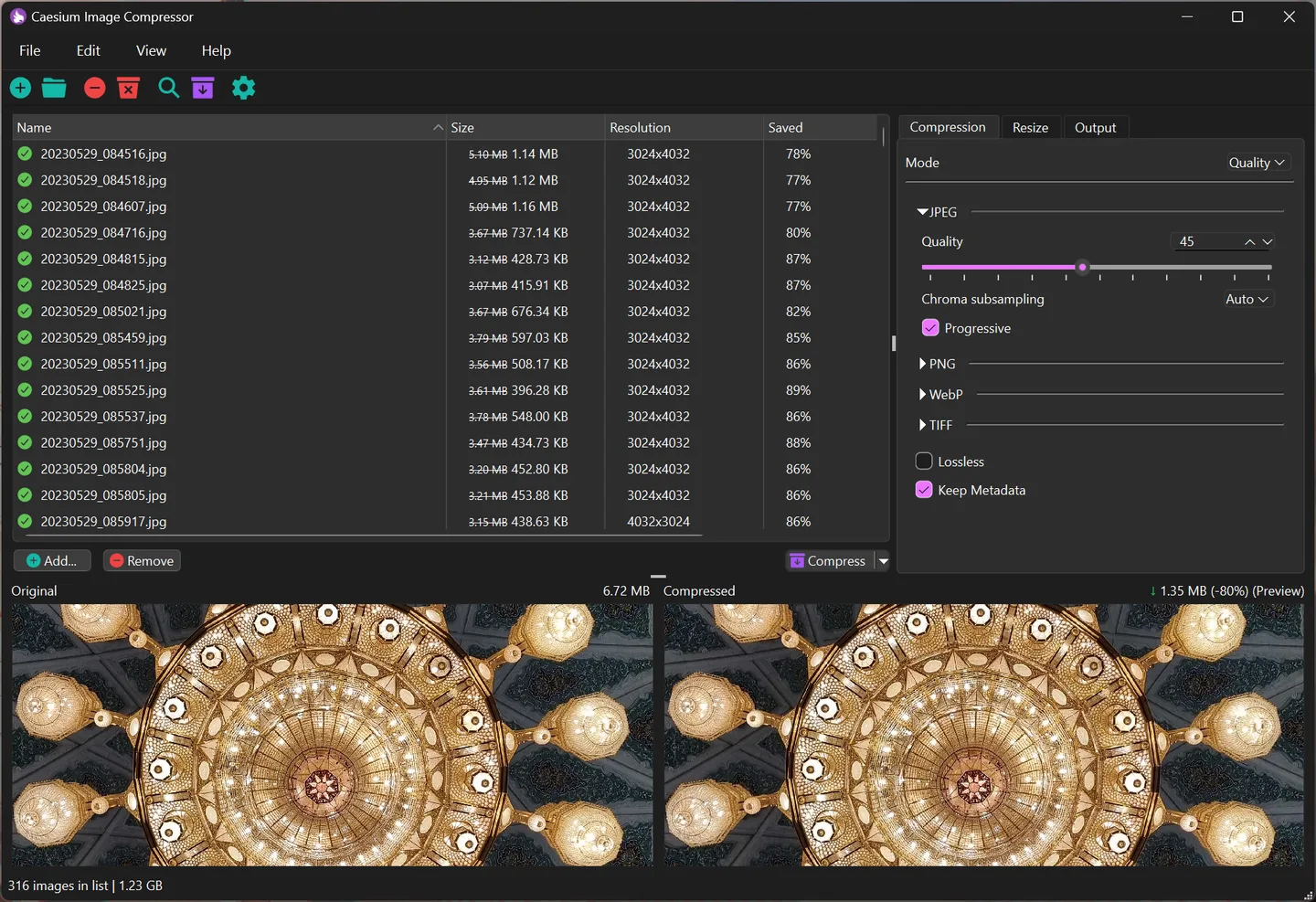
Caesium Image Compressor reduces image file sizes for storing, sending and sharing pictures. Its desktop interface combines batch processing with a real-time preview, so you can compare the result while choosing compression settings. It supports JPG, PNG and WebP images and can also reduce their resolution.
Metadata retention and folder-structure options help when processing a collection rather than a single picture. The desktop application is separate from the publisher's online compressor and command-line tool. This entry links to the publisher's version 2.8.5 macOS DMG.
The current publisher download page specifies macOS 12 or later and the repository supports only 64-bit systems. The older version-tagged README lists macOS 10.15+, so this entry follows the stricter current requirement rather than promising compatibility with older Macs. The supplied publisher screenshot shows the Windows interface of this cross-platform application, not a Mac capture; window controls and appearance can differ.
What it offers
- Process multiple images in a batch.
- Compress JPG, PNG and WebP images and optionally reduce their resolution.
- Compare images using the real-time preview.
- Use metadata retention and folder-structure options.
Good to know
- The current publisher listing requires macOS 12 or later and 64-bit systems; the older tagged README gives a different minimum, so support for older macOS releases is not confirmed here.
- The publisher screenshot illustrates the Windows edition; it does not establish the exact appearance of the Mac interface.
Product images
Sources
References used for this listing. Retrieval dates do not indicate hands-on testing.
More in multimedia & graphics
View category ↗
1by1 2.17
Play music directly from folders with 1by1, a free Windows audio player with resume, gapless playback and file tools. Formats beyond MP3 need additional decoders.
3DVista Virtual Tour Pro
Build interactive 360° virtual tours from panoramas, videos and 3D models with 3DVista Virtual Tour Pro for Windows. Commercial software with a 30-day trial.

4DDiG Video Repair
Repair corrupted or unplayable videos in batches with the Video Repair tool in 4DDiG File Repair for Windows. A free trial is available; advanced features require a paid license.