

Multimedia & graphics Windows
Camtasia for Windows
Record your screen, camera and audio, then edit tutorials and software demos with Camtasia for Windows. The free desktop edition adds a watermark to exported videos.
- Operating system
- Windows 10 20H2 or later (64-bit); Windows 11 23H2 or later recommended
- Architecture
- 64-bit; Snapdragon X Plus and X Elite listed for emulation only
- Download package
- EXE installer (camtasia.exe)
Rolling Windows publisher installer. Free exports are watermarked. Minimum 8 GB RAM and 4 GB available storage; AVX2 required on supported Intel/AMD processors. TechSmith lists internet access and an account for the trial.
Link checked · Download guidance
What is Camtasia?
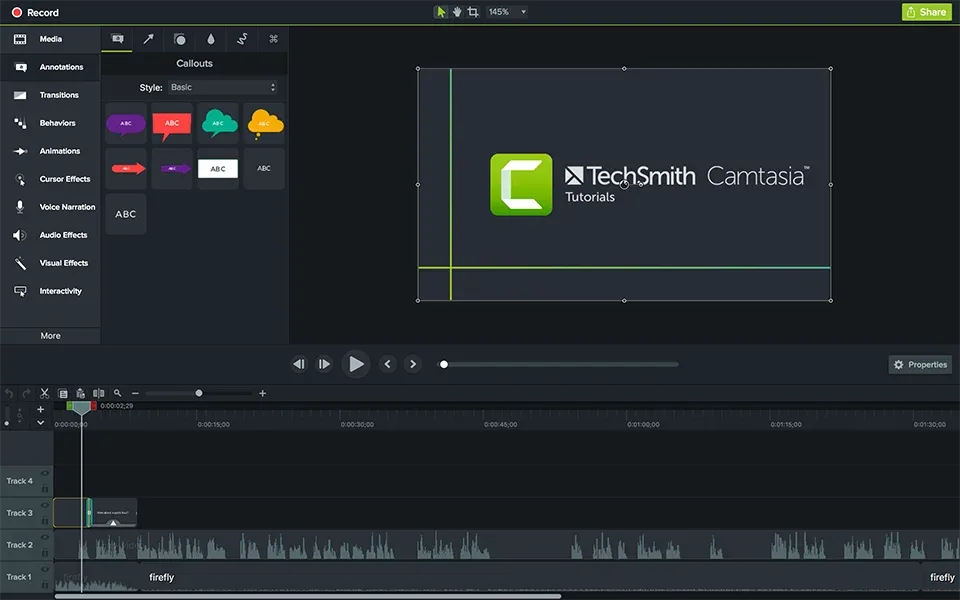
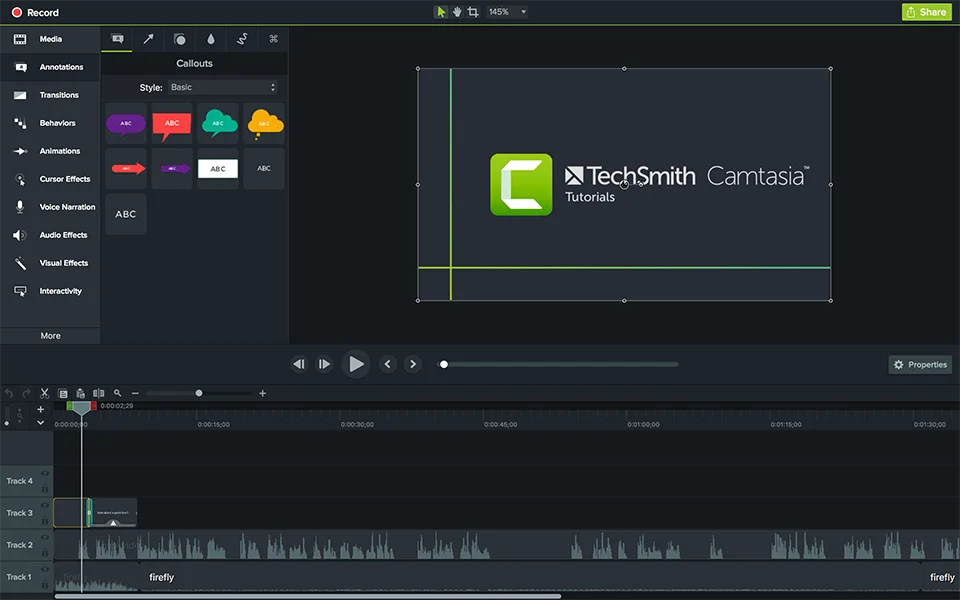
Camtasia, now called Camtasia Editor, combines screen recording with a multitrack video editor for tutorials, training and software demonstrations. Capture your screen, camera, microphone and system audio as separate layers, then adjust the recording on a timeline. Zooms, callouts, annotations and cursor effects help direct attention to the steps you are explaining.
Choose the desktop Editor when you need control over a longer recording: TechSmith lists no recording-length limit for its free desktop option, unlike the separate Camtasia Online service. Free Editor exports carry a watermark; paid plans offer additional benefits. Text-based editing of Camtasia projects requires the separate Audiate application, so it is not a feature supplied by this installer alone.
Use local drives for recordings and editing media. TechSmith does not support working directly in OneDrive, iCloud, Dropbox or similar cloud-storage locations during recording or editing. Check the Windows and hardware requirements before downloading, particularly AVX2 support on Intel/AMD systems.
What it offers
- Record screen, camera, microphone and system audio as independently adjustable layers.
- Arrange and edit recordings on a multitrack timeline.
- Add zooms, callouts, annotations and cursor effects to explain on-screen actions.
- Reuse customizable themes and templates for consistent video styling.
- Record without a length limit in the free desktop Editor; exported videos are watermarked.
Good to know
- The free desktop edition exports videos with a watermark; it is not an unrestricted free license.
- Text-based editing of Camtasia projects requires a separate Audiate installation.
- Cloud-storage locations such as OneDrive, iCloud and Dropbox are not supported during recording or editing; keep working media on local drives.
Product images
Sources
References used for this listing. Retrieval dates do not indicate hands-on testing.
- Camtasia — official screen recording and editing features ↗Retrieved
- Get Started with Camtasia — desktop edition and license limits ↗Retrieved
- Thank you for downloading Camtasia (Win) — official installer link ↗Retrieved
- Camtasia System Requirements — Windows minimum and recommended specifications ↗Retrieved
- Camtasia Windows 2026 Version History ↗Retrieved
- TechSmith Camtasia editor screenshot — annotations and timeline ↗Retrieved
More in multimedia & graphics
View category ↗
1by1 2.17
Play music directly from folders with 1by1, a free Windows audio player with resume, gapless playback and file tools. Formats beyond MP3 need additional decoders.
3DVista Virtual Tour Pro
Build interactive 360° virtual tours from panoramas, videos and 3D models with 3DVista Virtual Tour Pro for Windows. Commercial software with a 30-day trial.

4DDiG Video Repair
Repair corrupted or unplayable videos in batches with the Video Repair tool in 4DDiG File Repair for Windows. A free trial is available; advanced features require a paid license.