

Multimedia & graphics macOS
CapCut for macOS
Edit videos on Mac with a multitrack timeline, transitions, captions and audio tools. CapCut offers basic editing for free, with paid plans for premium features.
Version 9.5.0.4590 · Direct publisher file
Link checked · Download guidance
What is CapCut?
CapCut for Mac combines timeline video editing with tools for captions, audio and visual effects. Use it to trim and split clips, change the aspect ratio for a social post, add music and text, or build transitions between scenes. Keyframes, animation curves and color adjustments provide more control over movement and the look of a project.
The desktop editor also offers automatic captions and text-to-speech. Feature availability is not the same as free access: the publisher separates basic editing and free templates from premium features and AI allowances in its paid plans. Its Mac guide requires sign-in for the AI video workflow and an internet connection for online features.
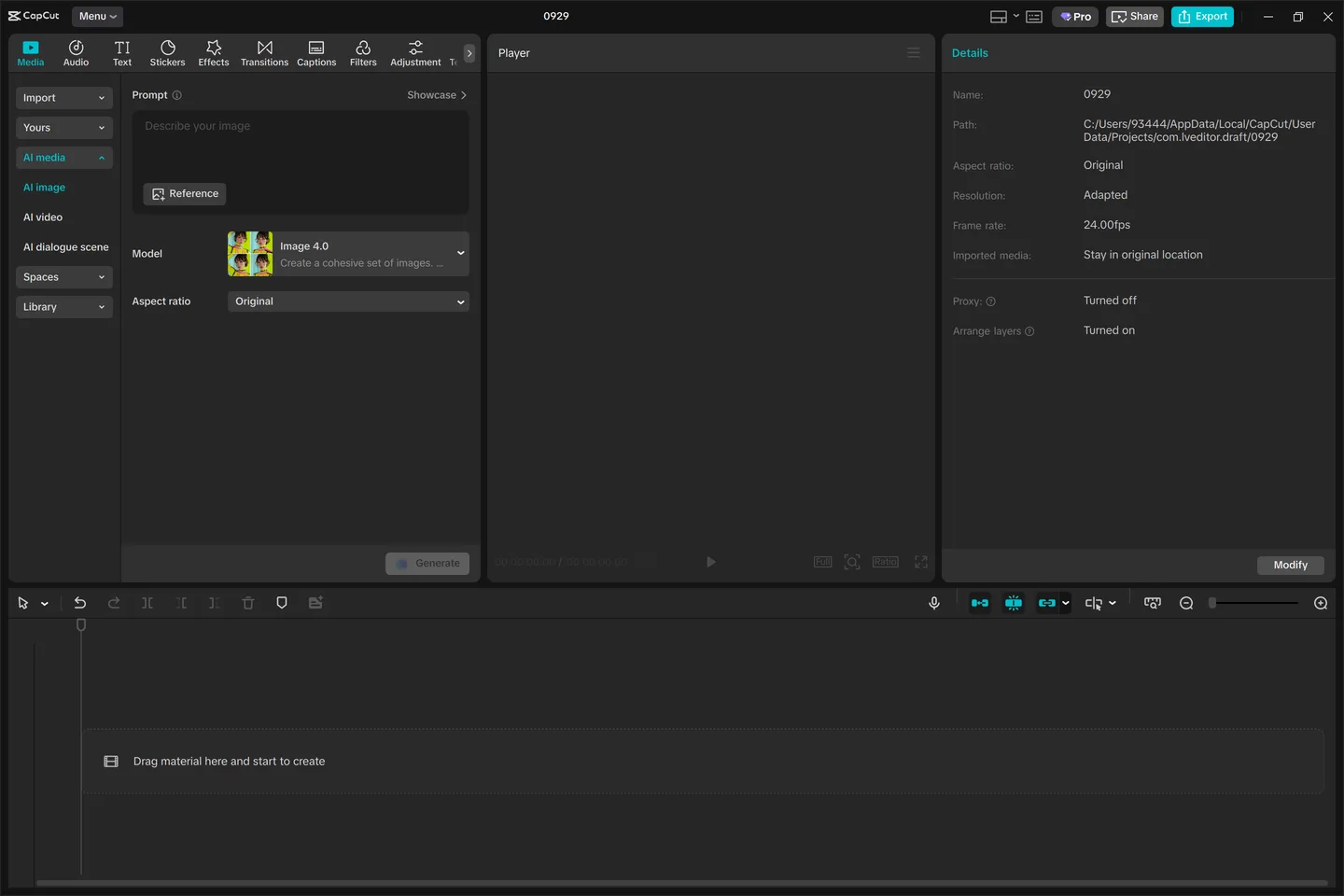
This entry links to the identified 9.5.0.4590 Mac DMG on CapCut’s distribution host, not an automatically selected Windows installer. The file link responded to a HEAD request; the installer was not run and its architecture was not inspected. The reference screenshot comes from the publisher’s Mac guide but shows Windows-style desktop controls; the Mac interface can differ.
What it offers
- Trim and split clips on a multitrack timeline; add text, music and transitions.
- Change video aspect ratio for vertical or horizontal projects.
- Generate captions from audio and create voiceovers with text-to-speech.
- Animate with keyframes and curves, and adjust color with the color wheel.
Good to know
- Premium features, premium templates and some AI capabilities require a paid plan or credits; the free plan does not include everything.
- The publisher’s AI video workflow requires sign-in, and online features require an internet connection.
- The screenshot is a publisher-provided desktop reference with Windows-style controls, not a capture of this Mac package running.
Product images
Sources
References used for this listing. Retrieval dates do not indicate hands-on testing.
- CapCut for Mac: Easy Download for Creative Editing ↗Retrieved
- CapCut Desktop — publisher editing features ↗Retrieved
- CapCut Pricing | Choose the Right Plan ↗Retrieved
- About CapCut | TikTok Video Editor ↗Retrieved
- CapCut for Mac - Download — normal browser observation ↗Retrieved
- CapCut for Mac download links — package discovery ↗Retrieved
More in multimedia & graphics
View category ↗
1by1 2.17
Play music directly from folders with 1by1, a free Windows audio player with resume, gapless playback and file tools. Formats beyond MP3 need additional decoders.
3DVista Virtual Tour Pro
Build interactive 360° virtual tours from panoramas, videos and 3D models with 3DVista Virtual Tour Pro for Windows. Commercial software with a 30-day trial.

4DDiG Video Repair
Repair corrupted or unplayable videos in batches with the Video Repair tool in 4DDiG File Repair for Windows. A free trial is available; advanced features require a paid license.