
Multimedia & graphics Windows
CCExtractor
Extract closed captions and teletext subtitles from video recordings with CCExtractor, an open-source tool with a Windows GUI and command-line controls.
What is CCExtractor?
CCExtractor turns captions carried in supported video recordings into separate subtitle files. It is useful for working with TV recordings and video streams when you need subtitles outside the original container. Its documented inputs include transport streams, DVR-MS, MP4 and Matroska; output options include SubRip (SRT), WebVTT, ASS and plain-text transcripts.
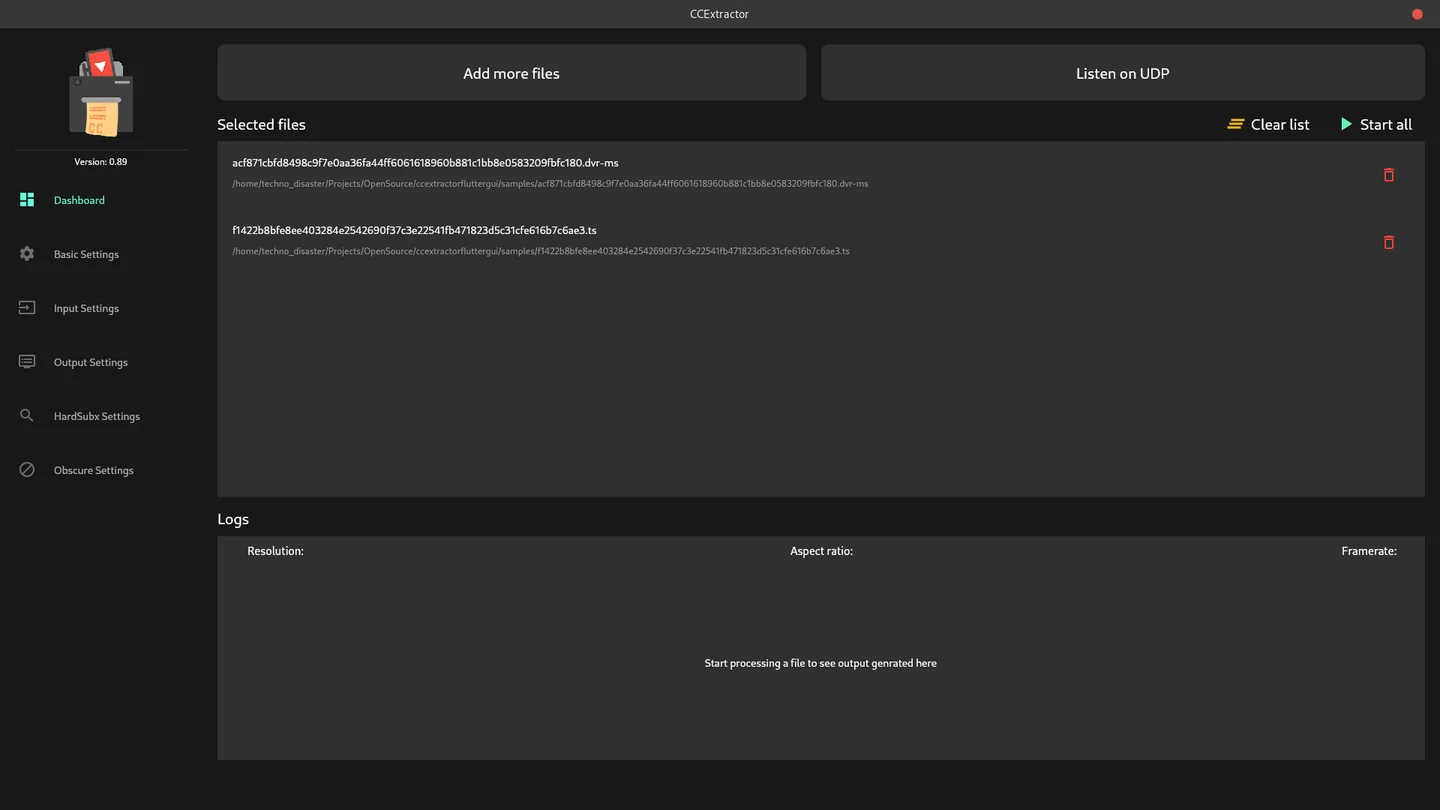
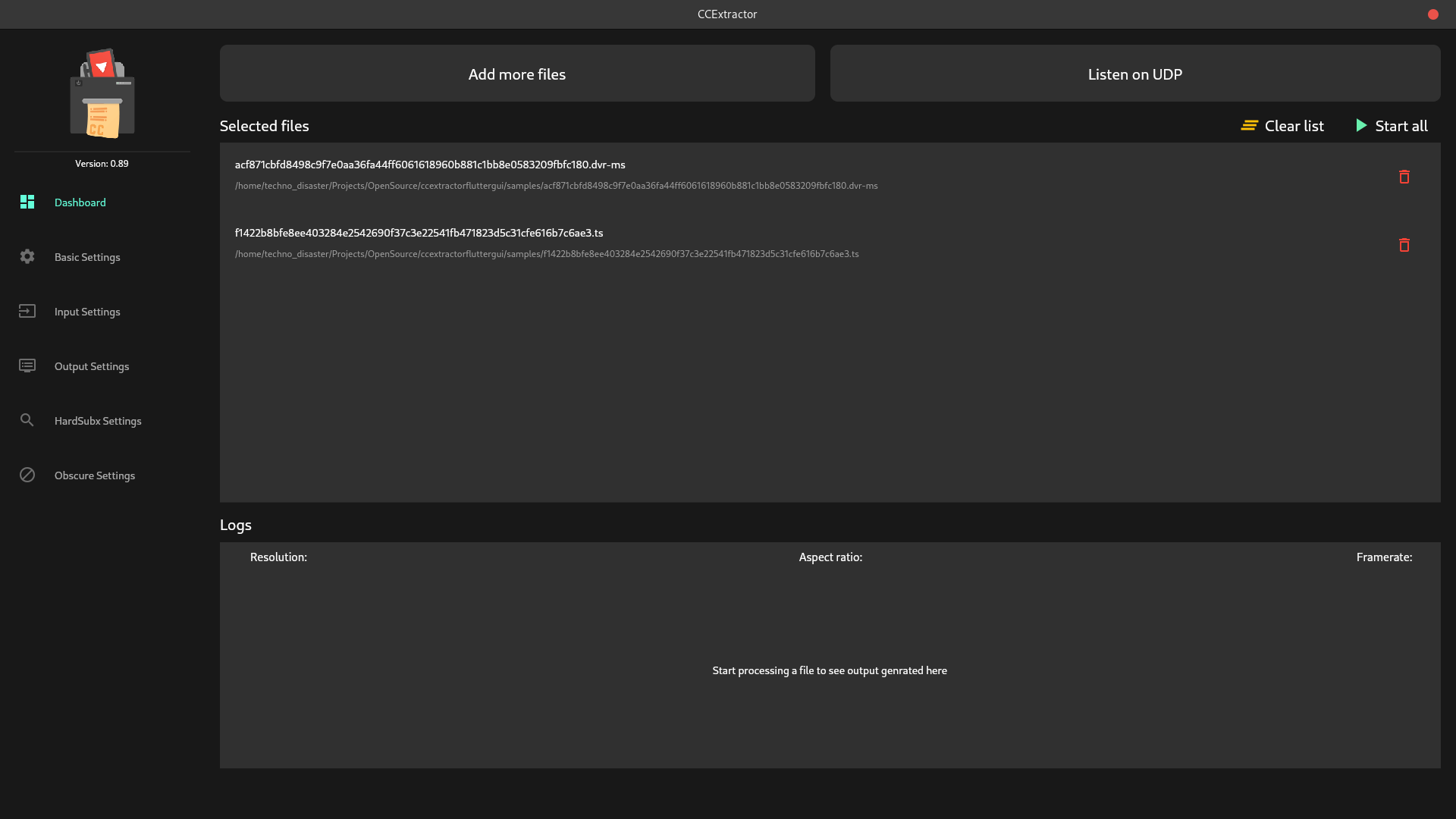
The publisher's Windows packages include a Flutter graphical interface. Add multiple files, start processing them in sequence and follow the live output in the Logs panel. Separate settings screens expose input and output controls; the command-line program also supports scripted workflows and UDP input. This entry links to the publisher's 0.96.6 MSI installer.
A transport stream containing multiple programs needs attention: without a program selection or an automatic-selection option, CCExtractor lists the programs and stops rather than choosing one. The publisher guarantees Windows XP support only through the older 0.89 release, not this package. The screenshot is an older publisher reference of the cross-platform Flutter GUI, captured on Linux and displaying version 0.89; it is not a capture of the Windows 0.96.6 installer.
What it offers
- Extract closed captions and teletext subtitles from supported video streams and recordings.
- Export subtitles as SRT, WebVTT, ASS and other documented formats, or save plain-text transcripts.
- Queue multiple files in the Flutter GUI and view processing output in its Logs panel.
- Use command-line options for scripted processing, program selection and UDP input.
Good to know
- For transport streams with multiple programs, select a program or enable an automatic-selection option; otherwise the tool lists the programs and exits without extraction.
- The publisher identifies 0.89 as the last release guaranteed to work on Windows XP; that guarantee does not cover this 0.96.6 download.
Product images
Sources
References used for this listing. Retrieval dates do not indicate hands-on testing.
- CCExtractor's home page — purpose and organization ↗Retrieved
- CCExtractor Downloads — Windows packages and XP boundary ↗Retrieved
- CCExtractor 0.96.6 — publisher release ↗Retrieved
- CCExtractor 0.96.6 — exact release asset links ↗Retrieved
- Command line usage — caption formats, input and program selection ↗Retrieved
- Build and use the CCExtractor Flutter GUI — usage and original screenshot ↗Retrieved
- CCExtractor official repository — core license ↗Retrieved
- CCExtractor Flutter GUI — Windows installation and license ↗Retrieved
More in multimedia & graphics
View category ↗
1by1 2.17
Play music directly from folders with 1by1, a free Windows audio player with resume, gapless playback and file tools. Formats beyond MP3 need additional decoders.
3DVista Virtual Tour Pro
Build interactive 360° virtual tours from panoramas, videos and 3D models with 3DVista Virtual Tour Pro for Windows. Commercial software with a 30-day trial.

4DDiG Video Repair
Repair corrupted or unplayable videos in batches with the Video Repair tool in 4DDiG File Repair for Windows. A free trial is available; advanced features require a paid license.