
Multimedia & graphics Windows
ChrisPC Screen Recorder
Record a Windows screen, window or selected area to MP4 with desktop or microphone audio. The free edition is for non-commercial use and limits recordings to 10 minutes.
- Operating system
- Windows Vista, 7, 8, 10 and 11 (publisher-listed)
- Architecture
- Not specified by the inspected publisher sources
- Download package
- EXE installer
Publisher lists more than 1 GB RAM, 100 MB disk space and Internet Explorer 11 or higher. No installer execution or individual Windows-build verification was performed.
Link checked · Download guidance
What is ChrisPC Screen Recorder?
ChrisPC Screen Recorder captures desktop activity as H.264 MP4 video and takes screenshots in PNG, JPG or BMP format. Choose the full screen, one application window or a selected rectangle rather than recording everything on the desktop. Desktop-audio and microphone source selection make it useful for short demonstrations and narrated tutorials; the publisher also supports gameplay capture in windowed and borderless modes.
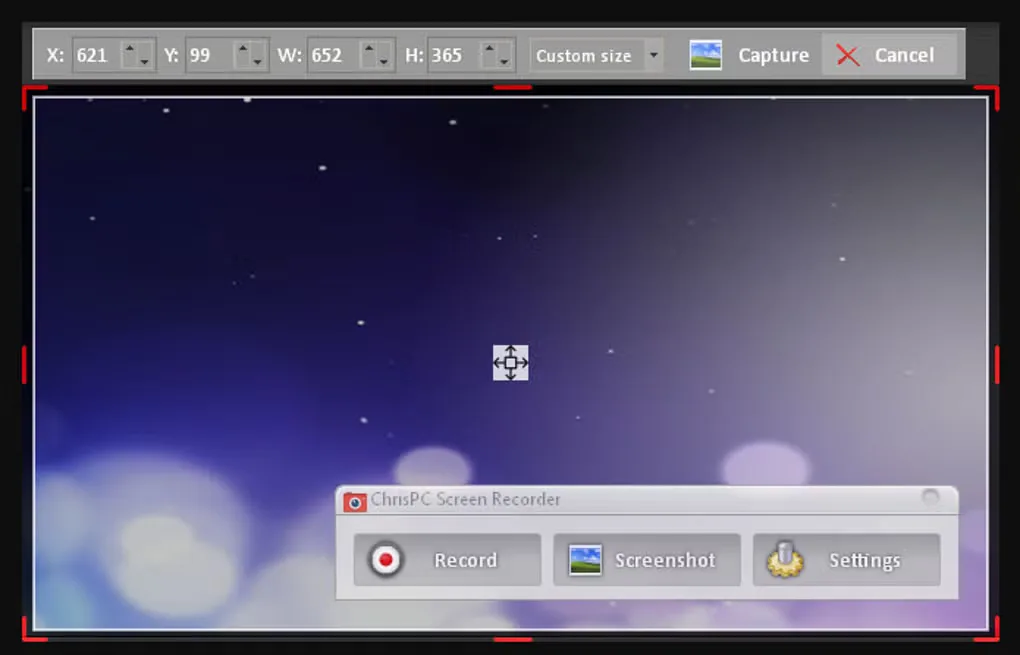
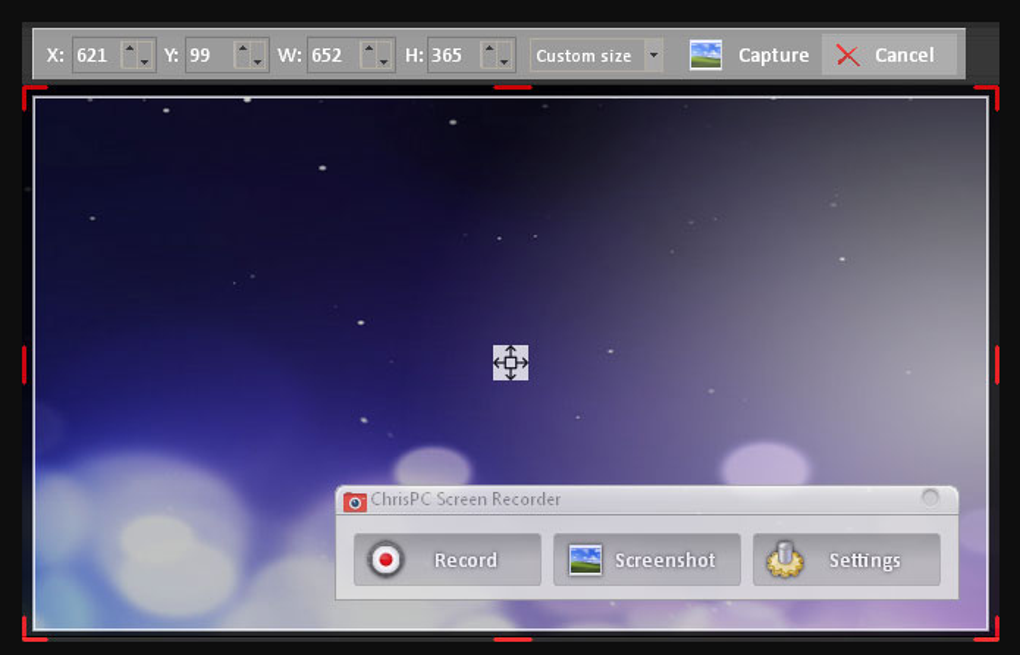
Recording controls include frame-rate and encoding settings, configurable hotkeys and a choice of display on multi-monitor systems. The screenshot shown here illustrates the area-selection toolbar and the floating Record, Screenshot and Settings controls; it is a source-provided illustration, not a test of the current installer.
The free edition has material limits: recordings stop at 10 minutes, videos carry a watermark and commercial use is excluded. The paid Pro edition removes the duration limit and watermark, permits commercial use and adds trimming plus custom text or image watermarks. Check those differences before using the free edition for work or a longer presentation.
The official release history lists version 2.26.0810 dated August 10, 2026. The linked publisher endpoint passed a HEAD-only check and returned an attachment filename containing that version; the installer was not downloaded or run. Windows Vista, 7, 8, 10 and 11 are listed by the publisher, but processor architecture and compatibility with individual Windows builds have not been independently verified.
What it offers
- Record the full screen, a selected desktop area or an application window to H.264 MP4.
- Select desktop audio or a connected microphone as the recording source.
- Take full-screen, area or window screenshots in PNG, JPG or BMP format.
- Choose frame rate, video encoding settings and the recording display; configure action hotkeys.
- Capture gameplay in windowed and borderless modes.
Good to know
- The free edition is for non-commercial use only and limits each screen or gameplay recording to 10 minutes.
- Watermark-free video, commercial use, trimming and custom text or image watermarks require the paid Pro edition.
- Publisher-listed Windows support is not an independent compatibility test; installer architecture is not specified in the inspected sources.
Product images
Sources
References used for this listing. Retrieval dates do not indicate hands-on testing.
More in multimedia & graphics
View category ↗
1by1 2.17
Play music directly from folders with 1by1, a free Windows audio player with resume, gapless playback and file tools. Formats beyond MP3 need additional decoders.
3DVista Virtual Tour Pro
Build interactive 360° virtual tours from panoramas, videos and 3D models with 3DVista Virtual Tour Pro for Windows. Commercial software with a 30-day trial.

4DDiG Video Repair
Repair corrupted or unplayable videos in batches with the Video Repair tool in 4DDiG File Repair for Windows. A free trial is available; advanced features require a paid license.