

Multimedia & graphics Windows
Cisdem DVD Burner for Windows
Turn video files into DVDs with custom menus, chapters and a preview before burning. Cisdem DVD Burner for Windows also creates ISO files and DVD folders; the trial limits video length.
- Operating system
- Windows 10 and Windows 11 (64-bit)
- Architecture
- 64-bit Windows; Intel or AMD processor
- Download package
- EXE installer
Publisher minimums: 1 GHz processor, 512 MB RAM and 10 GB free space. This is the publisher's Windows download; the installer was not downloaded or run.
Link checked · Download guidance
What is Cisdem DVD Burner?
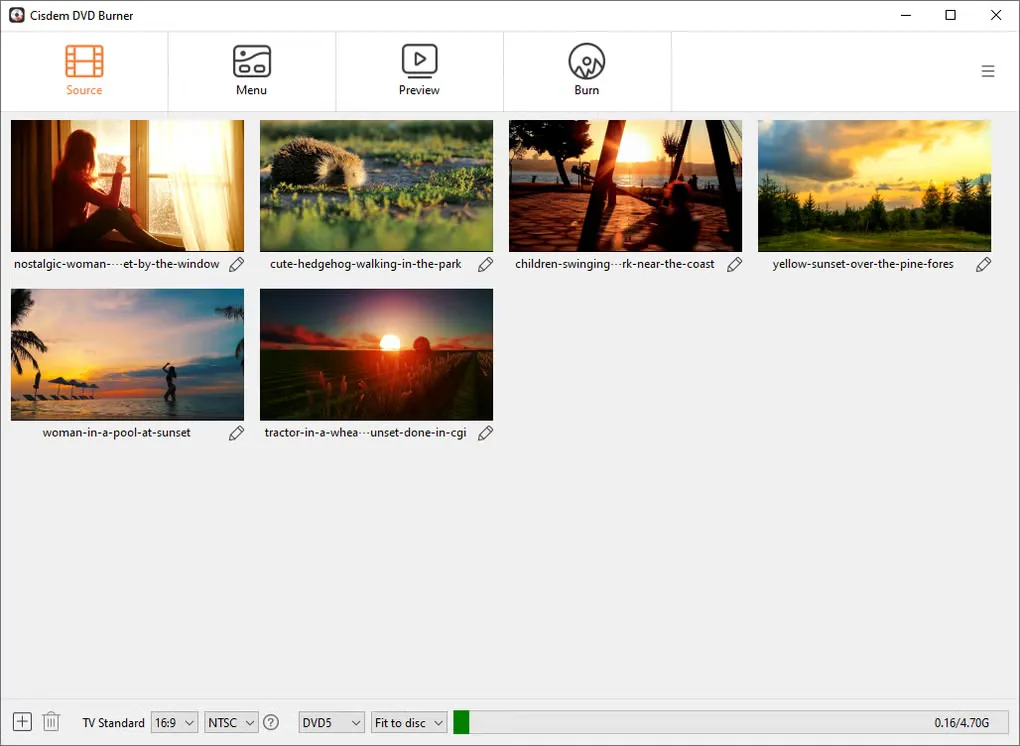
Cisdem DVD Burner authors video DVDs from files such as MP4, AVI, MKV and MOV. Add clips, trim or crop them, arrange a menu and preview the project before choosing DVD disc, DVD folder or ISO output. It is useful when a collection of video files needs a navigable DVD rather than simply being copied onto a data disc.
Menu tools let you change the background, add music and edit text or buttons. You can add chapter markers and choose a menu-free layout instead. Aspect-ratio and NTSC/PAL settings help match the project to its intended display and player, while Fit to Disc adjusts quality to the available capacity. Projects can be saved for later editing, but they refer to the original video files rather than containing them; moving those files can break a saved project.
This is commercial software with a limited trial, not an unrestricted free burner. The trial processes only the first five minutes of a video, or half its duration when it is shorter than five minutes. The Windows FAQ also says direct picture-to-DVD burning is unsupported. High-resolution input does not turn DVD output into HD: the publisher lists standard DVD resolutions of 720 × 480 or 720 × 576.
What it offers
- Author DVD discs, DVD folders or ISO files from supported video formats including MP4, AVI, MKV and MOV.
- Trim, crop and rotate clips; add subtitles, watermarks and chapter markers.
- Customize DVD menu templates with backgrounds, music, text and buttons, or choose no menu.
- Preview menus and videos before burning; save a project to resume editing later.
- Choose aspect ratio, NTSC or PAL, disc type and quality settings, including Fit to Disc.
Good to know
- The trial processes only the first five minutes of each video, or half of a video shorter than five minutes; unrestricted use requires a paid license.
- The Windows FAQ says burning pictures directly to DVD is not supported.
- Saved projects reference the original source videos; moving those files can prevent the project from finding them.
- DVD output uses standard-definition DVD resolution even when source videos are HD or higher.
Product images
Sources
References used for this listing. Retrieval dates do not indicate hands-on testing.
- Cisdem DVD Burner - Download — Windows product and screenshot gallery ↗Retrieved
- Cisdem DVD Burner — official product features and trial limitation ↗Retrieved
- Tech Specifications of Cisdem DVD Burner for Windows ↗Retrieved
- Cisdem DVD Burner for Windows FAQs ↗Retrieved
- Publisher DVD Burner Windows download configuration ↗Retrieved
More in multimedia & graphics
View category ↗
1by1 2.17
Play music directly from folders with 1by1, a free Windows audio player with resume, gapless playback and file tools. Formats beyond MP3 need additional decoders.
3DVista Virtual Tour Pro
Build interactive 360° virtual tours from panoramas, videos and 3D models with 3DVista Virtual Tour Pro for Windows. Commercial software with a 30-day trial.

4DDiG Video Repair
Repair corrupted or unplayable videos in batches with the Video Repair tool in 4DDiG File Repair for Windows. A free trial is available; advanced features require a paid license.