

Multimedia & graphics Windows
Cisdem Video Compressor for Windows
Reduce video and audio file sizes on Windows with batch compression, target-size controls and a preview of the compression result.
- Operating system
- Windows 10 and Windows 11
- Architecture
- 64-bit; Intel or AMD processor
- Download package
- EXE installer
Publisher lists a 1 GHz processor, at least 512 MB RAM and 100 MB installation space. Version and release date follow Windows release notes; the direct URL is not version-pinned.
Link checked · Download guidance
What is Cisdem Video Compressor?
Cisdem Video Compressor reduces video and audio file sizes for sharing, uploading or saving storage space. Add multiple files, choose a compression percentage or target file size, and preview the result before processing the batch. It supports common inputs such as MP4, MOV, MKV, AVI, FLAC and WAV.
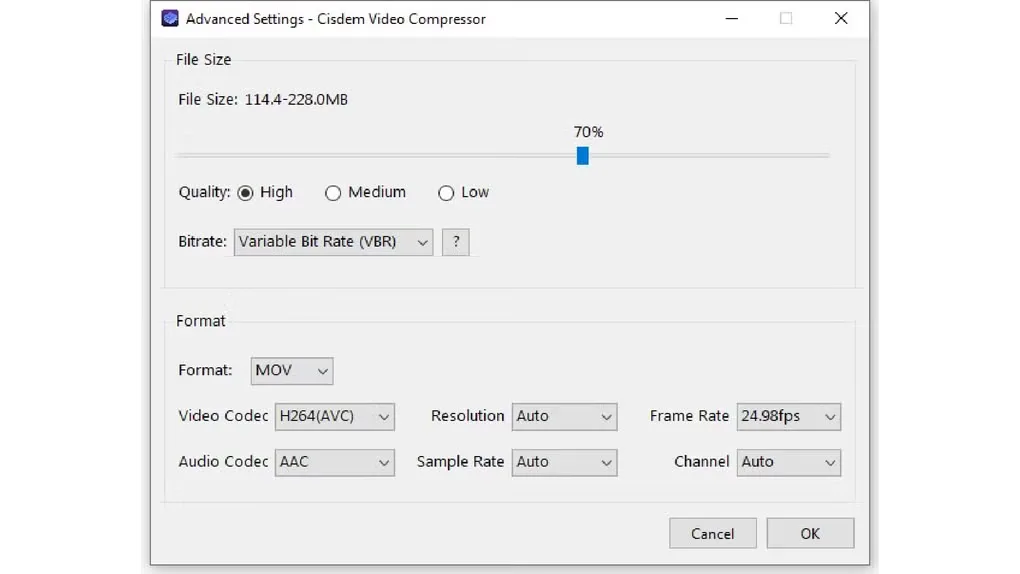
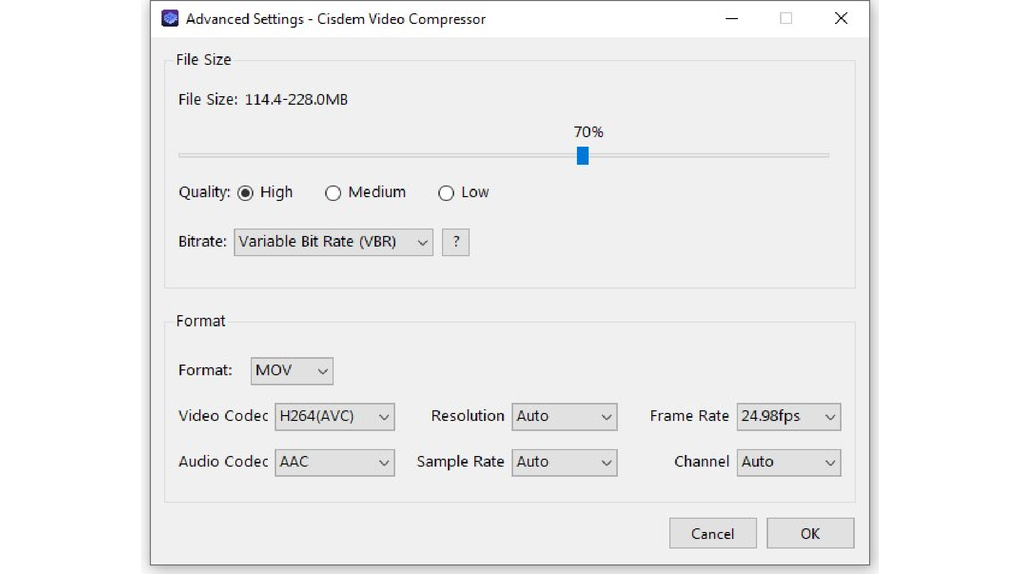
Advanced controls let you adjust video encoding, resolution and frame rate, along with audio settings such as sample rate and channel count. Variable bit rate estimates an output-size range; constant bit rate targets a fixed output size. The built-in player helps check the media before compression.
Input and output support differ: the Windows specifications list many audio inputs but only MP3 and WMA audio outputs. The publisher offers paid licenses, despite Softonic labeling the download free; downloading the installer should not be taken as evidence that all features are free. The linked Windows package requires a 64-bit Windows 10 or Windows 11 system.
What it offers
- Compress multiple video or audio files in a batch.
- Choose a compression percentage, target file size or custom encoding parameters.
- Preview compression results and play media with the built-in player.
- Adjust video resolution and frame rate, plus audio sample rate and channel count.
- Export supported video formats including MP4, AVI, MKV, MOV and WebM.
Good to know
- The Windows technical specifications list MP3 and WMA as audio outputs; the longer input-format list does not describe export support.
- The publisher sells licenses for full features. Exact restrictions of the free download were not established from the cited pages.
- Requires 64-bit Windows 10 or Windows 11; the cited Windows requirements do not include 32-bit systems.
Product images
Sources
References used for this listing. Retrieval dates do not indicate hands-on testing.
- Cisdem Video Compressor - Download ↗Retrieved
- Cisdem Video Compressor — official product page ↗Retrieved
- Tech Specifications of Cisdem Video Compressor for Windows ↗Retrieved
- Release Note of Cisdem Video Compressor for Windows ↗Retrieved
- Purchase Cisdem Video Compressor for Windows ↗Retrieved
- Cisdem publisher product configuration — Windows download URL ↗Retrieved
More in multimedia & graphics
View category ↗
1by1 2.17
Play music directly from folders with 1by1, a free Windows audio player with resume, gapless playback and file tools. Formats beyond MP3 need additional decoders.
3DVista Virtual Tour Pro
Build interactive 360° virtual tours from panoramas, videos and 3D models with 3DVista Virtual Tour Pro for Windows. Commercial software with a 30-day trial.

4DDiG Video Repair
Repair corrupted or unplayable videos in batches with the Video Repair tool in 4DDiG File Repair for Windows. A free trial is available; advanced features require a paid license.