
Multimedia & graphics Windows
Converseen
Convert, resize, rotate and rename batches of images with Converseen, a free, open-source image processor for Windows 10 and 11.
- Operating system
- Windows 10 and Windows 11
- Architecture
- x64 (64-bit)
- Download package
- MSI installer
Selected package: Converseen-0.15.2.9-1-win64-setup.msi. Portable packages are separate; Ghostscript is required for PDF and AI workflows.
Link checked · Download guidance
What is Converseen?
Converseen processes multiple images in one workflow. Add a group of files, select the images to convert and choose an output format. Alongside format conversion, it can resize, rotate, flip and rename images, making it useful when a photo collection needs consistent dimensions, filenames or file types.
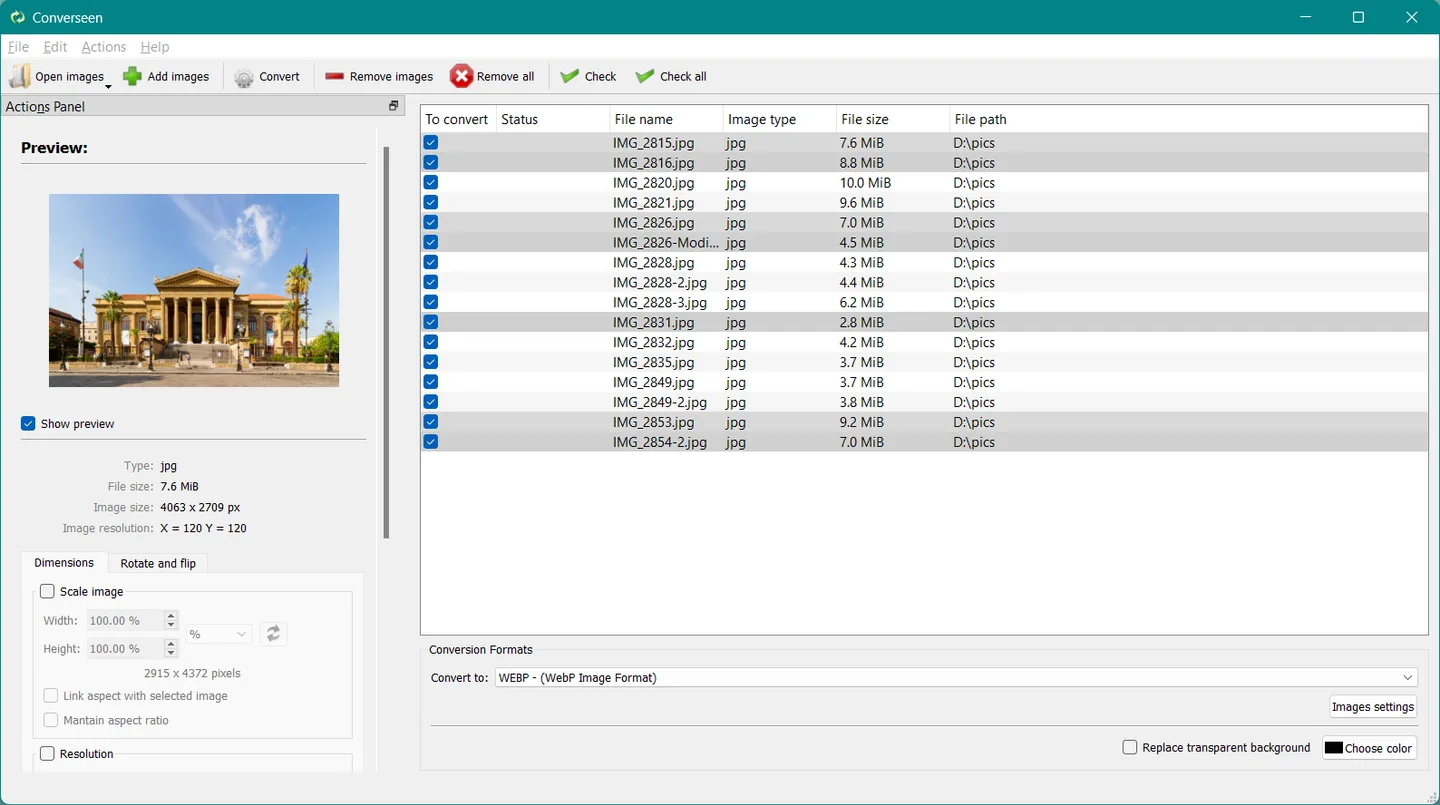
The publisher lists support for more than 100 image formats, including JPEG, PNG, GIF, WebP, HEIC and AVIF. Renaming options include progressive numbers and filename prefixes or suffixes. The Windows interface combines an image preview and adjustment controls with a file list and output-format selector.
This entry links to the 64-bit MSI installer for Windows 10 and 11. The publisher also offers separate portable packages. PDF-to-image conversion and AI file handling require Ghostscript to be installed separately; those workflows are not enabled by the Converseen installer alone.
What it offers
- Convert batches of images between supported formats, including JPEG, PNG, WebP, HEIC and AVIF.
- Resize, rotate and flip multiple images in one workflow.
- Rename images using progressive numbering or a filename prefix or suffix.
- Preview an image while selecting files and an output format.
- Convert PDF pages into image files when Ghostscript is installed separately.
Good to know
- PDF conversion and AI file handling require a separate Ghostscript installation.
- The linked 64-bit installer targets Windows 10 and 11; the publisher lists a separate 32-bit portable package for older Windows versions.
Product images
Sources
References used for this listing. Retrieval dates do not indicate hands-on testing.
More in multimedia & graphics
View category ↗
1by1 2.17
Play music directly from folders with 1by1, a free Windows audio player with resume, gapless playback and file tools. Formats beyond MP3 need additional decoders.
3DVista Virtual Tour Pro
Build interactive 360° virtual tours from panoramas, videos and 3D models with 3DVista Virtual Tour Pro for Windows. Commercial software with a 30-day trial.

4DDiG Video Repair
Repair corrupted or unplayable videos in batches with the Video Repair tool in 4DDiG File Repair for Windows. A free trial is available; advanced features require a paid license.