
Multimedia & graphics Windows
CUETools
Convert lossless audio and CUE sheets, preserve album gaps, and verify CD rips against AccurateRip and the CUETools Database on Windows.
- Operating system
- Windows; publisher documentation references Windows 10 and 11
- Architecture
- x86 and x64 Windows plugins included
- Download package
- ZIP archive; extract the complete package
Version 2.2.6 requires .NET Framework 4.7; some plugins also require Visual C++ 2015–2022 runtimes. No installer is required.
Link checked · Download guidance
What is CUETools?
CUETools works with lossless CD album images and CUE sheets. Use it to split a single-file album into individual tracks, combine tracks into an album image, or change lossless codecs while preserving the CUE sheet structure and gaps. Supported formats include WAV, FLAC, APE, ALAC, TTA and WavPack.
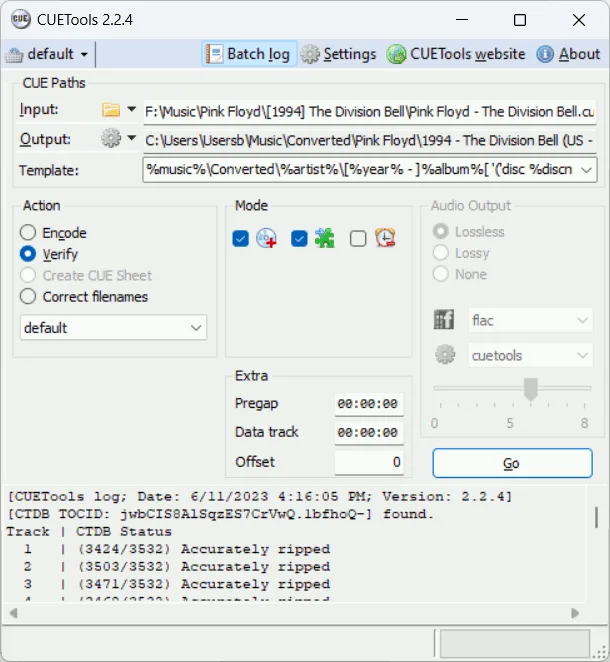
For checking an existing rip, CUETools can compare it with AccurateRip and the CUETools Database. It can detect and correct offsets, fix filenames referenced by a CUE sheet, and repair minor audio errors when suitable database correction data is available. The package also includes CUERipper for extracting audio CDs.
This entry links to the publisher's 2.2.6 ZIP package. Extract the entire archive rather than copying out only CUETools.exe; the application needs the accompanying files. The release requires .NET Framework 4.7, and some plugins need Visual C++ runtime components. FFmpeg support needs additional DLLs that are not included in the standard package.
What it offers
- Convert between single-file and file-per-track album layouts while preserving CUE sheet information and gaps.
- Read and write lossless formats including WAV, FLAC, APE, ALAC, TTA and WavPack.
- Verify CD album images against AccurateRip and the CUETools Database, with offset detection and correction.
- Use the included CUERipper application to extract audio CDs with CUE sheets and optional logs.
Good to know
- The publisher documents the core audio workflow for CD-format stereo audio: 16-bit samples at 44.1 kHz.
- Database verification can fail when the original disc layout is incomplete, such as missing hidden-track or data-track information in the CUE sheet or log.
- Some plugins require Visual C++ runtimes; the FFmpeg plugin needs separately supplied DLLs.
Product images
Sources
References used for this listing. Retrieval dates do not indicate hands-on testing.
- CUETools - Download — observed in normal browser ↗Retrieved
- CUETools — official overview, supported formats and limitations ↗Retrieved
- CUETools Download — official package and prerequisites ↗Retrieved
- Release CUETools 2.2.6 — publisher release notes ↗Retrieved
- File:CUETools224.png — publisher screenshot history ↗Retrieved
More in multimedia & graphics
View category ↗
1by1 2.17
Play music directly from folders with 1by1, a free Windows audio player with resume, gapless playback and file tools. Formats beyond MP3 need additional decoders.
3DVista Virtual Tour Pro
Build interactive 360° virtual tours from panoramas, videos and 3D models with 3DVista Virtual Tour Pro for Windows. Commercial software with a 30-day trial.



4DDiG Video Repair
Repair corrupted or unplayable videos in batches with the Video Repair tool in 4DDiG File Repair for Windows. A free trial is available; advanced features require a paid license.