
Multimedia & graphics Windows
darktable for Windows
Organize photo collections and develop raw images non-destructively with darktable, a free, open-source photography workflow application for Windows.
- Operating system
- Windows; exact minimum version not established by the cited install page
- Architecture
- x64 (64-bit)
- Download package
- EXE installer
Selected publisher win64 package. Windows on ARM is a separate download. Installation and execution were not tested.
Link checked · Download guidance
What is darktable?
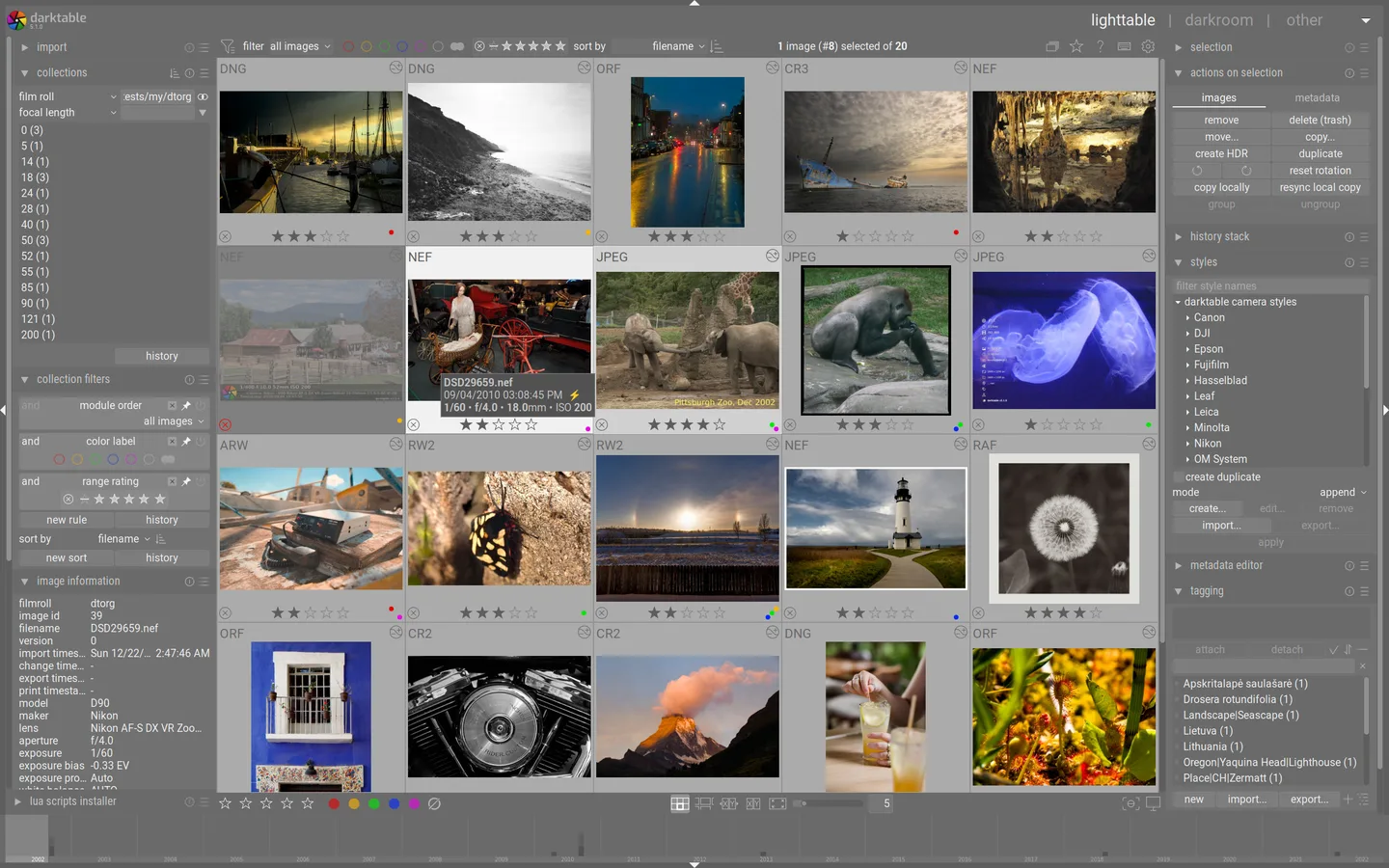
darktable combines a photo library with a raw developer. Use the lighttable to browse a collection, filter by metadata, assign ratings and organize images with tags or color labels. Switch to the darkroom to process a photograph without overwriting the original, then export a finished image for sharing or further work.
The workflow suits photographers who want control over raw processing and color management rather than a one-click replacement for another editor. Metadata and processing settings are stored in a database and XMP sidecar files. Supported output formats include JPEG, PNG, TIFF and EXR.
This entry links to the publisher’s Windows 64-bit EXE for version 5.6.2; Windows on ARM has a separate package. The learning curve can be steep, and presets from other editors do not transfer directly. Camera support also depends on the raw file format and compression option. The Windows package has no Print module: export the image and print it using another application.
The publisher warns that its Windows builds lack a trusted code-signing certificate, so Windows security controls may block installation or startup. The included image is a publisher reference screenshot of the lighttable interface, not an independently captured Windows 5.6.2 session.
What it offers
- Develop raw photos non-destructively while keeping original image files unchanged.
- Browse and filter a photo library by metadata, tags, star ratings and color labels.
- Use ICC color management within the photo-processing workflow.
- Export finished images in formats including JPEG, PNG, TIFF and EXR.
- Keep metadata and processing settings in XMP sidecars and a database.
Good to know
- The Windows package has no Print module; print exported images with separate software.
- The workflow has a steep initial learning curve, and presets from other editing programs are not directly compatible.
- Some raw file formats and compression options are unsupported even when the camera model is listed.
- Windows security controls may block installation or startup because the publisher’s Windows builds lack a trusted code-signing certificate.
Product images
Sources
References used for this listing. Retrieval dates do not indicate hands-on testing.
More in multimedia & graphics
View category ↗
1by1 2.17
Play music directly from folders with 1by1, a free Windows audio player with resume, gapless playback and file tools. Formats beyond MP3 need additional decoders.
3DVista Virtual Tour Pro
Build interactive 360° virtual tours from panoramas, videos and 3D models with 3DVista Virtual Tour Pro for Windows. Commercial software with a 30-day trial.

4DDiG Video Repair
Repair corrupted or unplayable videos in batches with the Video Repair tool in 4DDiG File Repair for Windows. A free trial is available; advanced features require a paid license.