

Multimedia & graphics Windows
DeskFX Audio Enhancer for Windows
Adjust Windows speaker and headphone playback with DeskFX's real-time equalizer and audio effects. The linked free edition is for non-commercial home use.
- Operating system
- Windows 7 through Windows 11
- Architecture
- Not specified for the linked installer
- Download package
- EXE installer
Publisher-listed Windows support. The selected URL is the explicitly linked free edition; installer architecture and current version were not established.
Link checked · Download guidance
What is DeskFX Audio Enhancer?
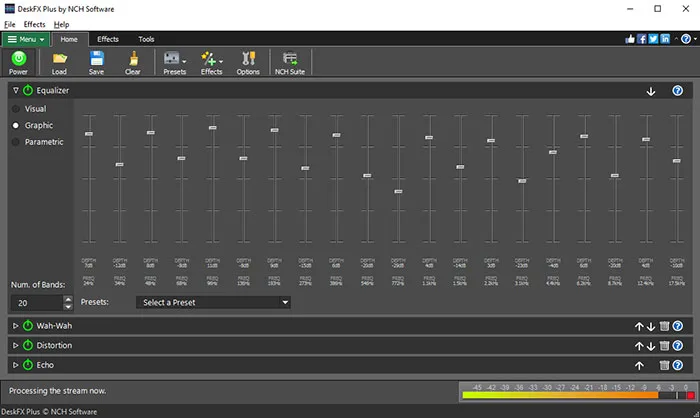
DeskFX changes the audio playing through your computer's speakers or headphones. Its system-wide equalizer and live effects let you adjust the balance of music, streaming video or game audio as you listen, rather than editing an audio file first. The publisher describes visual, graphic and parametric equalizer modes, up to 20 bands, bass boost and effects such as reverb and chorus. Effects can be layered to build a custom listening setup.
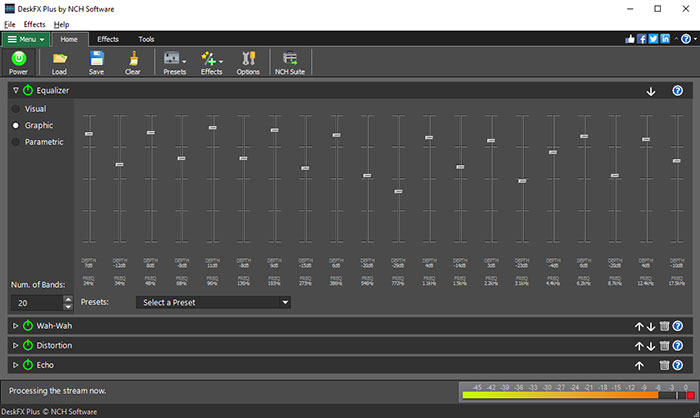
This entry links to NCH Software's explicitly identified free Windows installer. The publisher makes the free version available for non-commercial home use; do not treat that as a free commercial license. The feature list describes the DeskFX product, not a verified free-versus-paid feature comparison. The publisher screenshot shows DeskFX Plus, so it does not establish which controls are available in the free edition.
DeskFX is for modifying playback sound. If your goal is editing or saving changes to an existing audio file, the publisher points to separate audio-editing software. DeskFX is a trademark of NCH Software.
What it offers
- Adjust computer playback with a system-wide equalizer offering up to 20 bands.
- Choose visual, graphic or parametric equalizer modes.
- Apply live effects such as amplify, bass boost, reverb and chorus.
- Layer effects and use low-pass or high-pass filters to shape the sound.
Good to know
- The linked free version is for non-commercial home use; business use is outside that free-use scope.
- The publisher screenshot depicts DeskFX Plus. Free-edition access to every pictured control or listed product feature has not been established.
- This is a playback enhancer, not a replacement for an audio-file editor.
Product images
Sources
References used for this listing. Retrieval dates do not indicate hands-on testing.
More in multimedia & graphics
View category ↗
1by1 2.17
Play music directly from folders with 1by1, a free Windows audio player with resume, gapless playback and file tools. Formats beyond MP3 need additional decoders.
3DVista Virtual Tour Pro
Build interactive 360° virtual tours from panoramas, videos and 3D models with 3DVista Virtual Tour Pro for Windows. Commercial software with a 30-day trial.

4DDiG Video Repair
Repair corrupted or unplayable videos in batches with the Video Repair tool in 4DDiG File Repair for Windows. A free trial is available; advanced features require a paid license.