

Multimedia & graphics macOS
digiKam for macOS
Organize, search and edit photo collections on Mac with digiKam, a free open-source photo manager. This download is the Apple Silicon package.
- Operating system
- macOS Big Sur 11.3 or newer
- Architecture
- Apple Silicon (ARM64)
- Download package
- PKG installer (Qt6)
Selected non-debug Apple Silicon package. The release repository provides a separate Qt5 x86_64 package for Intel Macs.
Link checked · Download guidance
What is digiKam?
digiKam brings photo organization and editing into one desktop application. Import pictures, arrange them in albums, add tags and comments, and search by metadata, dates or location. It also handles video collections and offers face detection and tagging to help find pictures of particular people.
The image editor provides color correction, cropping and other adjustments, while the Batch Queue Manager chains operations across multiple files. This makes digiKam useful for maintaining a growing photo library as well as preparing groups of images for a shared workflow.
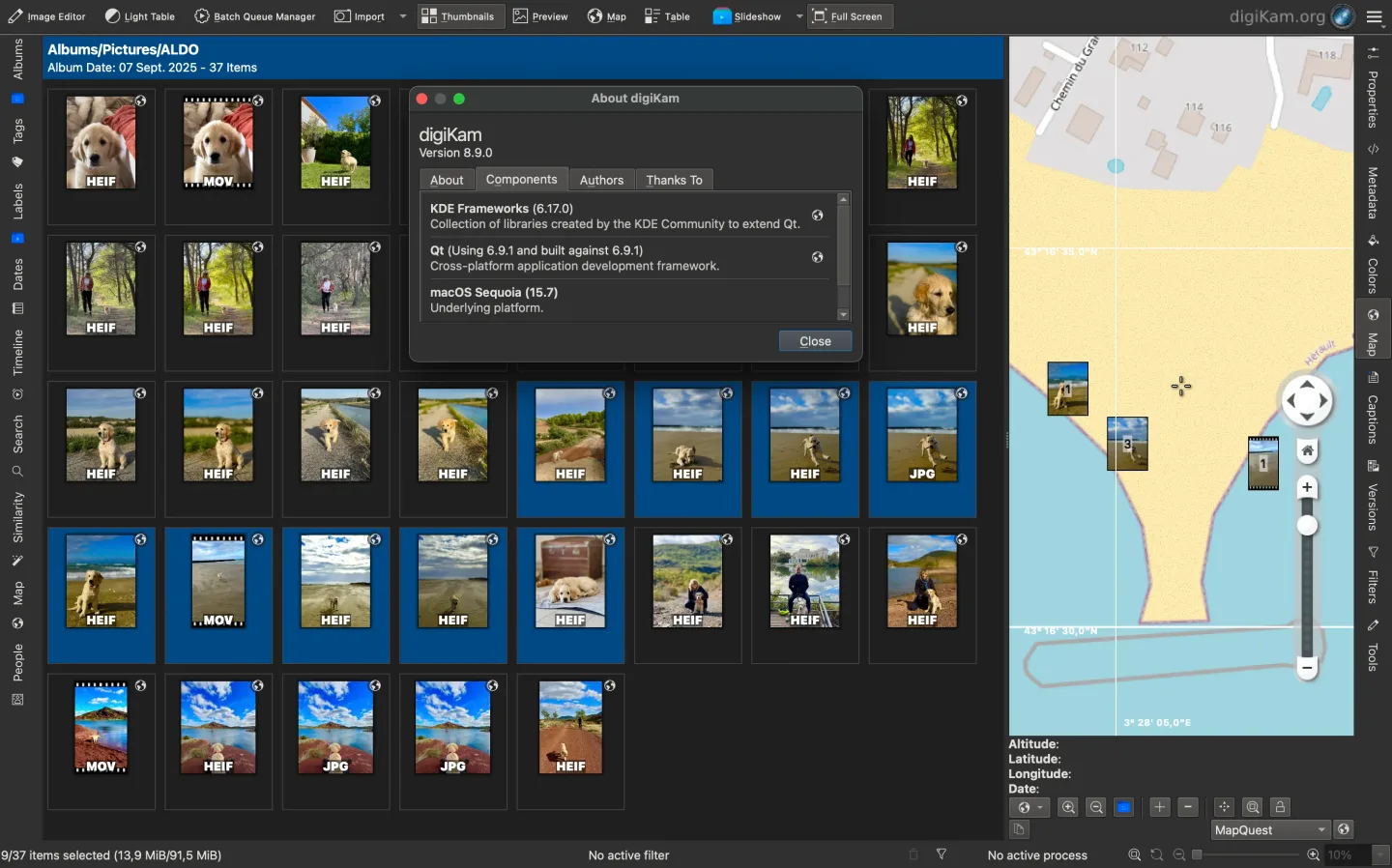
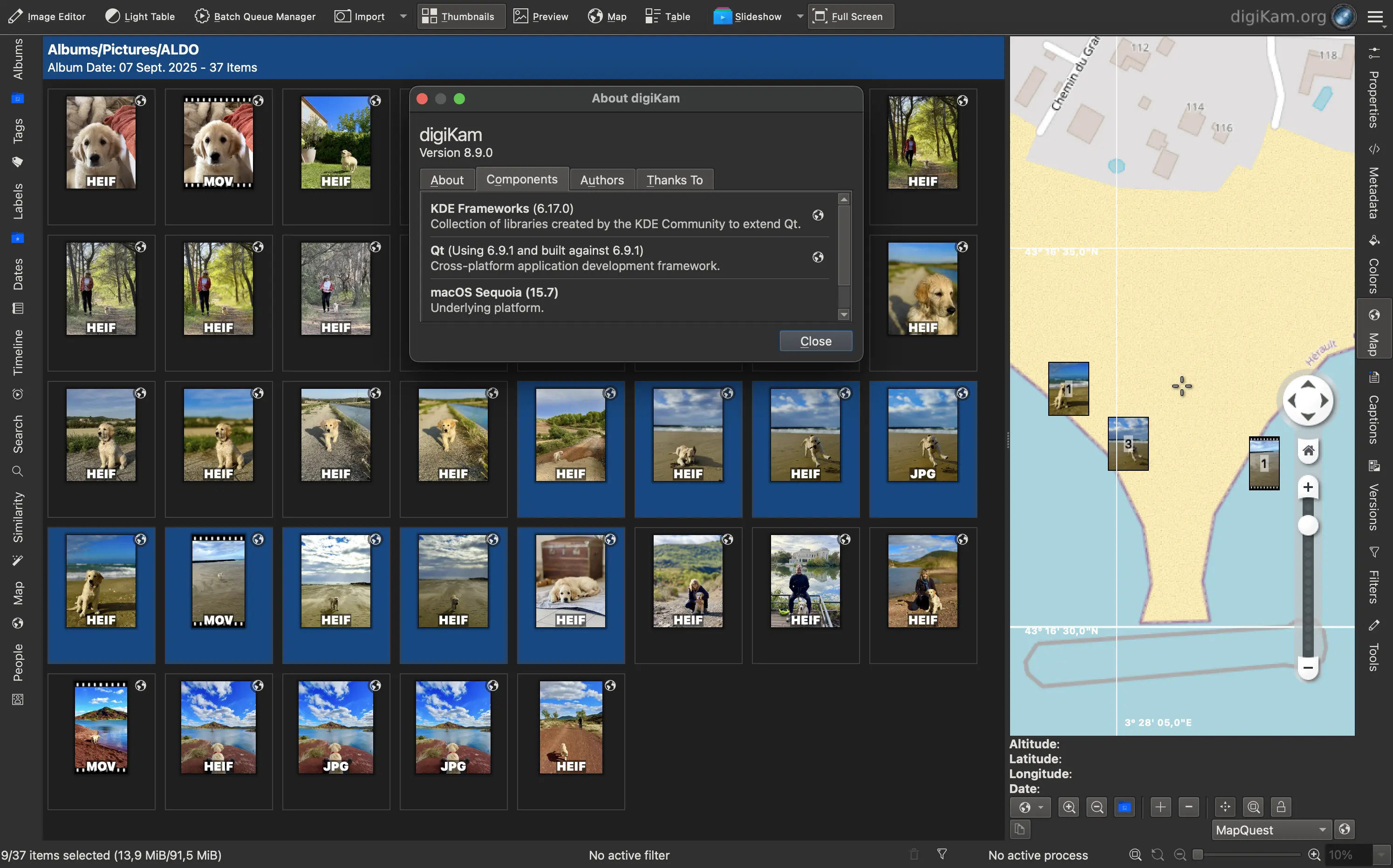
The linked 9.1.0 PKG is the Qt6 build for Apple Silicon Macs, not the separate Intel package. The publisher lists macOS Big Sur 11.3 or newer. Its installation manual warns that the macOS package is unsigned and can trigger a Gatekeeper warning; access to photo folders and other resources also depends on macOS permissions. The publisher screenshot illustrates digiKam 8.9.0 on macOS, rather than the linked release.
What it offers
- Import photos and videos, then organize collections with albums, tags and labels.
- Search collections by metadata, dates and geolocation.
- Detect faces and tag people to help locate their photos.
- Edit images with color correction, cropping and other adjustments; chain operations with the Batch Queue Manager.
Good to know
- This download is for Apple Silicon (ARM64); Intel Macs require the separate x86_64 package.
- The publisher documents an unsigned macOS package that can trigger Gatekeeper warnings. Access to photo libraries and other resources requires the relevant macOS permissions.
Product images
Sources
References used for this listing. Retrieval dates do not indicate hands-on testing.
- digiKam for Mac - Download ↗Retrieved
- digiKam - digiKam ↗Retrieved
- digiKam - Overview ↗Retrieved
- digiKam - digiKam 9.1.0 is released ↗Retrieved
- digiKam - Installing a package ↗Retrieved
- KDE digiKam 9.1.0 release directory ↗Retrieved
- Installation — Digikam Manual 9.2.0 documentation ↗Retrieved
More in multimedia & graphics
View category ↗
1by1 2.17
Play music directly from folders with 1by1, a free Windows audio player with resume, gapless playback and file tools. Formats beyond MP3 need additional decoders.
3DVista Virtual Tour Pro
Build interactive 360° virtual tours from panoramas, videos and 3D models with 3DVista Virtual Tour Pro for Windows. Commercial software with a 30-day trial.

4DDiG Video Repair
Repair corrupted or unplayable videos in batches with the Video Repair tool in 4DDiG File Repair for Windows. A free trial is available; advanced features require a paid license.