
Multimedia & graphics Windows
DivXLand Media Subtitler
Create, time and correct external subtitles on Windows with DivXLand Media Subtitler, a freeware editor with video preview and more than 30 subtitle formats.
- Operating system
- Windows; specific supported releases not established
- Architecture
- Not specified in the publisher evidence checked
- Download package
- EXE installer
Requires Windows Media Player. Spell checking uses Microsoft Word. No installation or runtime compatibility test performed.
Link checked · Download guidance
What is DivXLand Media Subtitler?
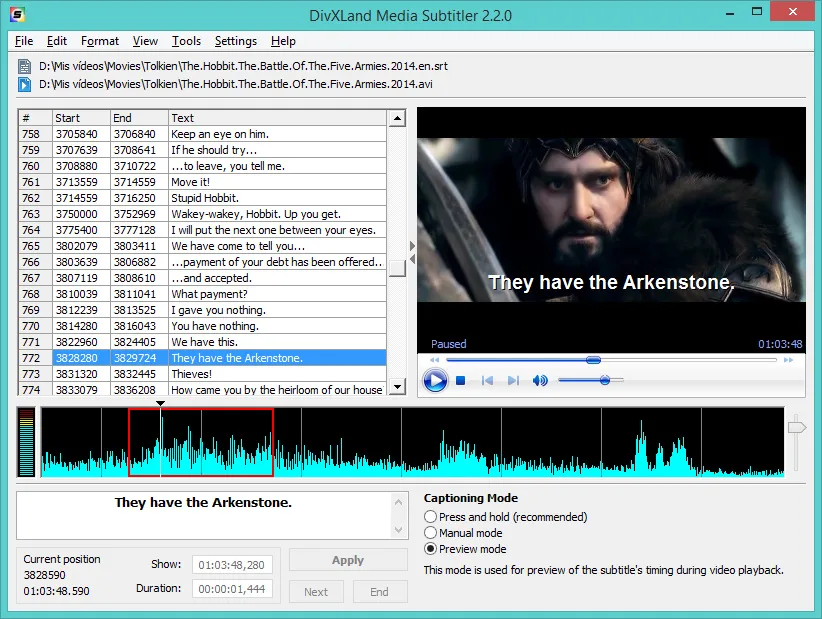
DivXLand Media Subtitler turns prepared dialogue into timed subtitle files. Load lines from a plain text file or the clipboard, open the video and apply each caption during playback. Its preview helps you check the text against the scene before saving, while timing correction and basic formatting tools help revise existing subtitles. Supported formats include SubRip, SubStation Alpha and MicroDVD.
It is intended for hands-on subtitle creation and correction: the documented workflow starts with dialogue you supply, rather than automatic speech transcription. The publisher lists Windows Media Player as a requirement, and spell checking uses a Microsoft Word component. Version 2.2.1 is dated April 16, 2021; the sources checked do not establish compatibility with specific current Windows releases or CPU architectures. The editor screenshot illustrates the older 2.2.0 interface.
What it offers
- Create subtitles from a plain text file or clipboard dialogue, applying captions during video playback.
- Preview subtitles without saving, with multiple captioning modes and keyboard shortcuts.
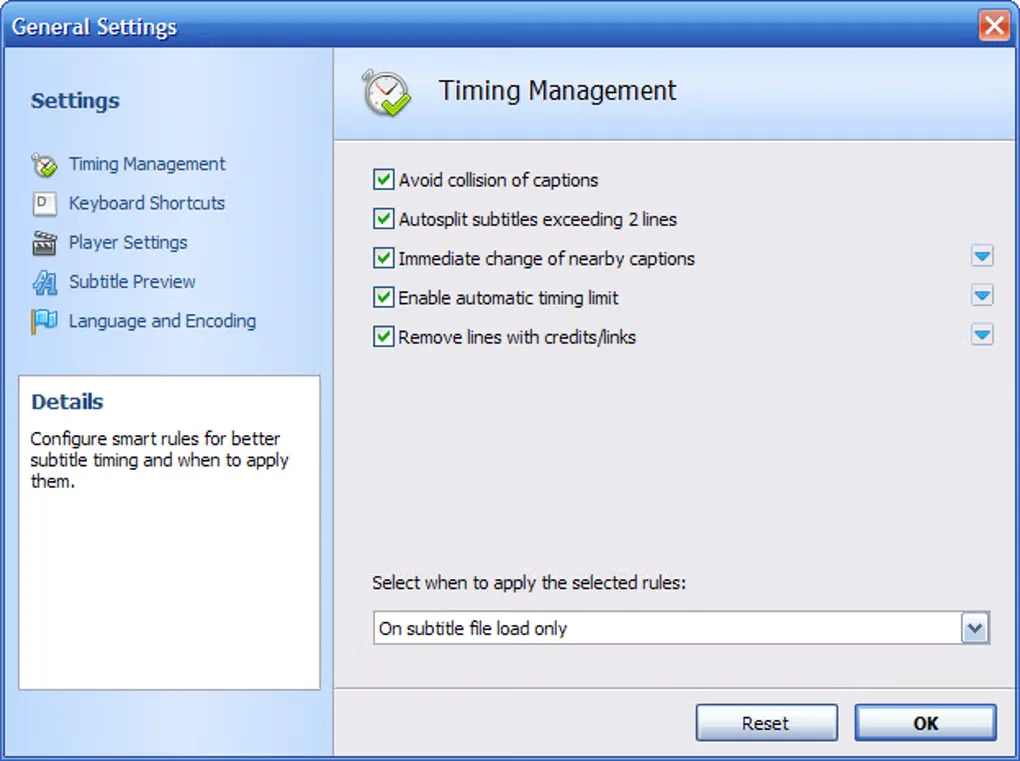
- Adjust caption timing and apply automatic timing corrections.
- Import and export more than 30 subtitle formats, including SubRip, SubStation Alpha and MicroDVD.
- Apply basic text formatting and use multilingual spell checking when its Microsoft Word dependency is available.
Good to know
- Windows Media Player is required; compatibility with specific current Windows releases and CPU architectures is not established by the sources checked.
- Spell checking depends on Microsoft Word rather than a self-contained dictionary component.
- The documented creation workflow requires supplied dialogue and timing work; automatic speech transcription is not documented.
Product images
Sources
References used for this listing. Retrieval dates do not indicate hands-on testing.
More in multimedia & graphics
View category ↗
1by1 2.17
Play music directly from folders with 1by1, a free Windows audio player with resume, gapless playback and file tools. Formats beyond MP3 need additional decoders.
3DVista Virtual Tour Pro
Build interactive 360° virtual tours from panoramas, videos and 3D models with 3DVista Virtual Tour Pro for Windows. Commercial software with a 30-day trial.

4DDiG Video Repair
Repair corrupted or unplayable videos in batches with the Video Repair tool in 4DDiG File Repair for Windows. A free trial is available; advanced features require a paid license.