
Multimedia & graphics macOS
Dragonframe
Capture stop-motion animation on Mac with live-view comparison, frame timing, camera controls and dialogue planning. A paid license is available alongside a restricted 30-day trial.
- Operating system
- macOS 11 or later
- Architecture
- Universal: Apple Silicon or Intel
- Download package
- PKG installer
Publisher specifies 4 GB or more RAM and a supported camera. Trial captures retain a permanent watermark.
Link checked · Download guidance
What is Dragonframe?
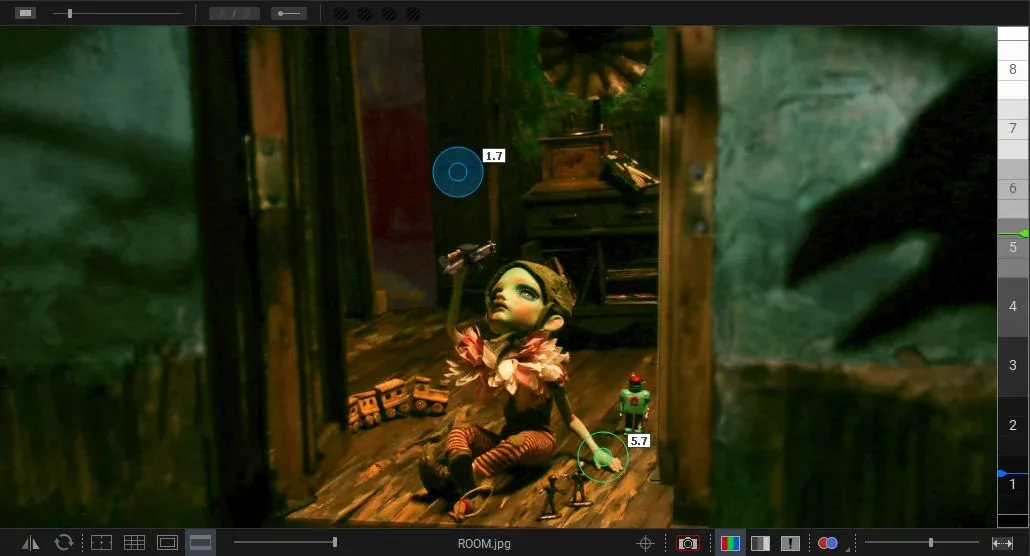
Dragonframe is stop-motion capture software for building a film one photograph at a time. On a supported camera, you can compare the live view with captured frames, use onion-skin overlays to line up the next movement, and loop playback to judge the result. Its timeline lets you adjust timing and reshoot sequences, while drawing tools and the X-Sheet help plan movement and dialogue.
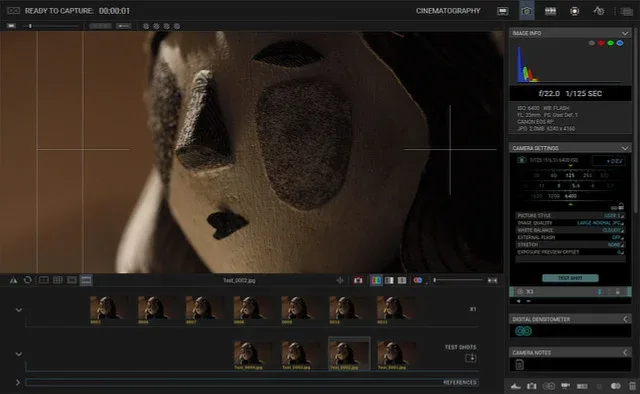
The cinematography workspace brings camera settings, test shots and full-resolution image review into the same workflow. Audio tracks and character dialogue readings can be displayed while animating. DMX lighting and motion-control workspaces extend the setup to compatible external hardware; those controls do not mean the required equipment is included with the software.
This entry links to the publisher’s Dragonframe 2026.07.4 PKG for macOS 11 or later. The publisher specifies a Universal Mac build for Apple Silicon or Intel, at least 4 GB RAM and a supported camera. Check the publisher’s camera-specific setup guidance before choosing a capture setup. The screenshots are historical publisher interface illustrations, not verification of the current Mac build.
The free trial lasts 30 days, limits each take to 50 frames and does not support camera RAW formats. Captures made during the trial carry a watermark that cannot be removed, so use it to evaluate the workflow rather than record footage you need without a watermark. The paid download license is perpetual and includes three years of updates and support; the license remains active after that maintenance period.
What it offers
- Compare live view with captured frames using onion-skin, stepping and loop playback.
- Adjust frame timing and reshoot sequences using the timeline, drawing tools and X-Sheet.
- Control supported camera settings and review test shots and full-resolution images.
- Import and edit multiple audio tracks and plan character dialogue against animation frames.
- Program DMX lighting and camera moves with compatible external control hardware.
Good to know
- The 30-day trial permanently watermarks captured images, limits takes to 50 frames and excludes camera RAW formats.
- Requires macOS 11 or later, at least 4 GB RAM and a supported camera; camera features depend on the model.
- DMX lighting and motion-control workflows require compatible external hardware.
- The perpetual paid license includes three years of updates and support, not unlimited maintenance.
Product images
Sources
References used for this listing. Retrieval dates do not indicate hands-on testing.
- Dragonframe Software Features ↗Retrieved
- Downloads - Dragonframe ↗Retrieved
- Dragonframe 2026 Download - Dragonframe ↗Retrieved
More in multimedia & graphics
View category ↗
1by1 2.17
Play music directly from folders with 1by1, a free Windows audio player with resume, gapless playback and file tools. Formats beyond MP3 need additional decoders.
3DVista Virtual Tour Pro
Build interactive 360° virtual tours from panoramas, videos and 3D models with 3DVista Virtual Tour Pro for Windows. Commercial software with a 30-day trial.

4DDiG Video Repair
Repair corrupted or unplayable videos in batches with the Video Repair tool in 4DDiG File Repair for Windows. A free trial is available; advanced features require a paid license.