
Multimedia & graphics macOS
DrawPad Graphics Editor for macOS
Draw, paint and compose graphics with raster and vector tools in DrawPad for Mac. Work with layers, shapes and text; a free version is available for non-commercial use.
- Operating system
- macOS 10.5 or above (publisher listing)
- Architecture
- Not specified by the publisher product page
- Download package
- ZIP archive for Mac
Publisher-stated requirements, not installation-tested. Intel and Apple silicon compatibility were not verified.
Link checked · Download guidance
What is DrawPad Graphics Editor?
DrawPad is a drawing and graphic composition program for sketches, logos, banners, diagrams and other 2D artwork. It combines raster and vector editing, so a project can include freehand brushwork alongside shapes and text. Layers let you rearrange elements without flattening the whole design.
The publisher lists pencil and brush tools, gradient fills, shadows and bevel effects, plus crop, resize, rotate and flip controls. Templates provide starting layouts for items such as business cards and greeting cards. Supported exports include PNG, JPEG, SVG, PDF and PSD.
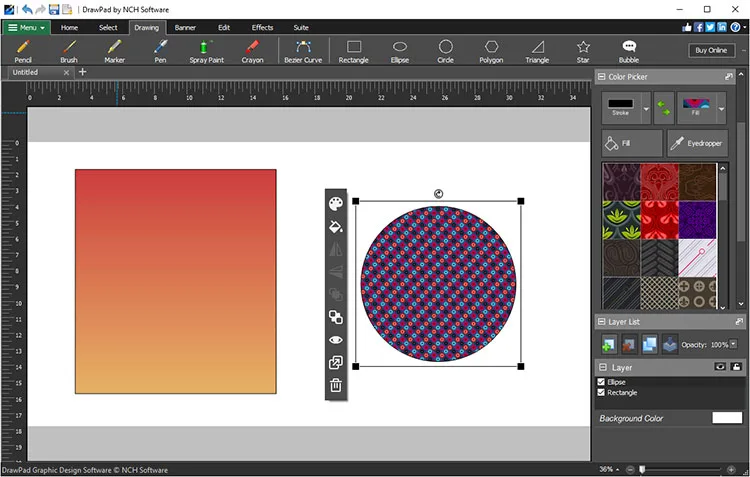
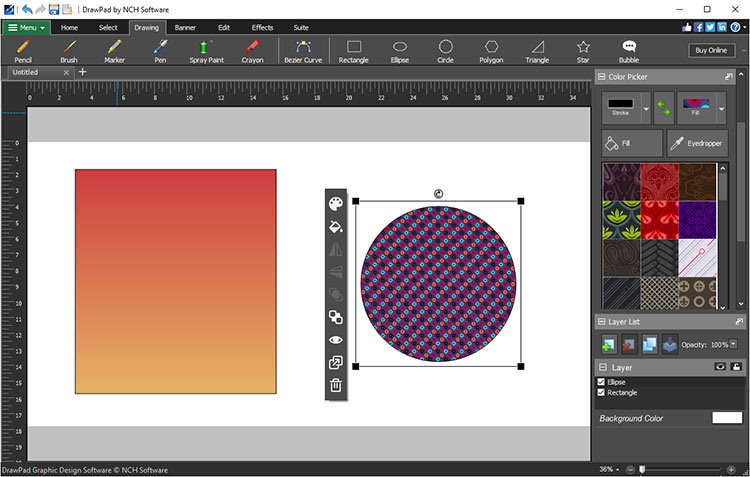
The free version is for non-commercial use; NCH also offers a paid Pro version. This entry links to the Mac ZIP on the publisher product page. The publisher lists macOS 10.5 or above, but does not specify CPU architecture on that page. The illustration is a publisher-supplied DrawPad screenshot with Windows-style window controls, not a verified capture of the Mac build.
What it offers
- Combine raster images and vector graphics in one project.
- Arrange artwork, shapes and text on editable layers.
- Draw with pencil and brush tools; fill shapes with solid colors or gradients.
- Crop, resize, rotate and flip graphics; add effects such as shadows and bevels.
- Export graphics in formats including PNG, JPEG, SVG, PDF and PSD.
Good to know
- The free version is restricted to non-commercial use; the publisher offers a paid Pro version.
- CPU architecture and the exact version of the linked Mac ZIP are not identified on the publisher product page.
Product images
Sources
References used for this listing. Retrieval dates do not indicate hands-on testing.
More in multimedia & graphics
View category ↗
1by1 2.17
Play music directly from folders with 1by1, a free Windows audio player with resume, gapless playback and file tools. Formats beyond MP3 need additional decoders.
3DVista Virtual Tour Pro
Build interactive 360° virtual tours from panoramas, videos and 3D models with 3DVista Virtual Tour Pro for Windows. Commercial software with a 30-day trial.

4DDiG Video Repair
Repair corrupted or unplayable videos in batches with the Video Repair tool in 4DDiG File Repair for Windows. A free trial is available; advanced features require a paid license.