
Multimedia & graphics macOS
Drawpile
Draw, paint and animate on a shared canvas with Drawpile for Mac, a free, open-source application that also works offline. This download is the Apple Silicon disk image.
- Operating system
- macOS
- Architecture
- Apple Silicon (ARM64)
- Download package
- DMG disk image
Selected publisher Apple Silicon package. Intel and older-macOS packages are separate. No installation or runtime compatibility test was performed.
Link checked · Download guidance
What is Drawpile?
Drawpile combines a painting workspace with live collaboration: several people can sketch, paint or animate on the same canvas. On a Mac, it can serve as an offline drawing application as well as a place to work with friends. The publisher provides community servers for hosting sessions without setting up a server yourself; add a session password when you want an invitation-only canvas.
The drawing tools include over 200 built-in brushes, a brush editor, stroke stabilization and pressure-sensitive tablet support. Layers, layer groups, blend modes, clipping and masking help organize a picture. An animation timeline and onion skins extend the workspace beyond still illustrations. You can export to OpenRaster or PSD when you need to continue editing in another application.
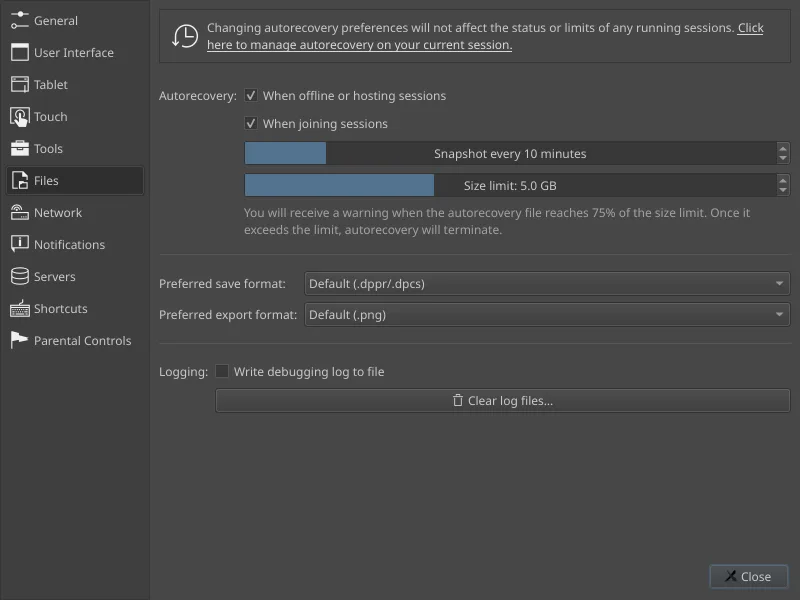
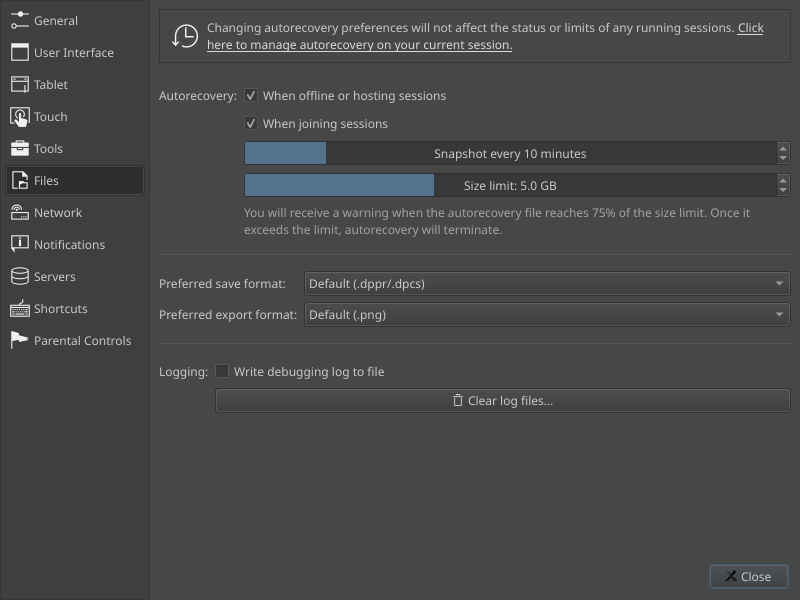
Version 2.3.1 adds project files that retain the drawing process, not just the finished image. With autorecovery enabled, saving as .dppr allows project playback, drawing-time statistics and timelapse creation through File → Make Timelapse. Choose the format deliberately: Drawpile 2.3.0 cannot open .dppr, although .dpcs and .ora can be used in either release. MP4/H.264 video export on macOS requires FFmpeg.
The linked DMG is specifically for Apple Silicon Macs; the publisher offers a separate Intel download and an older-macOS package. The publisher also warns that macOS may block opening the application because it is not verified by Apple. Consult the official installation guidance before deciding whether to proceed. Download-link verification checks the HTTP headers only; the application was not installed or tested for this entry.
What it offers
- Draw, paint and animate with other people on the same canvas, or work offline.
- Use built-in brushes, a brush editor, pressure-sensitive tablets and stroke stabilization.
- Organize artwork with layers, layer groups, blend modes, clipping and masking.
- Create animations with a timeline and onion skins; export artwork to OpenRaster or PSD.
- Keep drawing commands in .dppr projects with autorecovery enabled for playback, timelapses and statistics.
Good to know
- This download is the Apple Silicon build, not the separate Intel or older-macOS package.
- The publisher warns that macOS may block the application because it is not verified by Apple; see the official installation instructions.
- MP4/H.264 export on macOS requires FFmpeg.
- Drawpile 2.3.0 cannot open .dppr projects; save to .dpcs or .ora when exchanging files with that release.
Product images
Sources
References used for this listing. Retrieval dates do not indicate hands-on testing.
More in multimedia & graphics
View category ↗
1by1 2.17
Play music directly from folders with 1by1, a free Windows audio player with resume, gapless playback and file tools. Formats beyond MP3 need additional decoders.
3DVista Virtual Tour Pro
Build interactive 360° virtual tours from panoramas, videos and 3D models with 3DVista Virtual Tour Pro for Windows. Commercial software with a 30-day trial.

4DDiG Video Repair
Repair corrupted or unplayable videos in batches with the Video Repair tool in 4DDiG File Repair for Windows. A free trial is available; advanced features require a paid license.