

Multimedia & graphics Windows
Duplicate Photo Finder for Windows
Find exact and similar photos with SoftOrbits Duplicate Photo Finder for Windows, review suggested keepers and remove unwanted copies. The free version deletes up to 15 files per session.
What is Duplicate Photo Finder?
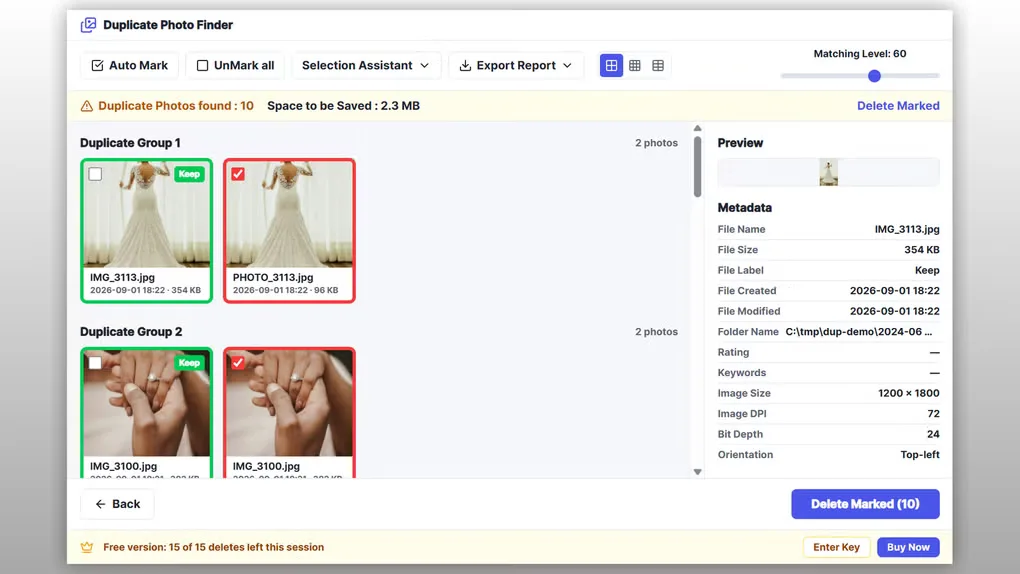
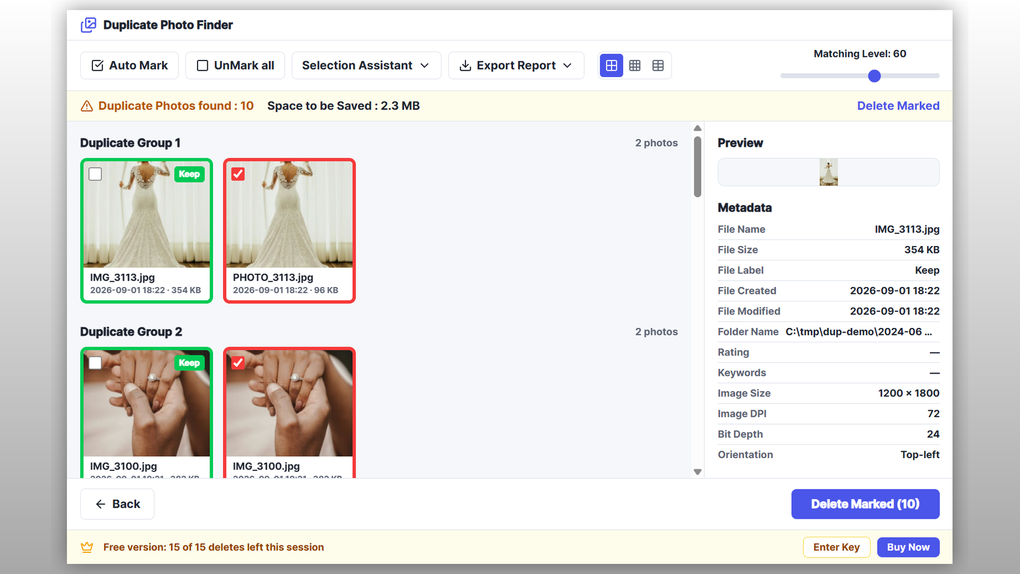
Duplicate Photo Finder groups repeated photos so you can compare copies before deleting them. Add folders or drives, choose Exact Match for byte-identical files or Similar Match for visually similar pictures, and review the results. This suits camera rolls imported more than once, overlapping backups and resized exports stored beside originals.
Auto Mark and Selection Assistant help choose which copy to keep using properties such as date, file size and resolution. A preview and metadata panel support manual review, while the matching-level control adjusts how closely pictures must resemble one another. The publisher also lists exact-copy scanning for videos and other file types, plus JSON and CSV report export.
The free version scans and marks results but stops after 15 deletions per session; a paid license removes that cap. HEIC support requires Windows codecs and is limited to exact matches, so a HEIC original will not be grouped with its JPEG conversion. Review suggestions before deleting, especially when RAW originals and exports are mixed. Local deletions use the Windows Recycle Bin, but the publisher warns that deletion from a network share is permanent.
What it offers
- Scan selected folders or drives using Exact Match or Similar Match.
- Review grouped photos with a preview, metadata and an adjustable matching level.
- Use Auto Mark and Selection Assistant to select copies by date, size or resolution.
- Find exact duplicate videos and other files, or export scan reports as JSON or CSV.
Good to know
- The free version deletes at most 15 files per session; unlimited deletion requires a paid license.
- HEIC, HEIF and HIF use exact matching only and require Windows HEIF/HEVC extensions; missing codecs cause these files to be skipped.
- Rotated or mirrored photos are not matched reliably, according to the publisher.
- Files deleted from network shares do not have the local Recycle Bin recovery path.
Product images
Sources
References used for this listing. Retrieval dates do not indicate hands-on testing.
More in multimedia & graphics
View category ↗
1by1 2.17
Play music directly from folders with 1by1, a free Windows audio player with resume, gapless playback and file tools. Formats beyond MP3 need additional decoders.
3DVista Virtual Tour Pro
Build interactive 360° virtual tours from panoramas, videos and 3D models with 3DVista Virtual Tour Pro for Windows. Commercial software with a 30-day trial.

4DDiG Video Repair
Repair corrupted or unplayable videos in batches with the Video Repair tool in 4DDiG File Repair for Windows. A free trial is available; advanced features require a paid license.