
Multimedia & graphics Windows
Dynamic Auto-Painter
Repaint photos in artist-inspired styles with Dynamic Auto-Painter for Windows. DAP 9 uses local brushstroke algorithms, editable presets and layered finishing rather than generative AI.
- Operating system
- Windows 8, 10 and 11 (current publisher download banner)
- Architecture
- Not specified for the linked DAP 9 installer
- Download package
- EXE installer
Publisher recommends Core i3 or faster and at least 8 GB RAM; 16 GB preferable. Exact minor build and release date not established.
Link checked · Download guidance
What is Dynamic Auto-Painter?
Dynamic Auto-Painter turns an existing photograph into a digital painting by rebuilding it with brushstrokes. Load your photo, choose an artistic preset and start the painting process. It suits portraits, landscapes and other images where you want a painted interpretation of your own composition rather than a new image generated from a text prompt. Processing runs on your computer, and MediaChance describes the product as subscription-free.
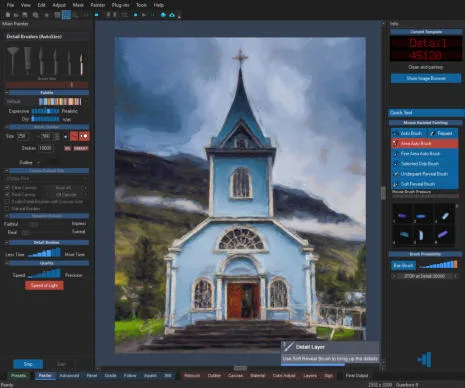
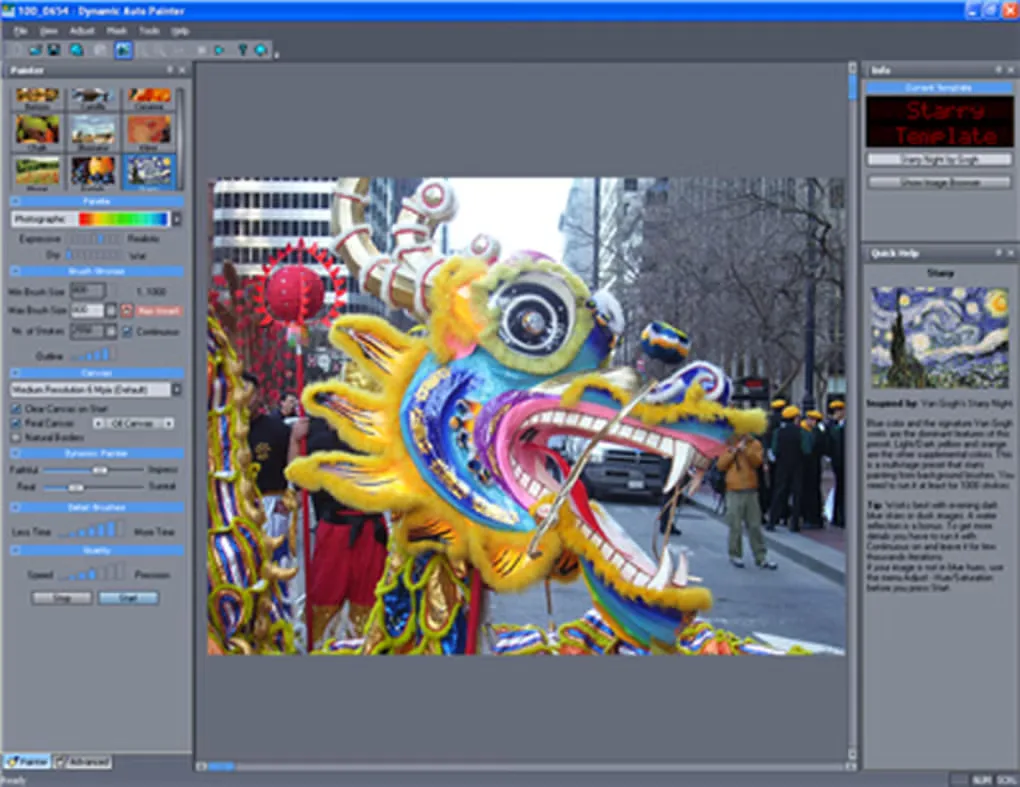
The supplied library includes more than 200 styles and variations, with presets inspired by artists such as Monet, Van Gogh and Cézanne. DAP 9 adds curved Sweep strokes through its Fair Engine, fills remaining underpaint gaps before the detail stage and blends paint seams in flat areas. The preset browser shows descriptions and engine badges so you can distinguish styles before rendering.
For further control, adjust the input tones, edit a style, change canvas and material settings or combine painting stages with layers. PSD export provides a route into a separate image editor for finishing. These are publisher-documented capabilities, not results from an installation or performance test.
This is paid software with an evaluation trial, not a free commercial-use painting tool. The listed price is US$89 plus tax. The publisher terms restrict trial use to evaluation and exclude commercial use; the reviewed pages do not establish the exact DAP 9 trial duration or its feature caps. Painting speed depends primarily on the processor, and you still need rights to the original photo before selling the resulting artwork.
What it offers
- Choose from more than 200 supplied painting styles and variations, or edit and create presets.
- Use DAP 9 Fair Engine curved strokes, underpaint coverage top-up and Flat Area Blending.
- Prepare the input with tonal grading, levels, contrast and inpainting tools.
- Adjust canvas and material appearance; combine painting stages with layers and export PSD.
- Process photos locally without a generative AI model or a cloud painting service.
Good to know
- Trial use is for evaluation only, not commercial work; exact DAP 9 trial duration and feature caps were not established from the reviewed publisher pages.
- Painting speed depends mainly on CPU performance; MediaChance recommends Core i3 or faster and at least 8 GB RAM, with 16 GB preferable.
- Presets edited in a new major version cannot be read by older versions; keep edited preset sets separate if retaining both.
- Commercial use of finished images still requires respecting the copyright of the source photograph.
Product images
Sources
References used for this listing. Retrieval dates do not indicate hands-on testing.
- Dynamic Auto Painter: photo to painting software in style of Van Gogh, Monet, Cezanne ↗Retrieved
- Dynamic Auto Painter: photo to painting software in style of Van Gogh, Monet, Cezanne ↗Retrieved
- Dynamic Auto Painter, turn your photos into painting ↗Retrieved
- Dynamic Auto Painter, turn your photos into painting ↗Retrieved
- Privacy Policy ↗Retrieved
- Dynamic Auto-Painter - Download ↗Retrieved
More in multimedia & graphics
View category ↗
1by1 2.17
Play music directly from folders with 1by1, a free Windows audio player with resume, gapless playback and file tools. Formats beyond MP3 need additional decoders.
3DVista Virtual Tour Pro
Build interactive 360° virtual tours from panoramas, videos and 3D models with 3DVista Virtual Tour Pro for Windows. Commercial software with a 30-day trial.

4DDiG Video Repair
Repair corrupted or unplayable videos in batches with the Video Repair tool in 4DDiG File Repair for Windows. A free trial is available; advanced features require a paid license.