

Multimedia & graphics Windows
EasyTAG for Windows
Edit audio tags, apply shared metadata to selected files and rename music files from tags with EasyTAG, a free, open-source metadata editor for Windows.
- Operating system
- Windows Vista or later, according to the publisher's 2.4.3 announcement
- Architecture
- Not independently confirmed for this installer
- Download package
- EXE installer
Windows XP is not supported by 2.4.3. Current Windows compatibility and installation have not been tested here; the publisher's win32 URL alone is not binary architecture inspection.
Link checked · Download guidance
What is EasyTAG?
EasyTAG organizes the information stored inside audio files: song titles, artists, albums, track numbers and attached pictures. It supports MP3, MP2, MP4/AAC, FLAC, Ogg Opus, Ogg Speex, Ogg Vorbis, MusePack, Monkey's Audio and WavPack. A folder browser and file list let you select tracks before editing their tag fields.
For a collection with inconsistent names, masks can fill tags from filenames and directories or rename files and directories from existing tags. Shared fields can be applied across selected files, and recursive operations reach subdirectories. Undo and redo help with editing changes; a playlist generator provides another way to organize the selected tracks.
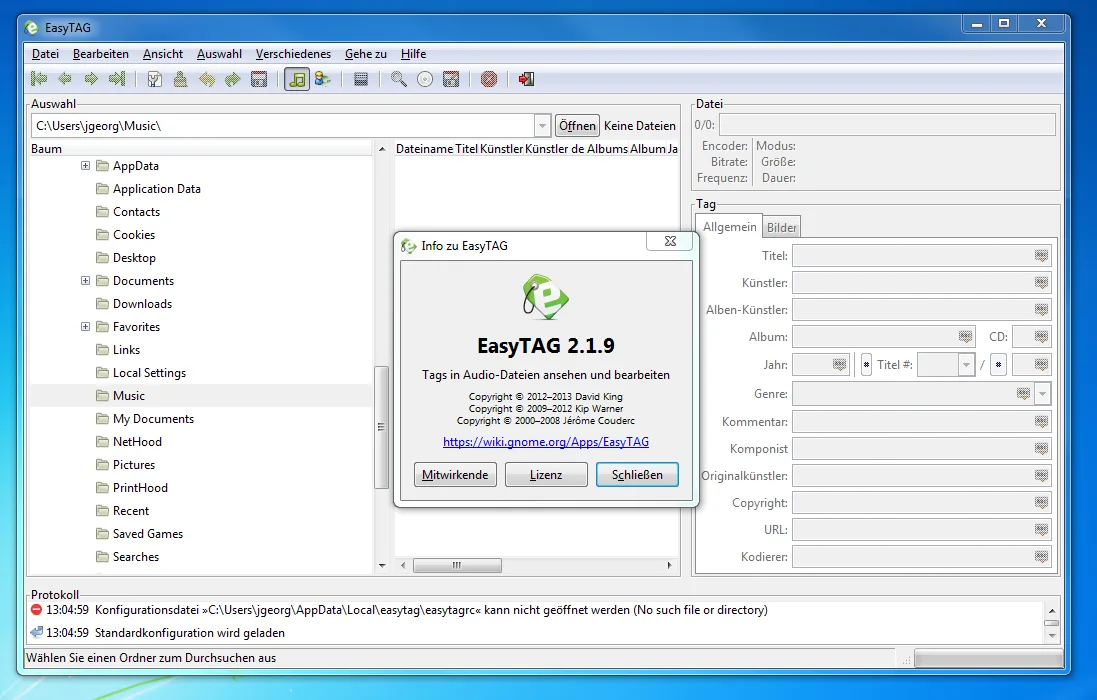
The linked Windows installer is version 2.4.3, announced on December 5, 2016. Its publisher explicitly requires Windows Vista or later and excludes Windows XP. This is an older release, not a newly released build; operation on current Windows versions has not been independently verified here. The screenshot is the publisher's historical Windows 7 example, showing EasyTAG 2.1.9 in German, not a capture of the linked 2.4.3 installer.
What it offers
- View and edit audio metadata, including title, artist, album, track number, composer and attached pictures.
- Work with MP3, FLAC, MP4/AAC, Ogg and other supported audio formats.
- Fill tags from filenames and directory names using masks, or rename files and directories from tags.
- Apply shared fields to selected files and process subdirectories recursively.
- Undo and redo changes, browse by artist and album, and generate playlists.
Good to know
- Version 2.4.3 requires Windows Vista or later; the publisher explicitly excludes Windows XP.
- The selected installer dates from 2016. Compatibility with current Windows versions has not been independently verified.
Product images
Sources
References used for this listing. Retrieval dates do not indicate hands-on testing.
More in multimedia & graphics
View category ↗
1by1 2.17
Play music directly from folders with 1by1, a free Windows audio player with resume, gapless playback and file tools. Formats beyond MP3 need additional decoders.
3DVista Virtual Tour Pro
Build interactive 360° virtual tours from panoramas, videos and 3D models with 3DVista Virtual Tour Pro for Windows. Commercial software with a 30-day trial.

EasyTAG(2f)Screenshots/screenshot_main_window_win32.png)
4DDiG Video Repair
Repair corrupted or unplayable videos in batches with the Video Repair tool in 4DDiG File Repair for Windows. A free trial is available; advanced features require a paid license.