
Multimedia & graphics Windows
Echo Live
Change microphone audio for voice chat, build voice effects, play soundboard clips and generate speech with Echo Live for Windows. The free plan has limits; custom AI model imports require Pro.
- Operating system
- Windows 10 or later (64-bit)
- Architecture
- x64
- Download package
- EXE installer
Virtual audio cable setup is needed to route changed audio into other apps. AI voice performance depends on hardware and settings.
Link checked · Download guidance
What is Echo Live?
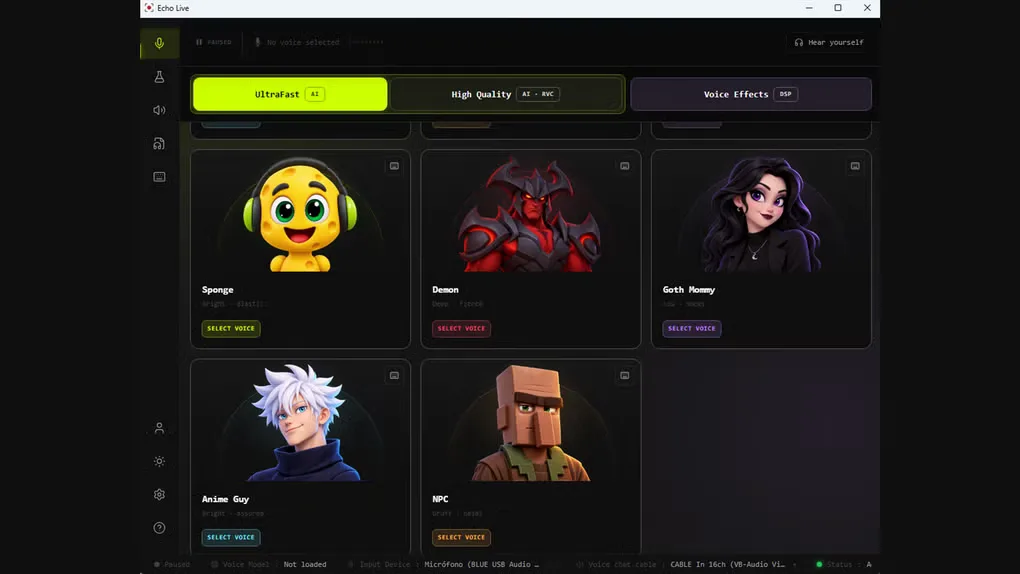
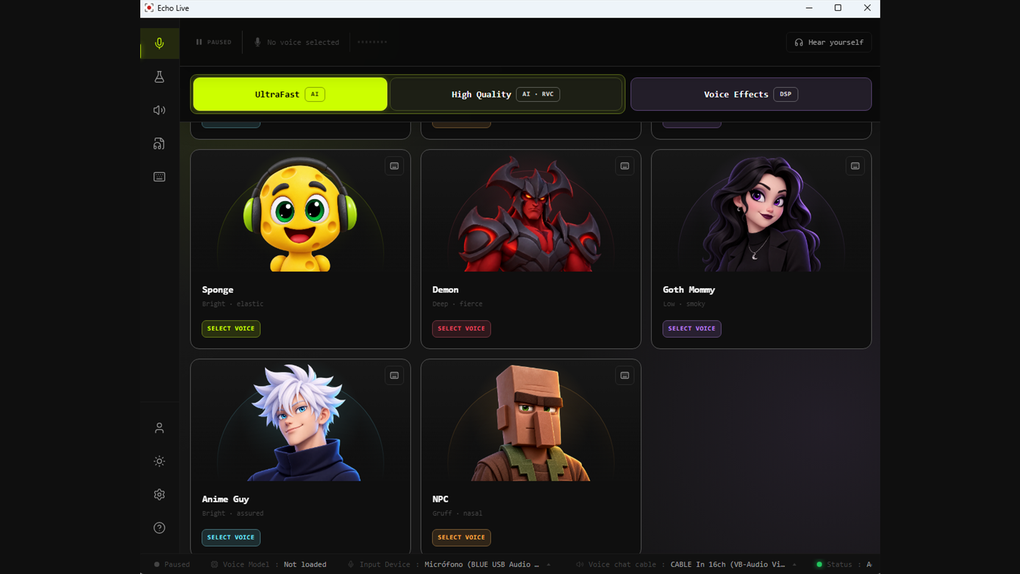
Echo Live changes your microphone audio for games, Discord, streams and calls. Its AI voice library and Voice Lab offer different approaches: choose an included voice or combine effects such as pitch, formant, reverb and delay. The Soundboard adds clips, while text-to-speech can create spoken audio for WAV export or reuse in a board.
On Windows, Echo processes live microphone audio on your computer and passes the result through a virtual audio cable. Complete that routing setup and select the cable as the microphone in your chat or streaming application. Headphones are recommended for monitoring. Local voice processing does not mean the entire app is offline: accounts, purchases, updates and product health use online services.
A free Echo account is required. Free access includes a limited selection of voices and effects and a monthly text-to-speech allowance; importing custom RVC voice models requires Echo Live Pro. AI processing performance and delay depend on your hardware, chosen voice and audio-buffer settings. This entry links to the publisher’s Windows x64 EXE installer for version 1.4.0.
What it offers
- Change live microphone audio with included AI voices and real-time effects.
- Build custom effect chains in Voice Lab with pitch, formant, reverb and delay controls.
- Play built-in or imported soundboard clips and trigger sounds with keyboard shortcuts.
- Generate speech with Kokoro or Supertonic, apply compatible RVC voices and export WAV audio or save it to the Soundboard.
- Route processed audio into apps that let you choose a microphone input, including Discord and OBS.
Good to know
- A free Echo account is required.
- The free plan limits voice and effect access and includes a monthly text-to-speech allowance; importing custom RVC models requires paid Pro access.
- Chat and streaming applications need the virtual audio cable selected as their input; installing Echo alone does not complete that routing.
- AI voice performance and end-to-end latency depend on hardware, voice mode and buffer configuration.
Product images
Sources
References used for this listing. Retrieval dates do not indicate hands-on testing.
More in multimedia & graphics
View category ↗
1by1 2.17
Play music directly from folders with 1by1, a free Windows audio player with resume, gapless playback and file tools. Formats beyond MP3 need additional decoders.
3DVista Virtual Tour Pro
Build interactive 360° virtual tours from panoramas, videos and 3D models with 3DVista Virtual Tour Pro for Windows. Commercial software with a 30-day trial.

4DDiG Video Repair
Repair corrupted or unplayable videos in batches with the Video Repair tool in 4DDiG File Repair for Windows. A free trial is available; advanced features require a paid license.