

Multimedia & graphics macOS
eqMac for macOS
Adjust Mac system audio with free basic and 10-band equalizers. eqMac also offers paid Pro tools for per-app volume mixing, parametric EQ and spatial audio.
- Operating system
- macOS 10.13 or later, as advertised by the publisher
- Architecture
- Intel and Apple Silicon, as advertised by the publisher
- Download package
- DMG disk image
Selected download: eqMac 1.9.2. Per-device capture-method selection requires macOS 14.2+. The homepage's embedded download still references 1.8.15; this card uses the separate published GitHub release.
Link checked · Download guidance
What is eqMac?
eqMac processes system audio on macOS so you can change the sound sent to your headphones or speakers. Its free Basic Equalizer adjusts bass, mids and treble; the free Advanced Equalizer provides ten fixed bands for more detailed changes. Volume and balance controls also work with outputs such as HDMI and DisplayPort.
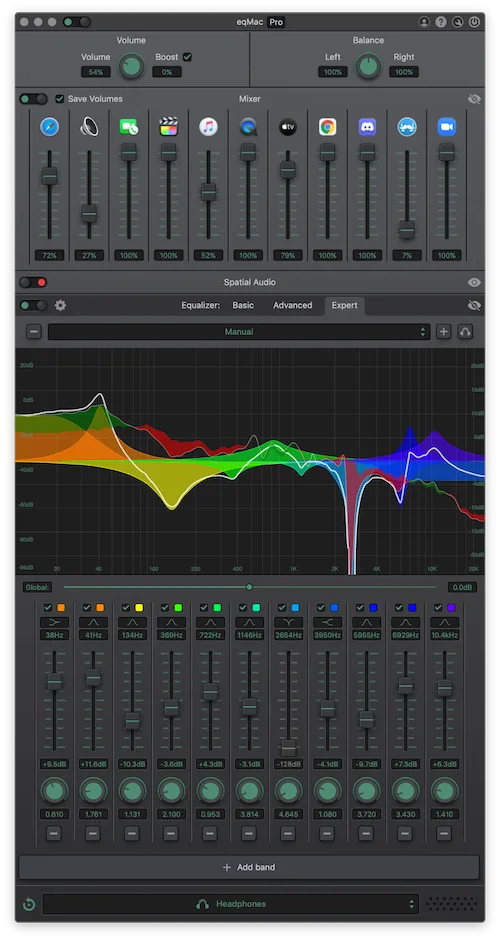
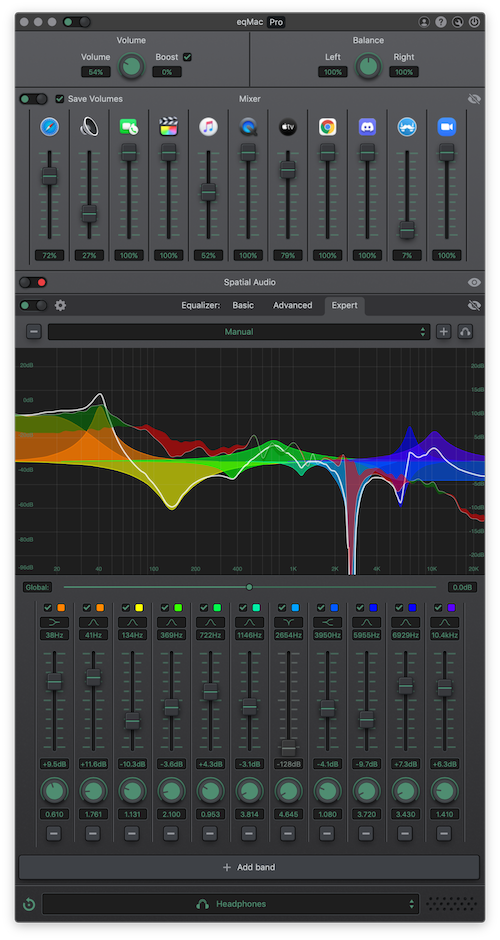
The paid Pro features serve a different level of control: an App Mixer adjusts individual application volumes, while the Expert Equalizer provides adjustable filter types, frequency, gain and bandwidth with a spectrum analyzer. Pro also includes spatial audio and Audio Unit hosting for additional effects. The publisher screenshot shows Pro controls, not a promise that every pictured feature is free.
Choose eqMac for listening adjustments across your Mac rather than for audio recording: the publisher still lists recording and file rendering as in development. The linked package is the publisher's eqMac 1.9.2 DMG on GitHub. The homepage advertises macOS 10.13 or later on Intel and Apple Silicon, but release 1.9.2 restricts per-device capture-method selection to macOS 14.2 or later.
What it offers
- Adjust bass, mids and treble with the free Basic Equalizer.
- Shape system audio with ten fixed bands in the free Advanced Equalizer.
- Control volume and balance, including HDMI and DisplayPort output.
- Set individual application volumes with the paid Pro App Mixer.
- Use Pro parametric EQ with adjustable bands, filter types and a spectrum analyzer.
- Host Audio Unit effects and apply spatial audio with Pro.
Good to know
- App Mixer, Expert Equalizer, spatial audio and Audio Unit hosting require paid Pro access.
- The publisher lists recording and file rendering as in development, not available features.
- Per-device capture-method selection in version 1.9.2 requires macOS 14.2 or later.
Product images
Sources
References used for this listing. Retrieval dates do not indicate hands-on testing.
More in multimedia & graphics
View category ↗
1by1 2.17
Play music directly from folders with 1by1, a free Windows audio player with resume, gapless playback and file tools. Formats beyond MP3 need additional decoders.
3DVista Virtual Tour Pro
Build interactive 360° virtual tours from panoramas, videos and 3D models with 3DVista Virtual Tour Pro for Windows. Commercial software with a 30-day trial.

4DDiG Video Repair
Repair corrupted or unplayable videos in batches with the Video Repair tool in 4DDiG File Repair for Windows. A free trial is available; advanced features require a paid license.