

Multimedia & graphics Windows
Exif Pilot for Windows
View and edit photo metadata with Exif Pilot for Windows. Its free tools handle EXIF, GPS, IPTC and XMP; editing multiple photos requires a paid plug-in.
- Operating system
- Windows 7, 8, 10 and 11
- Architecture
- x64 (64-bit)
- Download package
- EXE installer
Non-beta x64 download; a separate x32 build is offered. Excel metadata import/export requires 64-bit Excel, Access and Access Database Engine 2016 Redistributable.
Link checked · Download guidance
What is Exif Pilot?
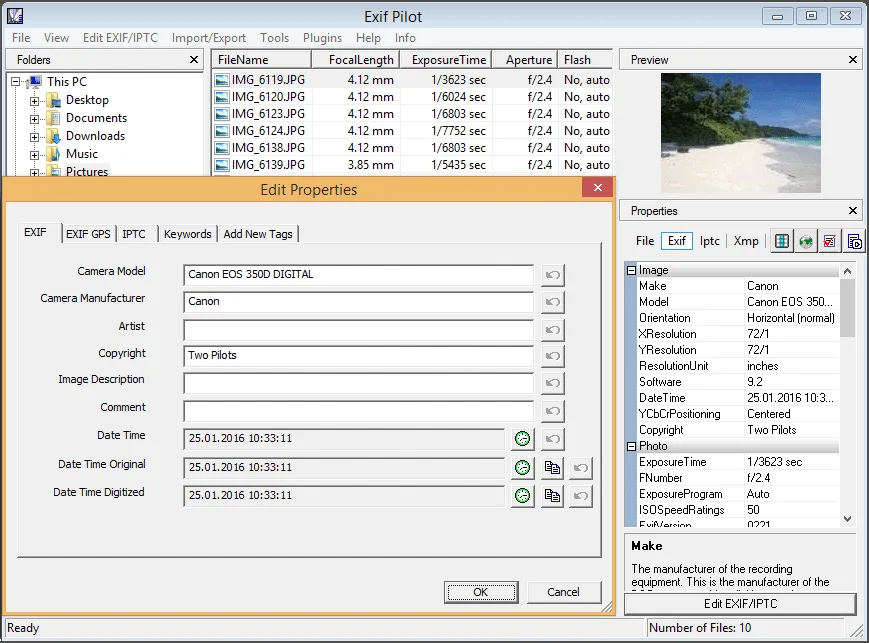
Exif Pilot is a Windows photo metadata editor for inspecting camera details, changing supported tags and maintaining image keywords. Choose a folder, select a photo and edit its metadata. The free tools can create or edit EXIF, EXIF GPS, IPTC and XMP data, remove tags, and import or export EXIF and IPTC through XML, CSV or Microsoft Excel files. It is a metadata tool rather than an image retouching editor.
For a collection that needs the same changes across multiple photos, the separate paid Batch Editing Plug-in adds bulk processing and command-line metadata editing. Processed files must be in the same directory. Format and tag support also matter: some RAW formats are read-only, and the program cannot change every tag it can display.
This entry links to the publisher's non-beta 6.29.0 Windows x64 EXE. The publisher lists Windows 7, 8, 10 and 11, but states that no upgrades are planned and no technical support is provided. For Excel import or export with this x64 edition, the publisher requires 64-bit Microsoft Excel, Microsoft Access and Microsoft Access Database Engine 2016 Redistributable.
What it offers
- View, create and edit supported EXIF, EXIF GPS, IPTC and XMP metadata.
- Remove metadata tags and add, edit or delete image keywords.
- Import and export EXIF and IPTC through XML, CSV and Microsoft Excel files.
- Create and edit Photo Sphere metadata for panorama images.
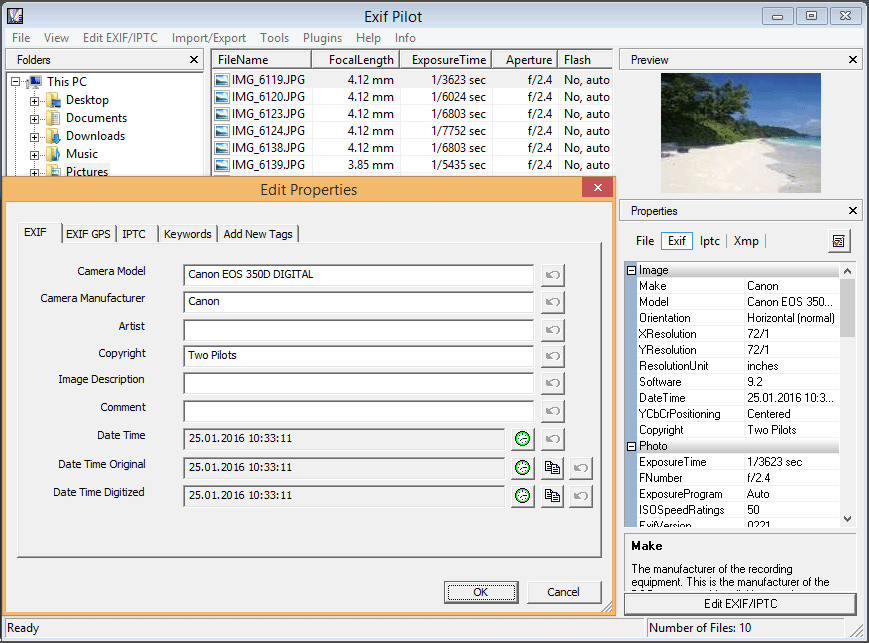
- Inspect photos using a folder tree, file list, image preview and metadata properties pane.
Good to know
- Multiple-photo processing and command-line editing require the separate paid Batch Editing Plug-in; processed files must share a directory.
- The publisher states that no upgrades are planned and no technical support is provided.
- Some RAW formats, including MRW, RW2, HEIC and RAF, are read-only; only supported tags can be viewed, and only some can be changed.
- Excel import/export in the x64 edition requires 64-bit Excel, Access and Microsoft Access Database Engine 2016 Redistributable.
Product images
Sources
References used for this listing. Retrieval dates do not indicate hands-on testing.
More in multimedia & graphics
View category ↗
1by1 2.17
Play music directly from folders with 1by1, a free Windows audio player with resume, gapless playback and file tools. Formats beyond MP3 need additional decoders.
3DVista Virtual Tour Pro
Build interactive 360° virtual tours from panoramas, videos and 3D models with 3DVista Virtual Tour Pro for Windows. Commercial software with a 30-day trial.

4DDiG Video Repair
Repair corrupted or unplayable videos in batches with the Video Repair tool in 4DDiG File Repair for Windows. A free trial is available; advanced features require a paid license.