

Multimedia & graphics Windows
Express Burn for Windows
Burn audio, MP3 and data CDs on Windows with Express Burn. The non-expiring free edition is for non-commercial CD burning; DVD and Blu-ray features require an appropriate paid edition.
- Operating system
- Windows 7–11
- Architecture
- Publisher confirms 64-bit Windows compatibility; native installer architecture not specified
- Download package
- EXE installer
Requires a disc-writing drive for physical media. Free edition: non-commercial CD burning only.
Link checked · Download guidance
What is Express Burn?
Express Burn is NCH Software’s disc-burning application for Windows. Add files by dragging them into a project, then create an audio CD for a traditional CD player, an MP3 CD or a data CD. Audio tools include volume normalization and adjustable pauses between tracks, with input support for formats such as WAV, MP3, WMA, OGG and FLAC.
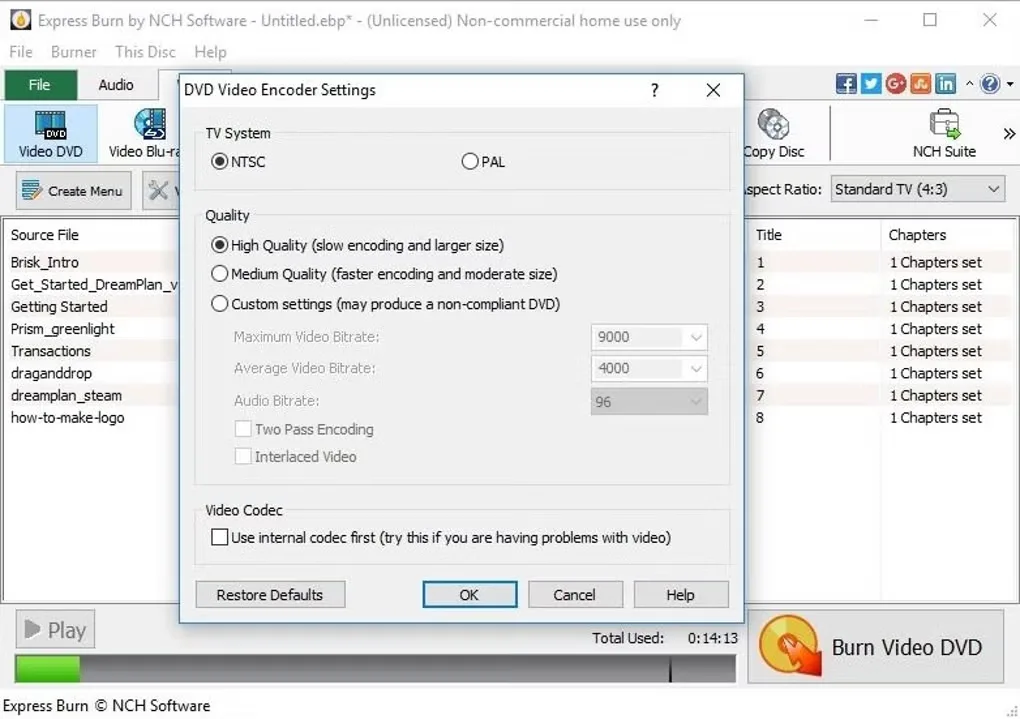
The free edition does not expire, but it is limited to non-commercial CD burning. The wider product range adds DVD and Blu-ray burning, DVD menus and chapters, and ISO image tools. NCH offers different paid feature levels, so a CD-only license does not unlock DVD or Blu-ray authoring. The screenshot shows the DVD encoder settings interface, not a guarantee that those controls remain available in the free edition.
A compatible disc-writing drive is required to burn physical media. NCH lists Windows 7 through 11 and confirms operation on 64-bit Windows computers. The application is not a tool for bypassing copy or region protection.
What it offers
- Create audio, MP3 and data CD projects with drag-and-drop file selection.
- Use WAV, MP3, WMA, OGG and FLAC audio as supported inputs.
- Normalize audio volume and set the pause length between tracks.
- Access DVD menus, chapters and DVD or Blu-ray burning in the appropriate paid edition.
Good to know
- The free, non-expiring edition is restricted to non-commercial use and CD burning.
- DVD and Blu-ray authoring depend on the purchased feature level; a CD-only license does not include them.
- Burning physical discs requires a compatible writable disc drive.
- NCH does not permit using the software to bypass copy-protected or region-protected videos.
Product images
Sources
References used for this listing. Retrieval dates do not indicate hands-on testing.
- Express Burn Disc Burning Software — publisher features and requirements ↗Retrieved
- Express Burn — trial features and paid edition boundaries ↗Retrieved
- Express Burn Disc Burning Software Versions — platform-specific build log ↗Retrieved
- Will ExpressBurn work on 64-bit computers? ↗Retrieved
- Express Burn Free CD Burning Software - Download — observed Windows gallery ↗Retrieved
- NCH Software Legal Terms — copyright and developer ↗Retrieved
More in multimedia & graphics
View category ↗
1by1 2.17
Play music directly from folders with 1by1, a free Windows audio player with resume, gapless playback and file tools. Formats beyond MP3 need additional decoders.
3DVista Virtual Tour Pro
Build interactive 360° virtual tours from panoramas, videos and 3D models with 3DVista Virtual Tour Pro for Windows. Commercial software with a 30-day trial.

4DDiG Video Repair
Repair corrupted or unplayable videos in batches with the Video Repair tool in 4DDiG File Repair for Windows. A free trial is available; advanced features require a paid license.