

Multimedia & graphics Windows
Express Scribe for Windows
Transcribe recordings on Windows with variable-speed playback, keyboard hotkeys and optional foot-pedal control. A free edition handles common audio formats; Pro adds proprietary format support.
- Operating system
- Windows 7 to Windows 11, as listed by NCH Software
- Architecture
- Not specified on the publisher product page
- Download package
- EXE installer
Sound card or integrated sound support required. Foot pedal and speech engine are optional; some controllers require Pro.
Link checked · Download guidance
What is Express Scribe?
Express Scribe is an audio playback tool for people typing transcripts of interviews, lectures, dictation and other recordings. Adjust playback speed without changing pitch, or use keyboard hotkeys to control playback while typing in a word processor. Supported USB foot pedals offer another way to control playback without taking your hands off the keyboard.
The application also manages dictation files and can automatically check an FTP server, a network location or a local folder for new recordings. A compact Mini window reduces the space taken up by playback controls.
Choose the edition around the recordings and hardware you use. NCH lists WAV, MP3, WMA and DCT support for the free edition, while proprietary format support requires an upgrade to Pro. Several professional controllers listed by the publisher also require Pro. This is primarily a transcription playback workflow: the publisher describes speech recognition through integration with separate speech-recognition software, not a promise that every recording will become an accurate automatic transcript.
What it offers
- Adjust audio playback speed while maintaining pitch.
- Control playback with keyboard hotkeys while typing in Word or another word processor.
- Use supported USB foot pedals for hands-free playback control; some controllers require Pro.
- Automatically load dictation files from FTP, a local network or a computer folder.
- Use the compact Express Scribe Mini playback window while transcribing.
Good to know
- The free edition supports common audio formats; proprietary format support requires Pro.
- Several professional foot-pedal controllers on NCH's supported-hardware list require Pro.
- Speech-to-text use depends on integration with speech-recognition software; playback tools alone do not replace typing a transcript.
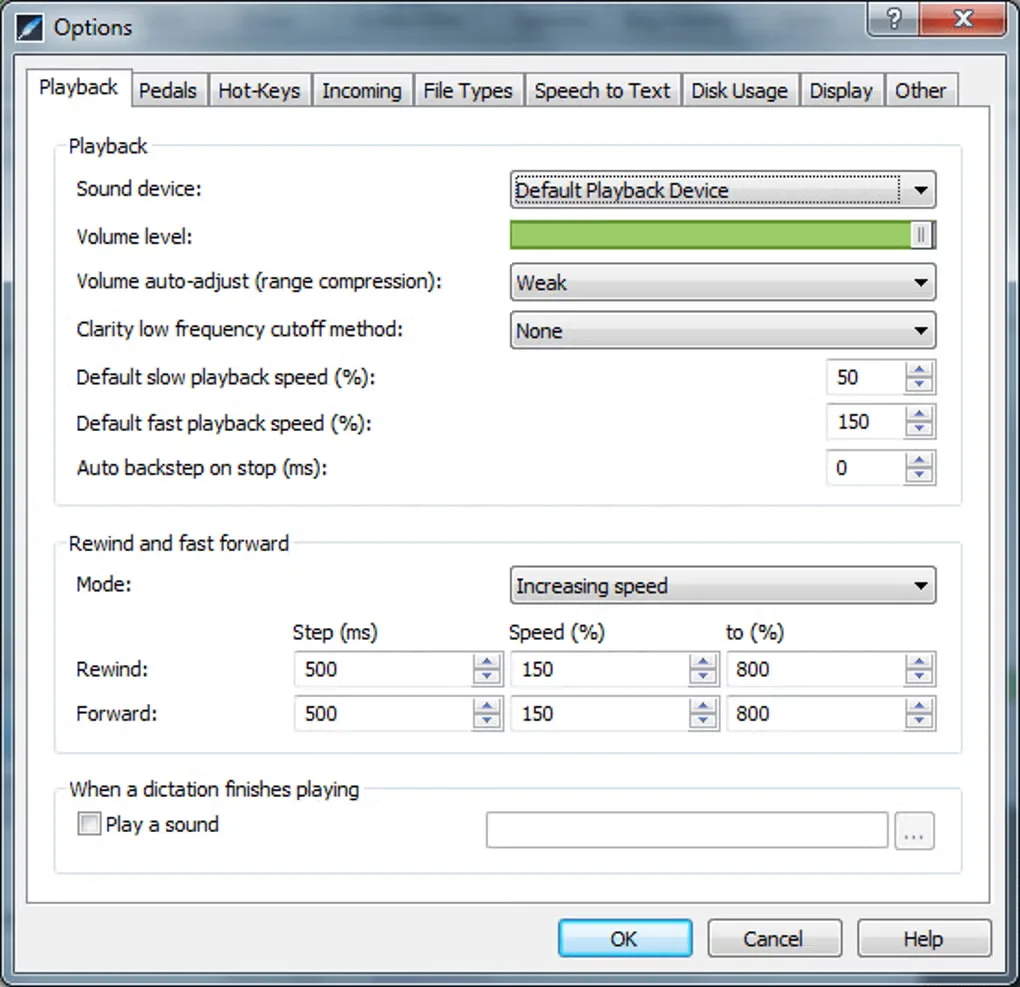
Product images
Sources
References used for this listing. Retrieval dates do not indicate hands-on testing.
More in multimedia & graphics
View category ↗
1by1 2.17
Play music directly from folders with 1by1, a free Windows audio player with resume, gapless playback and file tools. Formats beyond MP3 need additional decoders.
3DVista Virtual Tour Pro
Build interactive 360° virtual tours from panoramas, videos and 3D models with 3DVista Virtual Tour Pro for Windows. Commercial software with a 30-day trial.

4DDiG Video Repair
Repair corrupted or unplayable videos in batches with the Video Repair tool in 4DDiG File Repair for Windows. A free trial is available; advanced features require a paid license.