
Multimedia & graphics Windows
FamiStudio for Windows
Compose NES and Famicom chiptunes with FamiStudio, an open-source music editor for Windows with a piano roll, pattern sequencer and audio export.
- Operating system
- Windows 8 or newer (64-bit)
- Architecture
- x64
- Download package
- ZIP archive containing the Windows installer (Setup.exe)
Requires .NET Runtime 8.0 and OpenGL 3.0 support. The publisher recommends the installer for dependency setup; a separate portable package is also offered.
Link checked · Download guidance
What is FamiStudio?
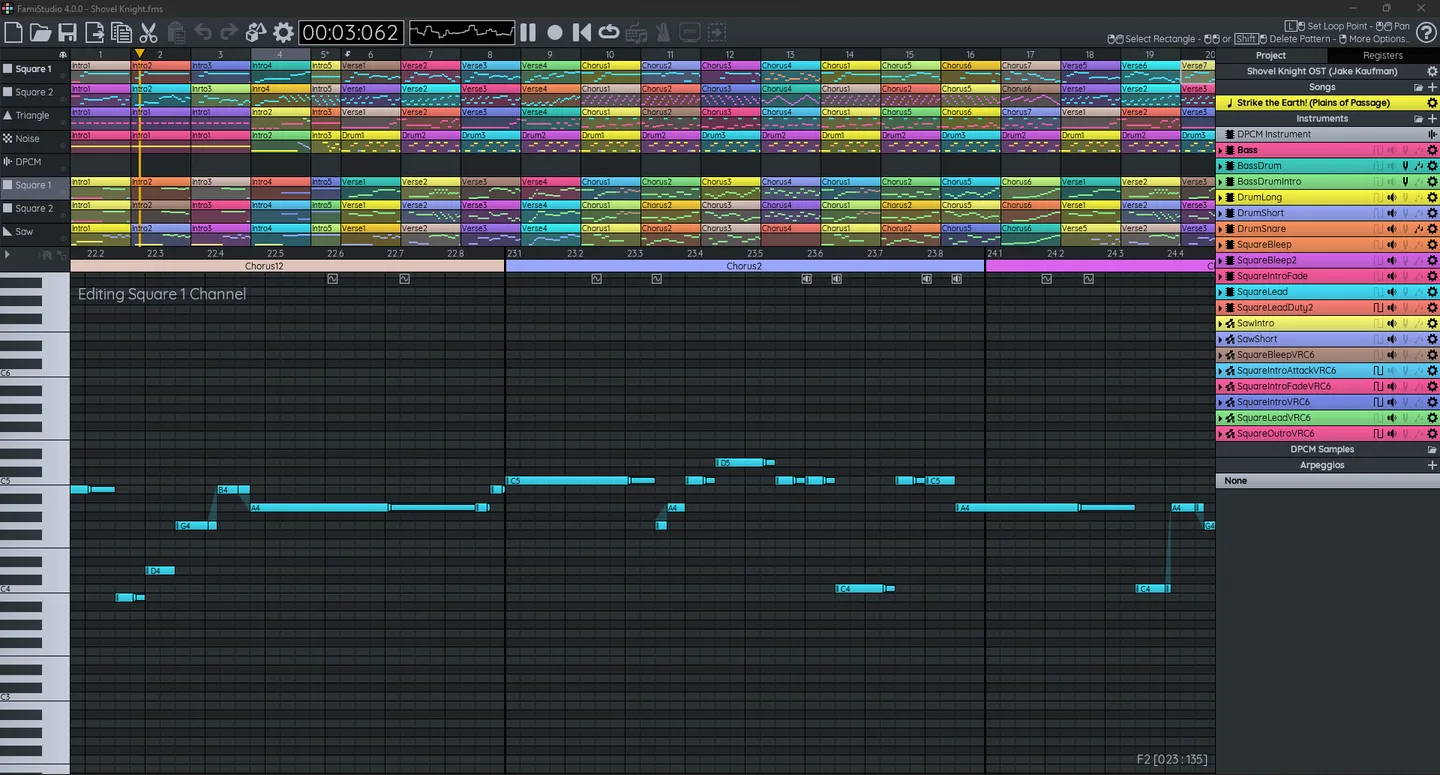
FamiStudio is a music editor for making Nintendo Entertainment System and Famicom soundtracks. It is aimed at chiptune artists and NES homebrew developers. Enter notes in the piano roll, arrange patterns across channels in the sequencer, and manage songs and instruments in the project explorer. Instrument envelopes and arpeggios provide control over how notes evolve.
Finished songs can be exported as WAV, MP3 or OGG Vorbis audio, as Nintendo Sound Format files, or as NES ROM/FDS images for compatible playback setups. Export options have different constraints: projects using multiple audio expansions cannot be exported to ROM/FDS, and video export needs a separate FFmpeg setup.
This entry links to the publisher's Windows installer ZIP for version 4.5.3. Extract the archive to access Setup.exe; it is not a standalone EXE download. The documented Windows requirements are a 64-bit Windows 8 or newer system, .NET Runtime 8.0 and OpenGL 3.0 support. The publisher recommends the installer to handle dependencies; Windows 7 is not officially supported.
What it offers
- Edit notes in a piano roll and arrange reusable patterns in a channel-based sequencer.
- Organize songs, instruments, DPCM samples and arpeggios within a project.
- Shape instrument pitch, volume and arpeggio behavior with envelopes.
- Export songs as WAV, MP3 or OGG Vorbis audio, NSF/NSFe files, and supported ROM/FDS images.
Good to know
- Projects using multiple audio expansions cannot be exported to ROM/FDS.
- Video export requires FFmpeg to be downloaded and configured separately.
- Windows 7 is not officially supported; the documented minimum is 64-bit Windows 8.
Product images
Sources
References used for this listing. Retrieval dates do not indicate hands-on testing.
- FamiStudio - Download ↗Retrieved
- FamiStudio - NES Music Editor ↗Retrieved
- Installation - FamiStudio Documentation ↗Retrieved
- Basics - FamiStudio Documentation ↗Retrieved
- Exporting Songs - FamiStudio Documentation ↗Retrieved
- FamiStudio MIT License ↗Retrieved
More in multimedia & graphics
View category ↗
1by1 2.17
Play music directly from folders with 1by1, a free Windows audio player with resume, gapless playback and file tools. Formats beyond MP3 need additional decoders.
3DVista Virtual Tour Pro
Build interactive 360° virtual tours from panoramas, videos and 3D models with 3DVista Virtual Tour Pro for Windows. Commercial software with a 30-day trial.

4DDiG Video Repair
Repair corrupted or unplayable videos in batches with the Video Repair tool in 4DDiG File Repair for Windows. A free trial is available; advanced features require a paid license.