

Multimedia & graphics Windows
Fast Video Player for Windows
Play MP4, MKV, AVI and other video files on Windows with Fast Video Player, a media player with playlists, full-screen controls and audio boost.
- Operating system
- Windows 11, 10, 8.1, 8 and 7, as listed on the publisher product page
- Architecture
- Not identified for this download
- Download package
- EXE download (publisher filename: FastVideoPlayer_fvp.exe)
The support FAQ mentions 32-bit and 64-bit Windows generally, but does not identify this file's architecture. Playback performance depends on hardware.
Link checked · Download guidance
What is Fast Video Player?
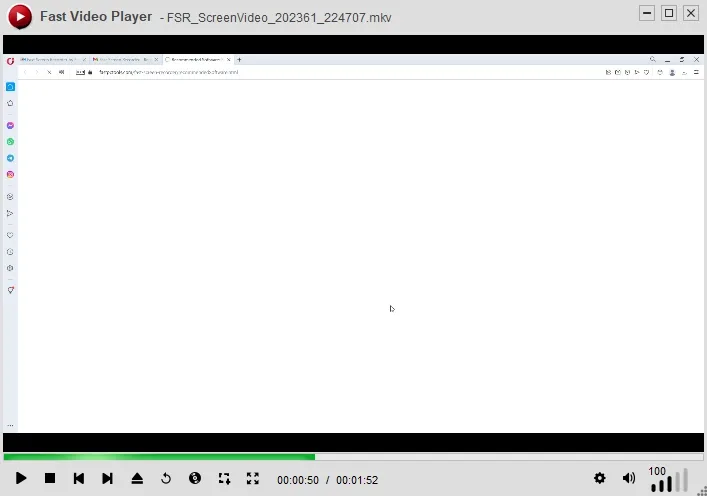
Fast Video Player is a Windows media player for opening video and audio files. FastPCTools lists MP4, MKV, AVI, MOV, WMV, FLV and WebM video support, plus MP3, WAV, AAC and OGG audio, without separate codec packs. Playlists let you queue files and reorder playback; full-screen controls and keyboard shortcuts provide playback control without leaving the video.
The publisher also describes audio boost for quiet tracks, video screenshot capture and switching between audio tracks when a file contains more than one. Its product page lists Windows 11, 10, 8.1, 8 and 7. HD and 4K playback are advertised, but the publisher explicitly makes high-resolution playback dependent on your hardware.
The download is advertised as free, while the proprietary EULA also includes subscription terms. The inspected pages do not explain which functions, if any, require payment. No version or release date is stated here because the inspected publisher pages and download headers did not establish them.
What it offers
- Play publisher-listed video formats including MP4, MKV, AVI, MOV, WMV, FLV and WebM without separate codec packs.
- Queue and reorder multiple files in playlists.
- Use full-screen playback, on-screen controls and keyboard shortcuts.
- Boost quiet audio and switch audio tracks in files that contain multiple tracks.
- Capture screenshots from a video, as described in the publisher support FAQ.
Good to know
- High-resolution playback, including 4K, depends on your hardware; support is not a guarantee of smooth playback on every PC.
- The product page advertises a free download, but the EULA includes subscription terms without explaining the free-versus-paid feature boundaries.
Product images
Sources
References used for this listing. Retrieval dates do not indicate hands-on testing.
More in multimedia & graphics
View category ↗
1by1 2.17
Play music directly from folders with 1by1, a free Windows audio player with resume, gapless playback and file tools. Formats beyond MP3 need additional decoders.
3DVista Virtual Tour Pro
Build interactive 360° virtual tours from panoramas, videos and 3D models with 3DVista Virtual Tour Pro for Windows. Commercial software with a 30-day trial.

4DDiG Video Repair
Repair corrupted or unplayable videos in batches with the Video Repair tool in 4DDiG File Repair for Windows. A free trial is available; advanced features require a paid license.