

Multimedia & graphics Windows
FireAlpaca for Windows
Draw digital illustrations with customizable brushes, layers, comic tools and animation features in the free standard edition of FireAlpaca for Windows.
- Operating system
- Windows 10 or later
- Architecture
- x64 (64-bit)
- Download package
- EXE installer
Free standard edition. A Windows 64-bit ZIP package and older versions are offered separately by the publisher.
Link checked · Download guidance
What is FireAlpaca?
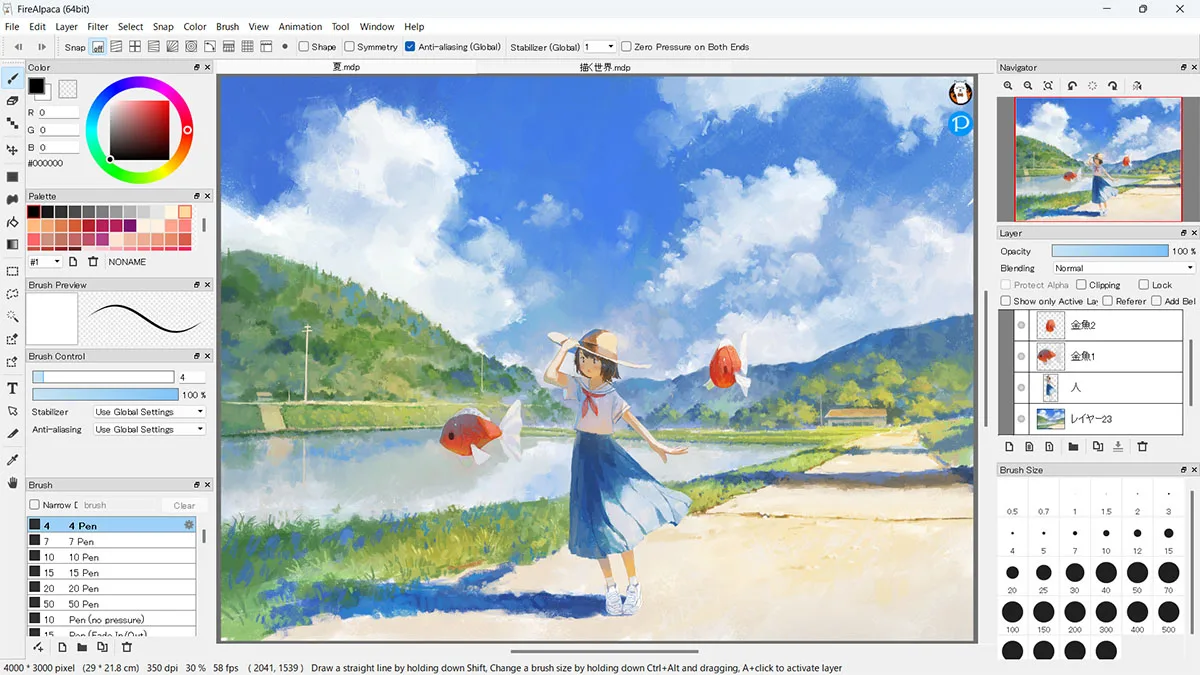
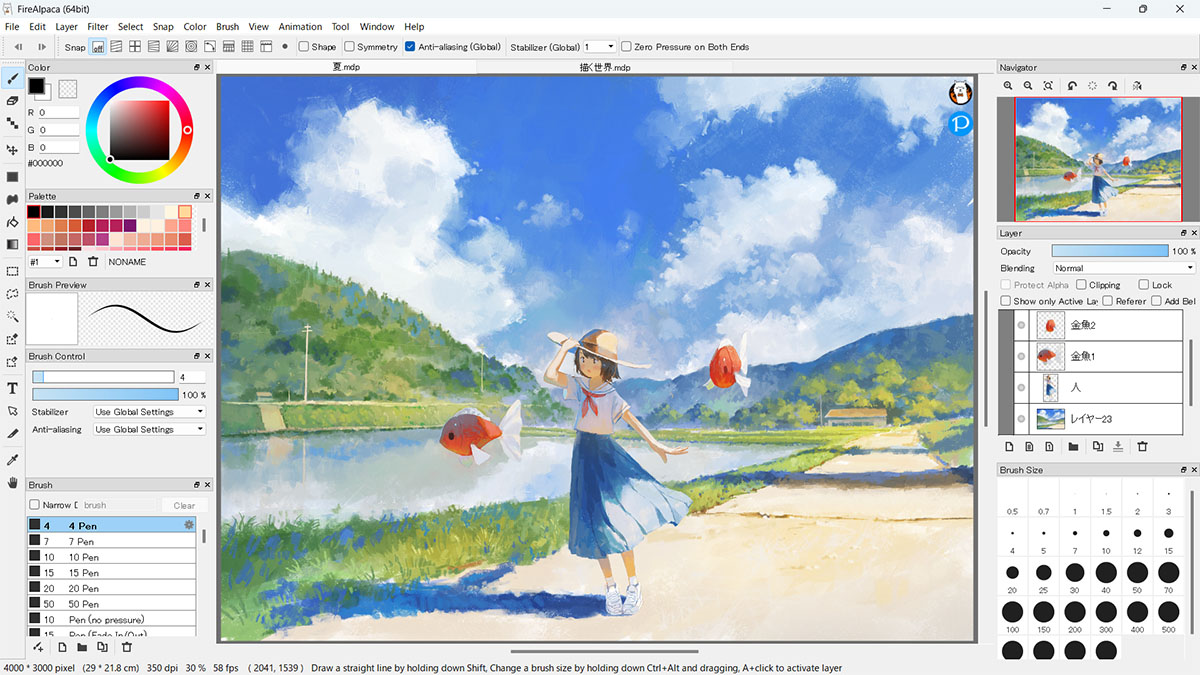
FireAlpaca is a digital painting application for creating illustrations and comics. Its brush controls let you adjust spacing and spray intensity, preview changes, and use pencil, watercolor and decorative brushes. Layers, a reference window and a navigator help organize a drawing while keeping tools around the canvas.
For comic and illustration work, the publisher lists a frame tool, text, halftones, perspective guides, mesh deformation and animation tools. Brush textures and post-drawing line adjustment offer additional ways to shape strokes.
This entry covers the free standard edition, not the paid FireAlpaca SE. Standard FireAlpaca permits personal and commercial use, but it is not the ad-free edition: the publisher reserves the ad-free experience, exclusive brushes and additional features such as Projects and layer masks for SE. The linked Windows package is the 64-bit EXE installer for Windows 10 or later.
What it offers
- Customize brushes with spacing and spray controls and a real-time brush preview.
- Draw with layers, a navigator and a reference window.
- Use comic-oriented tools including frames, text, halftones and perspective guides.
- Apply brush textures, post-drawing line adjustment and mesh deformation.
- Work with the publisher's listed animation tools.
Good to know
- The standard edition is not ad-free; the publisher offers an ad-free experience, exclusive brushes, Projects and layer masks in the separate paid SE edition.
- The current linked Windows installer requires 64-bit Windows 10 or later; older Windows packages are listed separately.
Product images
Sources
References used for this listing. Retrieval dates do not indicate hands-on testing.
More in multimedia & graphics
View category ↗
1by1 2.17
Play music directly from folders with 1by1, a free Windows audio player with resume, gapless playback and file tools. Formats beyond MP3 need additional decoders.
3DVista Virtual Tour Pro
Build interactive 360° virtual tours from panoramas, videos and 3D models with 3DVista Virtual Tour Pro for Windows. Commercial software with a 30-day trial.

4DDiG Video Repair
Repair corrupted or unplayable videos in batches with the Video Repair tool in 4DDiG File Repair for Windows. A free trial is available; advanced features require a paid license.