
Multimedia & graphics macOS
FL Studio for macOS
Make beats, write melodies and mix songs with FL Studio for Mac. The commercial music-production app offers a time-unlimited trial that cannot reopen saved projects.
- Operating system
- macOS 10.15.7 or newer
- Architecture
- Intel and Apple Silicon
- Download package
- DMG installer
Publisher lists at least 4 GB of RAM and 4 GB of free disk space. The same installer supports trial use and paid-license unlocking.
Link checked · Download guidance
What is FL Studio?
FL Studio is a digital audio workstation for building music from patterns, recordings and instruments. Use the Channel Rack to sequence beats, the Piano Roll to write melodies and chords, and the arrangement workspace to combine clips and loops into a song. A mixer provides level control, routing and effects.
The Mac installer runs on Intel and Apple Silicon systems with macOS 10.15.7 or newer. It starts in trial mode and can be unlocked with a purchased Edition; there is no separate full-version installer.
The trial lets you explore the All Plugins Edition features without a time limit, save projects and export finished audio. The important restriction is project continuity: once a project is closed, the trial cannot reopen the saved .flp file. Buy and unlock an Edition to reopen saved work. Paid Editions include Lifetime Free Updates for the features and plugins in that Edition.
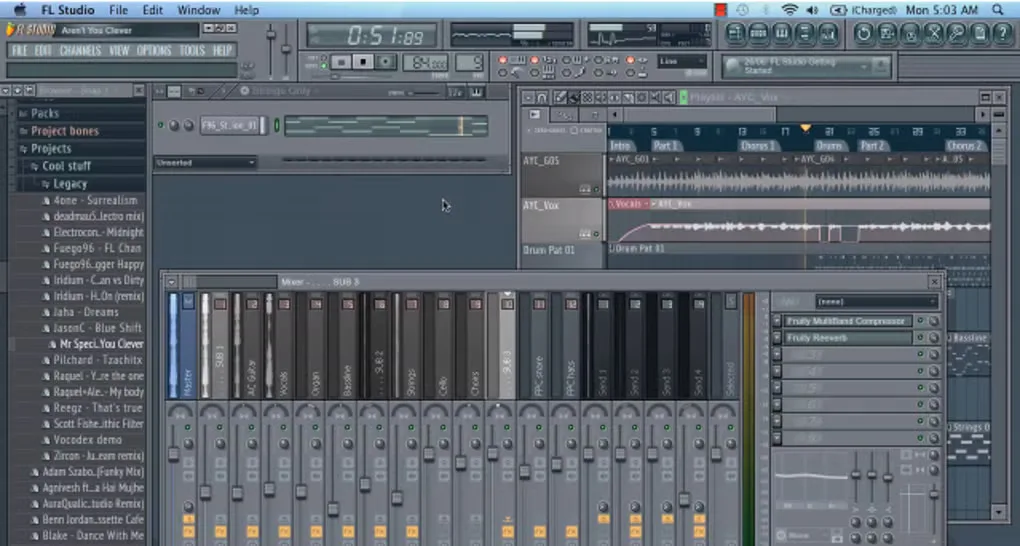
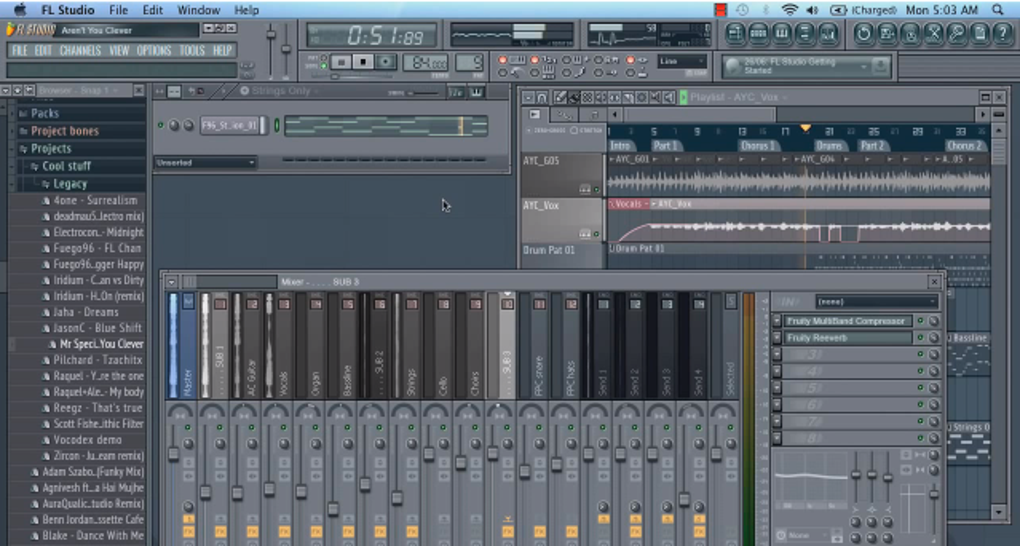
The screenshot shows an older Mac interface from the source gallery, not the current installer version.
What it offers
- Sequence beats and patterns in the Channel Rack.
- Write melodies, chords and note patterns with the Piano Roll.
- Arrange clips, patterns and loops into full songs.
- Balance tracks, route audio and apply effects in the mixer.
- Explore instruments and effects in the trial and export finished music.
Good to know
- The trial cannot reopen saved .flp projects; reopening requires a purchased, unlocked Edition.
- The included instruments and effects depend on the paid Edition; trial access to all plugins does not mean every Edition includes them.
Product images
Sources
References used for this listing. Retrieval dates do not indicate hands-on testing.
- Download FL Studio | Free, Official Windows and Mac Installer ↗Retrieved
- Features | FL Studio ↗Retrieved
- FL Studio for Mac - Download ↗Retrieved
More in multimedia & graphics
View category ↗
1by1 2.17
Play music directly from folders with 1by1, a free Windows audio player with resume, gapless playback and file tools. Formats beyond MP3 need additional decoders.
3DVista Virtual Tour Pro
Build interactive 360° virtual tours from panoramas, videos and 3D models with 3DVista Virtual Tour Pro for Windows. Commercial software with a 30-day trial.

4DDiG Video Repair
Repair corrupted or unplayable videos in batches with the Video Repair tool in 4DDiG File Repair for Windows. A free trial is available; advanced features require a paid license.