
Multimedia & graphics Windows
Fladder
Stream your Jellyfin library on Windows or sync media for offline playback with Fladder, an open-source client with multiple profiles and library controls.
Version 0.11.1 · Direct publisher file
Link checked · Download guidance
What is Fladder?
Fladder connects your Windows PC to a Jellyfin media server so you can browse your library, play media and sync items for offline use. It is a client for an existing Jellyfin setup, not a service that supplies movies or a replacement for the server. Multiple profiles let you switch between users or servers, while library tools support refreshing content and editing metadata.
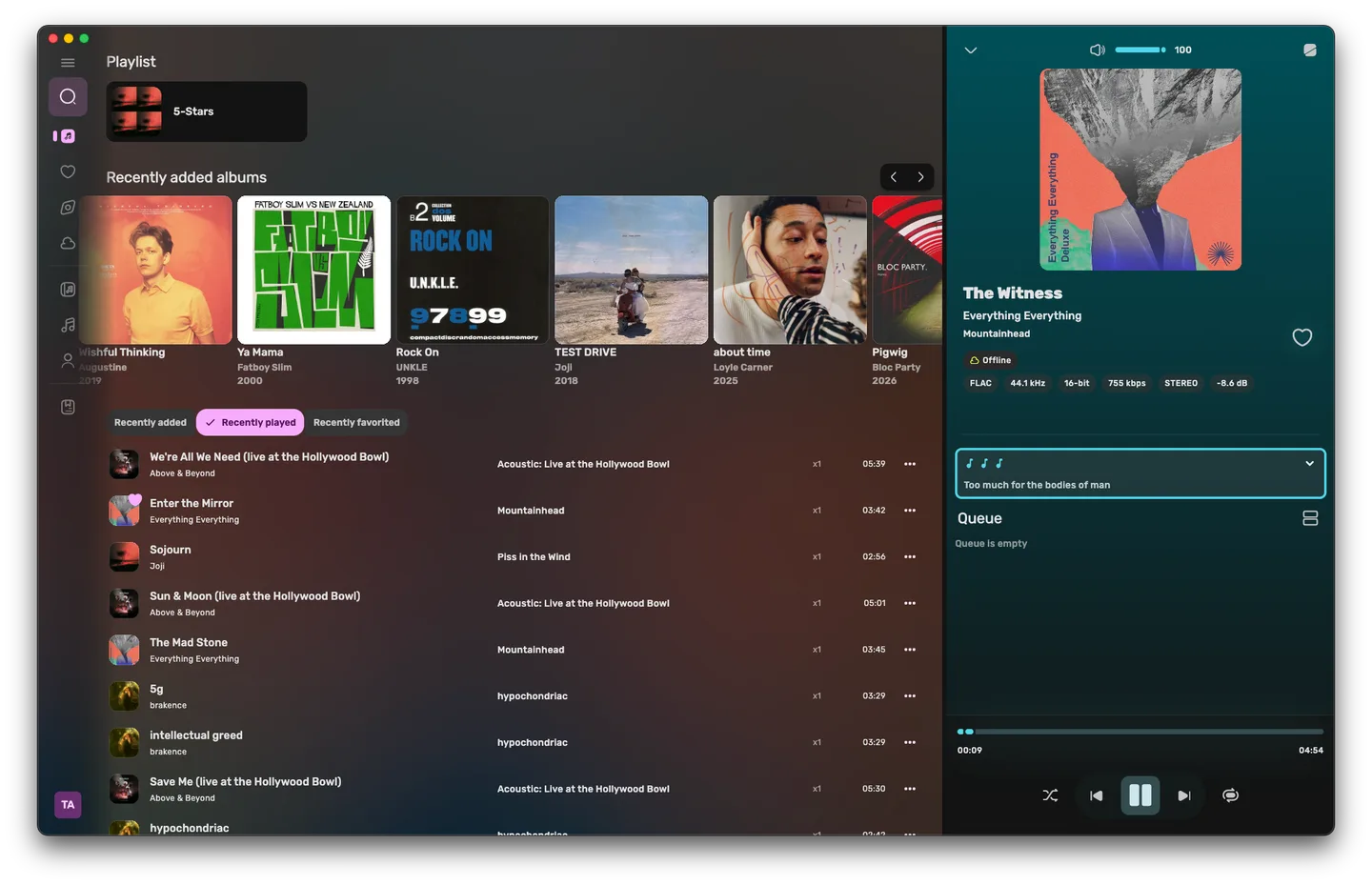
Playback options include direct streaming, transcoding and offline playback. Keyboard shortcuts and a next-up overview help with everyday viewing. Version 0.11.1 also includes a music dashboard with gapless playback, volume normalization and lyrics, plus library filters that can be saved in the navigation sidebar. The publisher describes music playback as beta, so bugs and rough edges remain possible.
The linked Windows package is the publisher’s 0.11.1 EXE installer; a separate portable ZIP is also listed. The screenshot is the publisher’s desktop music interface with macOS window controls, illustrating the cross-platform UI rather than a Windows installation captured by SoftGalaxy.
What it offers
- Stream media directly, use transcoded playback or sync items for offline use.
- Switch between multiple users or Jellyfin servers with separate profiles.
- Refresh library content, edit metadata and save library filters.
- Use keyboard shortcuts and a next-up overview during playback.
- Browse a music dashboard with gapless playback, volume normalization and lyrics.
Good to know
- Requires access to a Jellyfin server and its media library; Fladder does not supply a media catalog.
- The publisher considers music playback beta and warns of bugs or annoyances.
Product images
Sources
References used for this listing. Retrieval dates do not indicate hands-on testing.
More in multimedia & graphics
View category ↗
1by1 2.17
Play music directly from folders with 1by1, a free Windows audio player with resume, gapless playback and file tools. Formats beyond MP3 need additional decoders.
3DVista Virtual Tour Pro
Build interactive 360° virtual tours from panoramas, videos and 3D models with 3DVista Virtual Tour Pro for Windows. Commercial software with a 30-day trial.


4DDiG Video Repair
Repair corrupted or unplayable videos in batches with the Video Repair tool in 4DDiG File Repair for Windows. A free trial is available; advanced features require a paid license.